
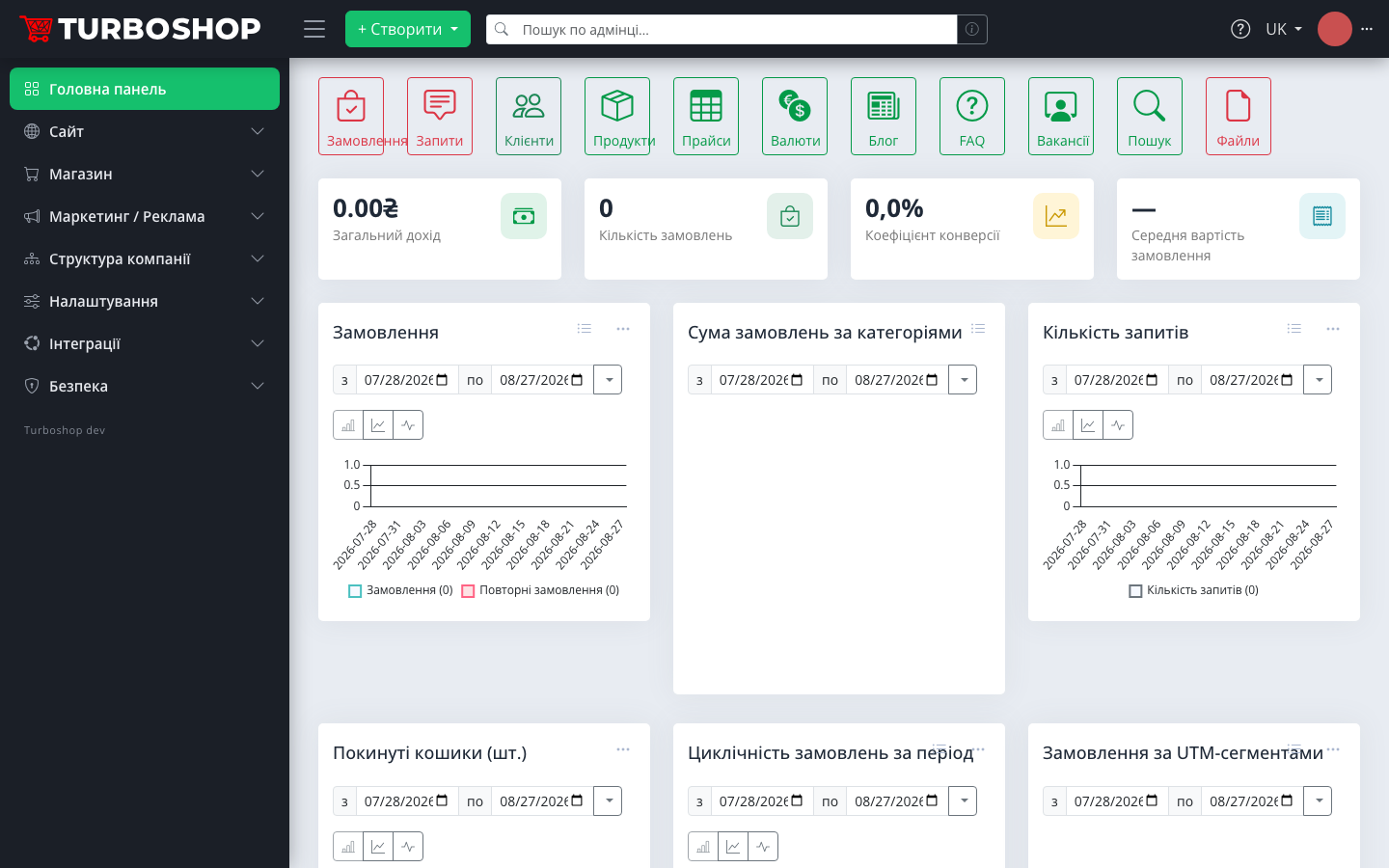
The second issue of our platform update digest. This issue delivers a long-awaited flexibility upgrade — custom fields for products, orders and customers — plus a dashboard with monthly business metrics. Here is what landed and how it looks in the admin panel.
Custom fields without a developer
Every business is different: one needs a "size" field, another a "best before" date, another a "lead source". Previously a new field meant modifying the engine. Now the admin panel has a Custom fields section where the administrator defines arbitrary fields for three entities — product, order and customer.

What custom fields can do:
- five field types — text, number, date, yes/no and dictionary (a list of values, including tree-shaped ones);
- grouping and sorting — drag fields with the mouse and the order is kept in the forms;
- the key is auto-generated from the field name and shown right in the list;
- field values are exposed through the REST API for products, orders and customers — so they work for integrations and 1C imports too.

Product, order and customer cards received a "Custom fields" tab — and the fields are available already when creating a record, not only when editing. Separate flags let you show a field to the shopper at checkout and make it required.

Custom fields answer the most frequent owner request — "add us one more field". Now you add it yourself in a minute.
Who needs this: a few examples
- a clothing store — a "Fabric composition" field on products and a "Size chart" dictionary;
- groceries and cosmetics — a "Best before" date right on the product card;
- B2B sales — "Company registration number" and "Payment form" on the customer card;
- electronics — a numeric "Warranty period" and a "Condition" (new or used) dictionary;
- operations — an "Order source" or "Third-party carrier tracking number" on orders, visible to managers only.
Polished down to the details
Right after the release, custom fields received a series of refinements based on feedback:
- the field type and the linked dictionary are locked after creation — an accidental type change cannot destroy already-entered values;
- key uniqueness is validated with a friendly hint instead of a server error;
- tree-dictionary values render in the correct order with level indentation;
- the "+ Create" button is always visible above the widget, with a quick jump to the "Custom fields" section next to it;
- the built-in admin help got a "Custom fields" article with configuration examples.
Frequently asked questions about custom fields
Do I need a developer? No. A field is created in the admin form in a minute: name, type, entity — and it appears on the cards.
Does the shopper see these fields? Only the ones you explicitly flagged to show at checkout (they can be made required). The rest are internal — visible to managers in the admin panel only.
What about integrations? Custom field values are served and accepted through the REST API, so exchanges with accounting systems and 1C imports work with custom fields exactly like with standard ones.
KPI dashboard: monthly metrics with comparison
The admin home page now looks like a business control panel. At the top are four KPI cards: total revenue, order count, cart-to-order conversion rate and average order value. Each metric is calculated month-to-date and compared with the same stretch of the previous month — the percentage change is visible at a glance. The comparison is honest: today's numbers are matched against the same stretch from the start of the previous month, not the whole month.

A new "Order totals by category" chart was added — a doughnut with the top 8 categories plus an "Others" group, showing where revenue really comes from. The widgets are arranged in a logical order: Orders → Inquiries → Clients → Products, and the quick-access buttons became more compact.
A new store is no longer empty
Continuing last week's "works out of the box" theme, every new installation now receives:
- starter dictionaries — currencies, price types, measurement units, payment statuses;
- a storefront skeleton — content pages, header and footer menus, contacts, brand colors and logos;
- all of it — without a single demo product: the catalog is clean and ready for your items.
Demo content was moved out separately and now has two modes: "starter" — a clean skeleton for a new store, and "showcase" — a full storefront with examples, like on our demo. Six integration modules (Forsage, Gemini, NetHunt, Prom, Rozetka, TurboSMS) also left the standard package — they are installed selectively by the stores that actually need them, making the base installation lighter. If you are opening your first store — just sign up: this whole skeleton is already waiting inside.
Smaller but useful changes
- administrator avatar — the photo upload button in the profile now actually works (deletion too);
- storefront search ranks across all languages: a product matching only in a "foreign" locale no longer sinks to the bottom of results;
- new branding — a favicon set for the admin and storefront, a separate logo for the dark theme;
- design updates arrive with regular platform updates — the reference themes became platform packages, so a store gets the new storefront look through an ordinary update, with no manual builds on the server.

If you are only planning to create an online store, see what else the Turboshop online store builder can do.
Why it matters
Custom fields close the biggest class of "individual customizations" — it is now a standard platform capability available on every plan. And the KPI dashboard answers the owner's main morning question: "how is this month going compared to the last one?". And just a week later custom fields also learned to become catalog filters and flow into product feeds — more on that in the next digest. Try it on your own store — from UAH 250/month on the Basic plan.