
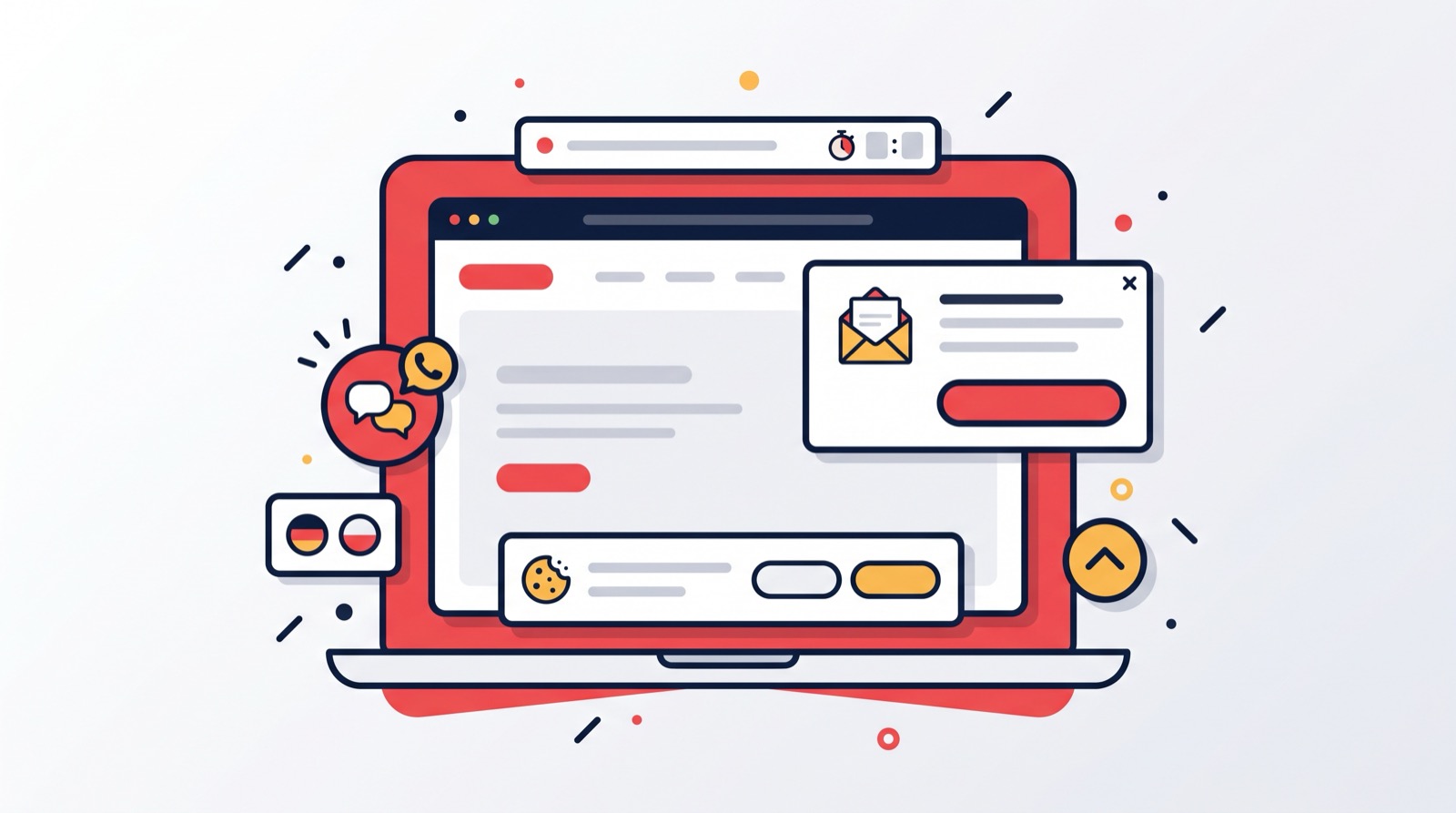
A "Free shipping until Sunday" bar above the header, a messenger button in the corner, a polite question about the site language, a cookie banner — for years we watched store owners order these small things from developers or plug in third-party services for an extra monthly fee. So we made them part of the platform. Every Turboshop store now has a "Settings → Widgets" section with eight ready-made widgets, shared display rules and a live preview. Here is what we put in, why we did it this way and what it does for your sales.
What we put in the set
For us a widget is a small storefront element that lives on top of pages and does exactly one job: inform, hint, retain or offer a way to get in touch. We picked eight such jobs almost every store runs into:
- Announcement bar — a strip above or below the header, up to three messages with links, three display templates and a countdown to a date;
- Language picker — a popup offering to switch to another language version of the site;
- Cookie notice — a consent banner with "Analytics" and "Marketing" categories that really controls GTM, GA4 and Facebook Pixel;
- Back-to-top button — appears after scrolling and returns to the top of the page;
- Floating contacts — a contact button with phone, Telegram, Viber, WhatsApp, Messenger, email and a feedback form;
- Retention (exit-intent) — a popup for a visitor who is about to leave;
- Engaged guest — a popup for someone who browsed several pages and is still hesitating;
- Email on add to cart — a two-step window that saves the cart and sends a promo code.
The last three are customer-return scenarios with promo codes, and we gave each of them its own article. Here we focus on the section itself and the five "service" widgets we recommend enabling first.
The "Widgets" section: one page, a tab per widget
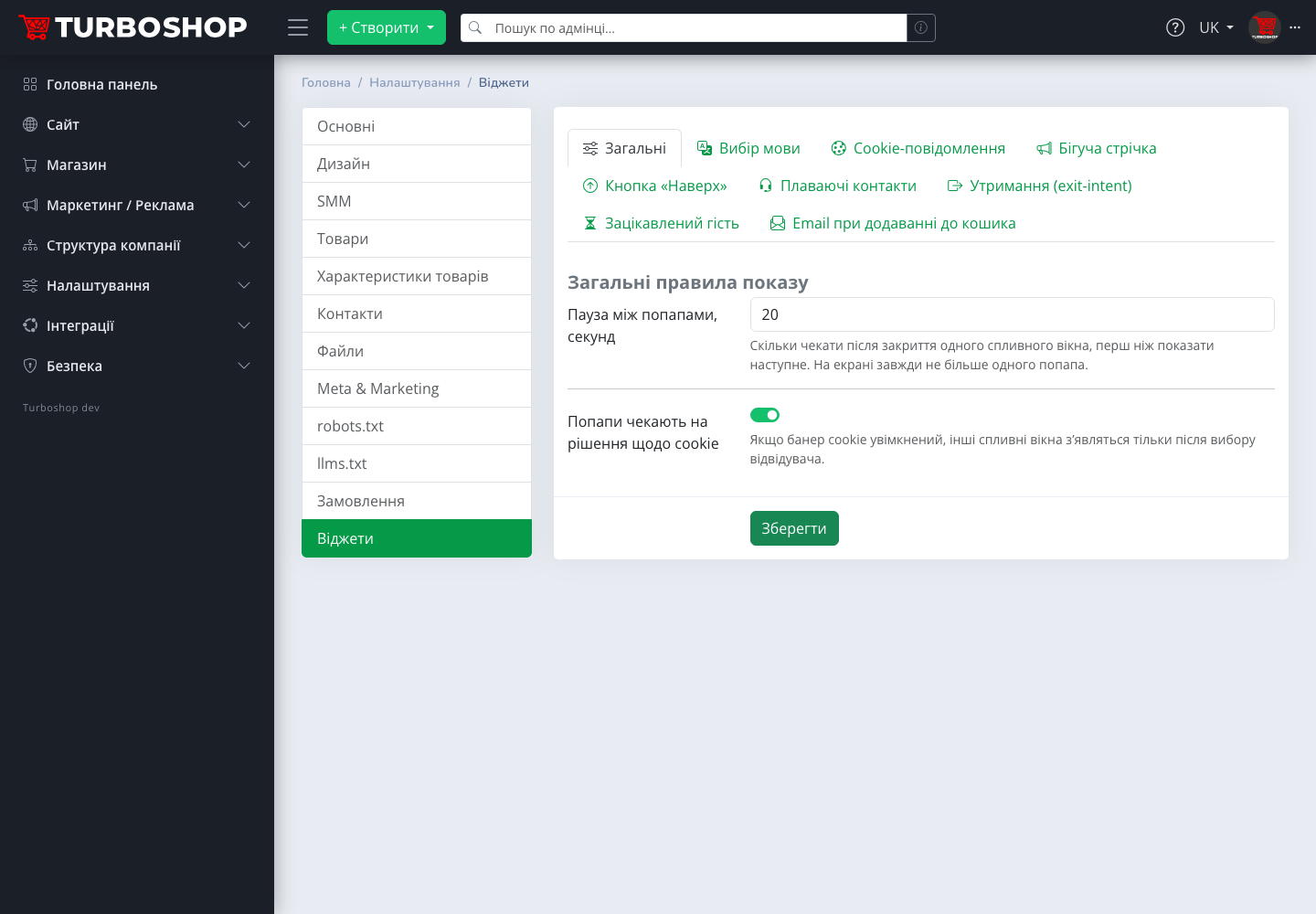
We gathered all the controls in one place — "Settings → Widgets". The first tab, "General", holds two shared rules we consider the most important for a shopper's peace of mind: "Pause between popups, seconds" (never more than one popup on screen, the next appears only after the pause) and "Popups wait for the cookie decision" — until the visitor answers the banner, other windows stay out of the way. We simply did not want a store on our platform to greet a person with three windows at once.
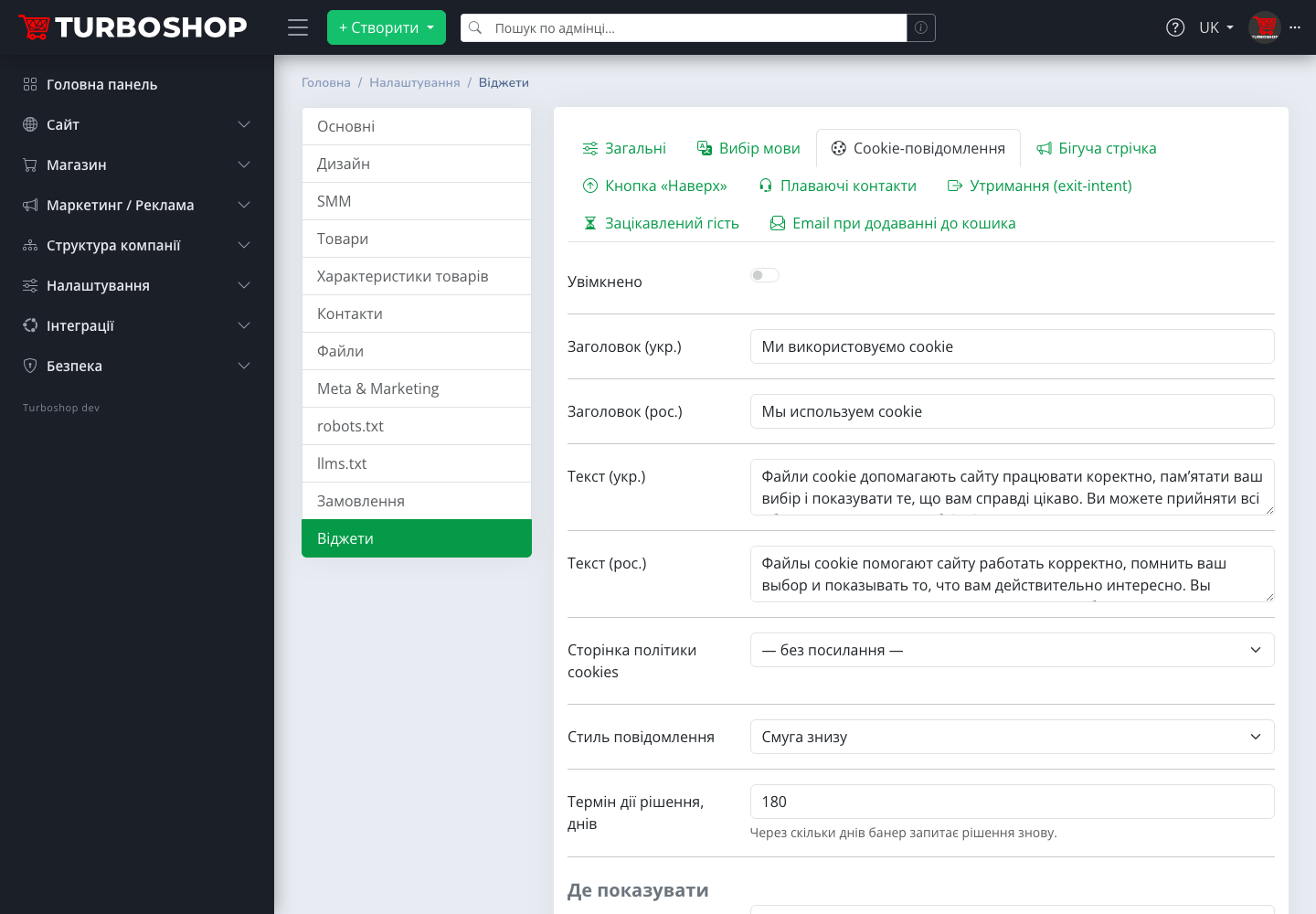
Then a tab per widget. We built each one the same way so nothing has to be learned twice: an "Enabled" toggle, the widget's own fields, a "Where to show" block and a "Preview" button. Two decisions we made deliberately. First: after the update every widget is off — installing the module changes nothing on your storefront, you decide what to enable and when. Second: we pre-filled every text field with samples in Ukrainian and Russian so you can enable a widget and see the result in a minute, then rewrite the copy when you have time.
Announcement bar: a promotion nobody can miss
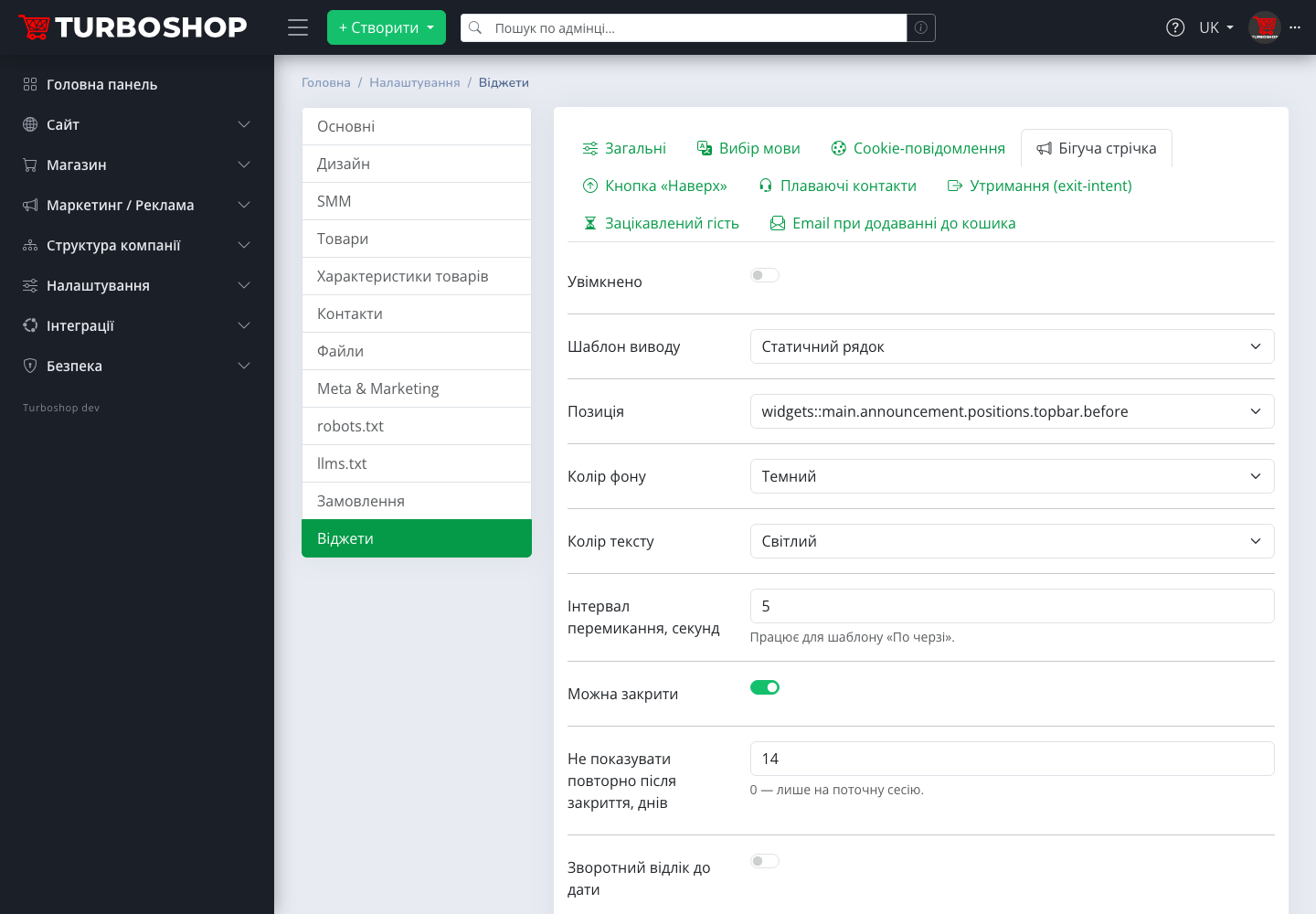
The simplest and, from what we see, the most useful widget. It is a strip above the header (or below it) with a message like "Free shipping from 1500 ₴ — this week only". We allowed up to three messages, each with an optional link to a promotion page or product selection. You get the most visible spot on the site without a single banner in the content.

Three display templates to choose from: "Static line", "Marquee" (the text scrolls like a news ticker) and "Rotate" — messages replace each other at a set interval. We take the colours from your theme palette, so the bar never looks alien and you do not have to pick them by hand. You can let the visitor close the bar and set how many days to hide it afterwards.
Separately we built a "Countdown to a date": set the end date and time of the promotion and an "until the end of the promotion" counter appears next to the text. We tied the countdown to a real date on purpose: when it passes, the counter disappears by itself. Urgency works only while it is honest — and we do not let the bar lie to your customers.
And an SEO nuance we designed in on purpose: the bar is the only widget search robots see. We hide all popups from bots to keep the index clean, while the promotion bar is indexed as regular page text.
Language picker popup
If your store has two language versions, visitors often land on the wrong one: from an ad, from someone else's link, from search. We built a "Choose site language" popup with a button for every active language, the current one marked "stay". And we deliberately refused automatic switching: it breaks ad links and annoys people whose browser language does not match the one they want. The decision is always the person's.
The "Show only if the browser language differs" option narrows the audience to those who really need it, and "Remember the choice, days" ensures nobody is asked every time. The popup never appears at checkout or login — we distract nobody there.
Cookie notice: consent that actually controls analytics
Most cookie banners on the web are decoration: there is an "Accept" button, but the trackers fire before the click. We did not want to give you decoration. Our banner offers three actions — "Accept all", "Necessary only" and "Customise" with separate "Analytics" and "Marketing" toggles — and the real work happens under the hood.

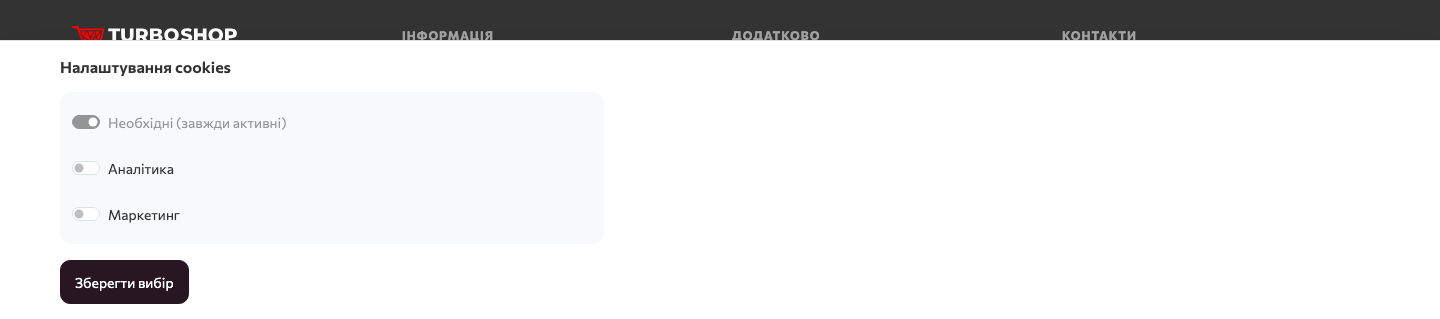
While the banner is on, we run the Google Tag Manager and GA4 codes (the "Analytics" category) and Facebook Pixel (the "Marketing" category) from the "Meta & Marketing" section only after consent — and immediately after the click, without a reload. The decision is stored for the configured period (six months by default), and a permanent "Cookie settings" link appears in the footer. You get a banner that passes an ad-account review, not one that merely "exists for the record".
Two practical points we ask you to keep in mind. First, the banner is deliberately non-modal: it does not dim the page or get in the way of browsing products — the shopper matters more than the formality. Second, we gate only trackers placed in the dedicated GTM / GA / Pixel fields. If you once pasted a counter manually into "Code before closing head", move it to the proper field — otherwise it will run without consent, and after enabling the banner you will get a duplicate container.
Back-to-top button and floating contacts
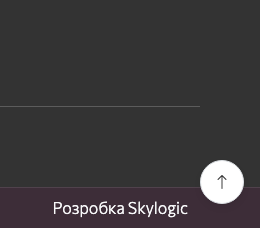
Two widgets that make long catalogue pages easier to use. The back-to-top button appears after scrolling a set number of screens, sits on the left or right and has its own bottom offset. We know how often such buttons on websites cover the chat button in the same corner, so we kept it simple: if floating contacts are enabled on the same side, the button moves to the opposite side by itself. No manual offsets.
Floating contacts is a "Contact us" button in the screen corner that unfolds a list of channels: phone, Telegram, Viber, WhatsApp, Messenger, email and a feedback form. Each channel is enabled separately with its own value and order. We take the phone and email from the store's general settings and messengers from "Social networks", so usually you just switch on the ones you need. You get the shopper's question in a messenger instead of a lost visitor.
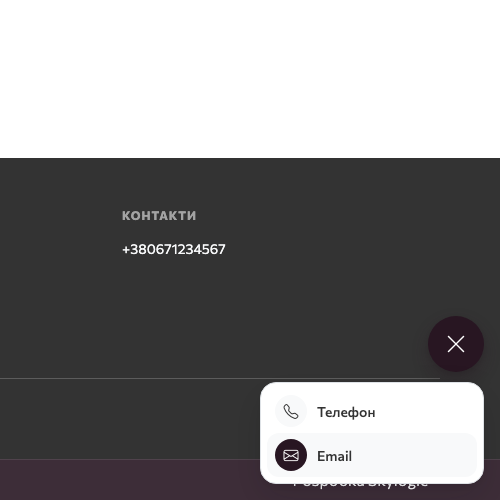
We also added a working schedule: set the hours and working days, and outside them a note appears above the list — "We are offline right now — write to us and we will reply in the morning". An honest answer at 2 a.m. earns more trust than a silent chat. And we send a click on each channel as a separate analytics event — you will see which channel customers use most and know where to put an operator.
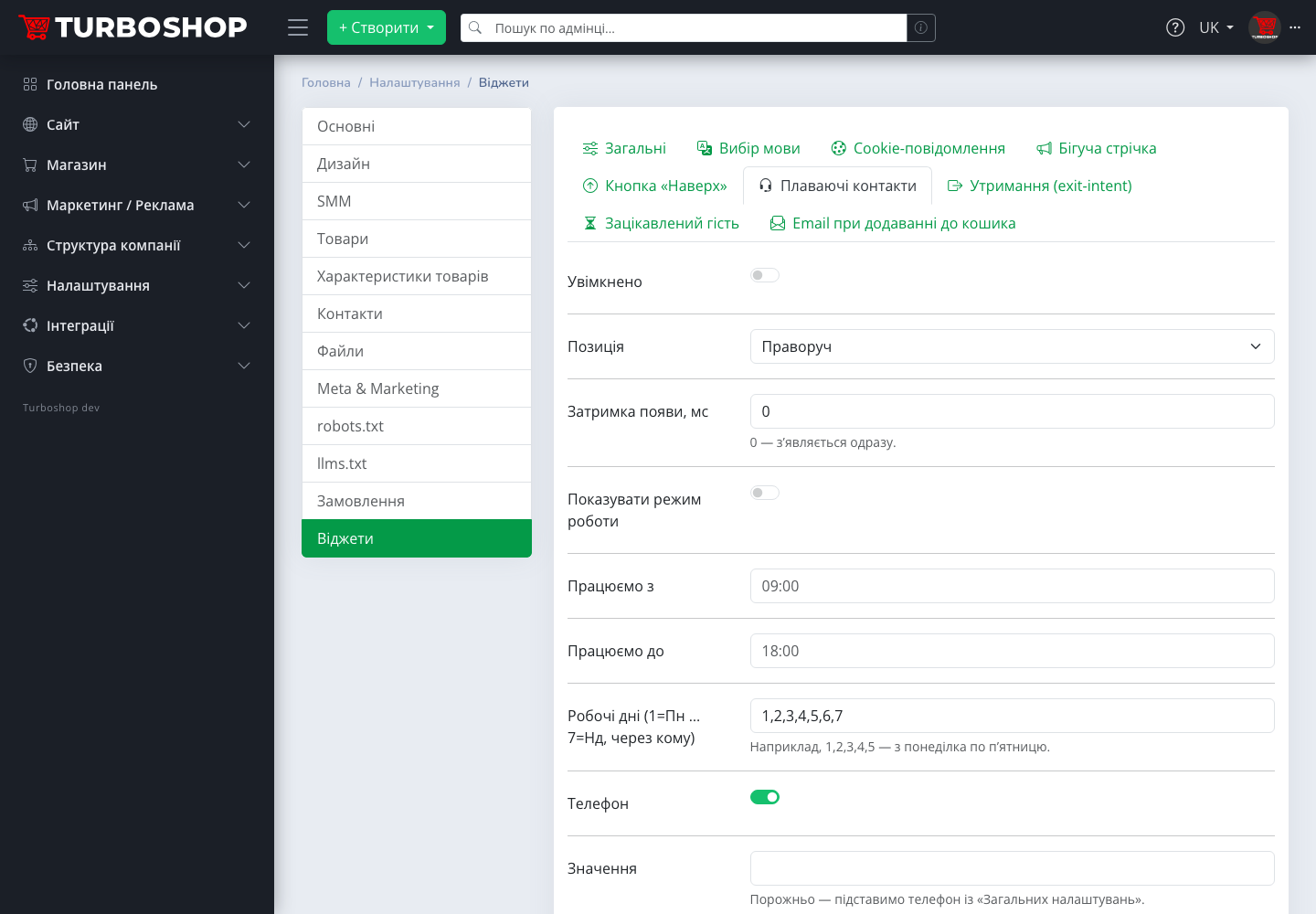
On mobile everything works the same way: the contact button does not cover the cart, popups slide up from the bottom as a sheet, and the bar fits into a single line. We checked this for every widget separately, because for most of our clients the phone is the shopper's main device.
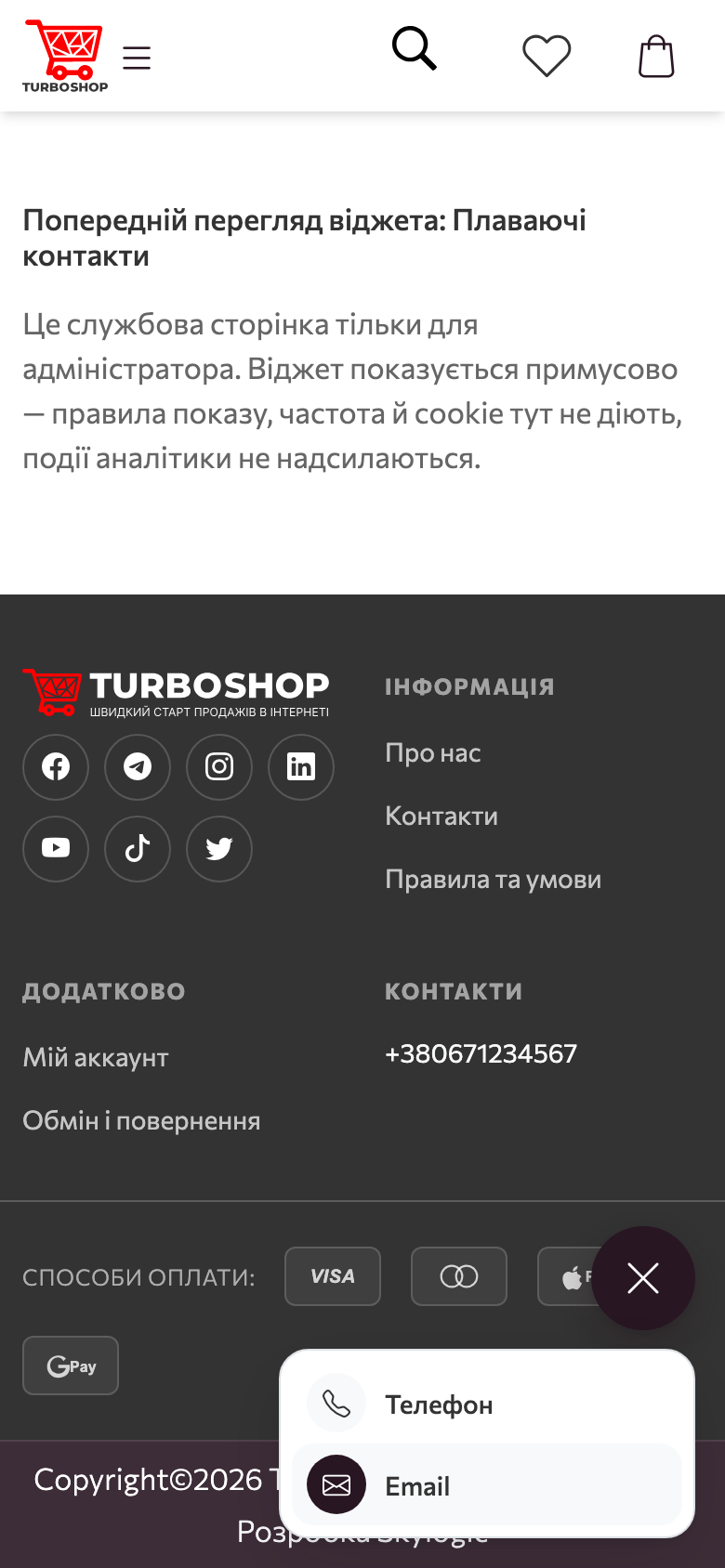
Promo-code popups in brief
The three promo-code widgets — "Retention (exit-intent)", "Engaged guest" and "Email on add to cart" — we connected to the "Promo codes" section instead of inventing a separate discount system for them. In every store we have already created two system promotions: "Retention −5 %" with a shared code and "First order −10 %" with personal codes. Both are disabled and activated with a single button right in the widget tab — a public discount will not go live in your store by itself after the update.
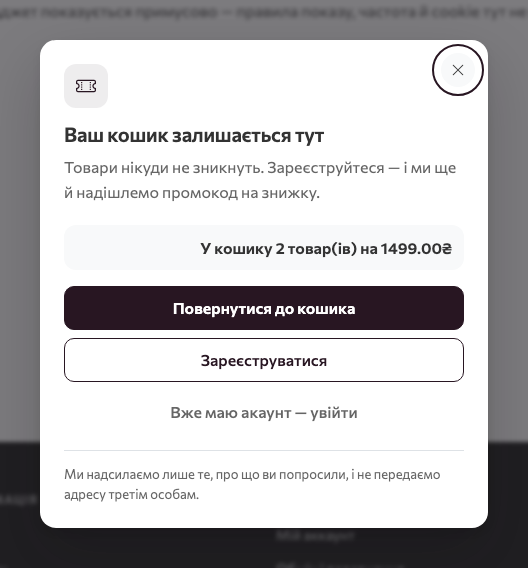
How we built these scenarios, when they trigger, why the code arrives by email only and how to resend it from the customer card — we cover in separate articles about each of the three widgets.
Display rules: where, to whom, when and how often
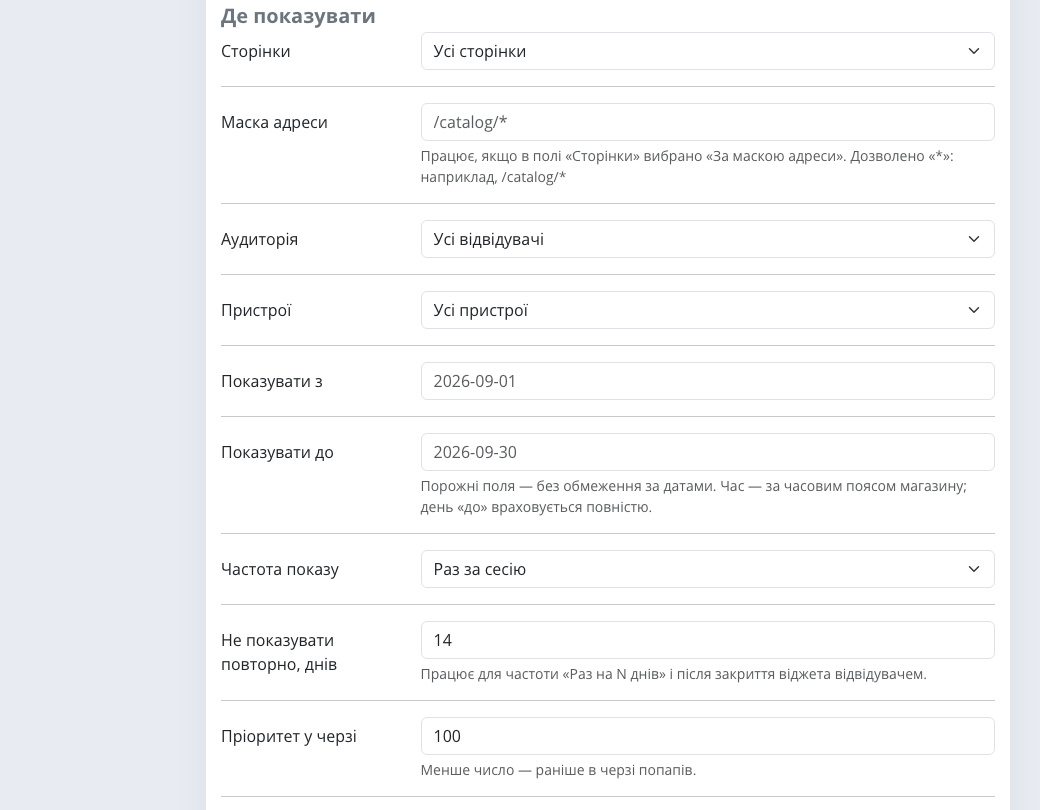
This is what separates a built-in module from "a script from the internet". We gave every widget the same "Where to show" block:
- Pages — all, home, catalogue, product page, cart and checkout, static pages, blog or by URL mask (for example
/catalog/*— the catalogue section only); - Audience — all visitors, guests only, signed-in only or new visitors only;
- Devices — all, desktop or mobile;
- Show from / to — a schedule: a promotion bar switches itself on the first day and disappears on the last, in the store's time zone;
- Display frequency — once per session, once every N days or always, plus "do not show again" after the visitor closes it;
- Queue priority — if several popups compete for a page, the one with the lower number goes first.
One more rule of ours: popups never appear on checkout, "thank you for your order" and login pages. There the person is already doing what you want, and distracting them is the worst thing a store can do. The only exception you can enable deliberately is the cart reminder in the retention widget.
Preview: see it before your customers do
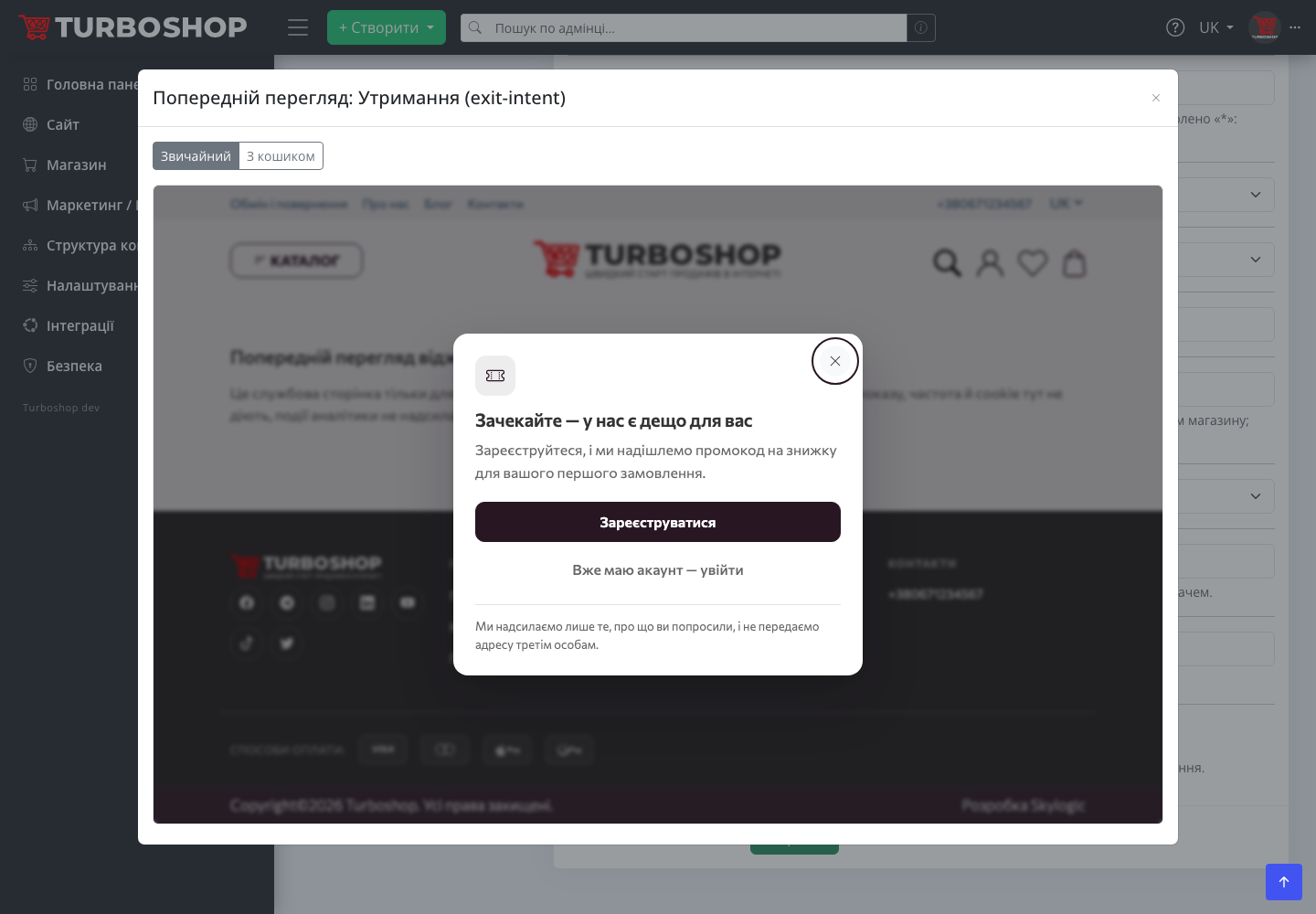
We did not want you to configure widgets blind, so every tab ends with a "Preview" button. It opens a window with the real layout of your theme where the widget is forced to show — whether it is enabled or not, and regardless of display rules, frequency and cookies. No analytics events are sent and no cookies are written. For the bar you can switch between all three templates; for the retention and engaged-guest popups — between the "Default" and "With cart" variants with a demo cart. Next to it is an "Open in a new tab" link to show the result to a colleague.
What it gives your store: examples by niche
- Clothing store. A "Rotate" bar with three messages: free shipping, new collection, last season's sale with a countdown to Sunday. The schedule is set in advance — on Monday the bar disappears on its own, you never have to remember it.
- Car parts. Floating contacts with Viber and phone, working hours 9:00–18:00 on weekdays. A customer who could not find a part by VIN writes in the messenger instead of leaving for a competitor.
- Store advertising on Google and Meta. A cookie banner gating GTM and Pixel: analytics runs only with consent, and you pass any ad-account data-processing review with confidence.
- Bilingual store. The language picker only for visitors whose browser language differs from the page language — everyone else never sees it.
- Wholesale supplier. A bar with the
/catalog/*URL mask and the "signed-in only" audience: dealer terms are seen by dealers only.
FAQ
Do I need to install anything or paste code? No. The module is already in your store after the update. Everything is configured in the admin panel, with no code and no third-party services.
Will widgets slow the site down? No. We pull in no JavaScript libraries and capped the module's scripts and styles at a 20 KB budget. The "show or not" decision by page, audience and device is made on the server, so pages remain cacheable.
What happens if I enable several popups at once? There is never more than one on screen. The queue is governed by priority and the pause between popups from the "General" tab.
Can I show the bar on specific pages only? Yes: choose "By URL mask" and set a mask such as /catalog/* or the exact promotion URL.
Will search robots see the widgets? Robots see the announcement bar only. We hide popups, the cookie banner and buttons from them.
What data do widgets store? Only service cookies about what was shown and closed, the cookie decision and the chosen language. No personal data — we verified that separately.
If you are only planning to create an online store, see what else the Turboshop online store builder can do.
Summary
With the "Widgets" module we closed a whole class of small but daily tasks: announce a promotion, offer a convenient contact channel, ask for analytics consent properly, suggest a language. Each element is switched on with a toggle, has clear display rules and can be checked in the preview before customers see it. Our advice — start with two things: enable the announcement bar with your current promotion and floating contacts with your messenger; the effect is visible within the first week. We cover every widget separately, including bringing customers back with promo codes, in the next articles of the series, and collect all new platform capabilities in the "Features" rubric.