Turboshop

Create an Online Clothing Store
in a Single Day

To create an online clothing store you need to pick a product range and suppliers, build the site on a store builder, set up a catalog with size charts and photos on a model, connect payments and delivery, and launch ads. On Turboshop this takes no developers: the store launches in a day and the first year costs nothing.

  • Size charts and filters by size and color — out of the box
  • Ready-made fashion designs: seasonal collection banners, lookbooks
  • Payments, delivery and Instagram ads — with no developers
Create an Online Clothing Store in a Single Day

Why Turboshop Fits a Clothing Store Specifically

The clothing niche has its own rules — the platform covers them with no custom work

Size grid and size chart

Product attributes are configured for the niche: size, height, fabric composition, real garment measurements. A size chart on the product page and a size filter in the catalog are the main way to cut returns.

Model photos and lookbooks

Multiple photos per product, a gallery from different angles and “complete look” collections. Clothing is bought with the eyes: a lookbook shows the item as an outfit and raises the average order value.

14-day returns and fitting

Exchange and 14-day return terms are placed where buyers see them — a dedicated page and a block on the product page. That removes the biggest fear of buying clothes online.

Seasonal collections and sales

Banners for a new collection, “new arrivals” and “sale” blocks, promo prices and badges on product cards — a season is prepared in advance and switched in a few clicks.

Clothing dropshipping and suppliers

The catalog is filled by importing a supplier price list, so you can start with no warehouse of your own — on the clothing dropshipping model.

Promotion on Instagram and TikTok

A Facebook and Instagram catalog and a Google product feed are generated automatically — your social storefront and product ads work from day one.

What Your Clothing Store Includes

A website for selling clothes is more than a storefront. Everything a store cannot work without is ready out of the box:

  • A fashion catalog — categories by garment type (dresses, jeans, sweaters, outerwear) and filters by size, color and price
  • Product pages — a gallery of model photos, fabric composition, a size chart and stock by size
  • Payments — online card payments and cash on delivery; fiscalization connects from the dashboard
  • Delivery — integrations with popular delivery services and shipping cost calculation in the cart
  • Returns — a 14-day return policy page buyers find before they check out
  • Advertising — a Google Merchant Center product feed (Standart plan and up) and a Facebook and Instagram catalog (Plus and up) are generated automatically

Want to start without buying stock — look at the clothing dropshipping model: the supplier ships orders straight to the buyer. The general launch algorithm is covered in the how to open an online store guide, ready-made designs help you pick the look of your storefront, and the pricing page lets you compare packages. Ready to go — create your store for free.

How to Open a Clothing Store: Four Steps

From choosing a product range to your first orders

Choose your range and suppliers

Do not sell “all clothing at once”: pick a direction — women’s or men’s clothing, kids’ wear, sportswear, plus sizes or wardrobe basics. Ask suppliers about the minimum order, whether photos and descriptions are provided, and how often stock levels are updated.
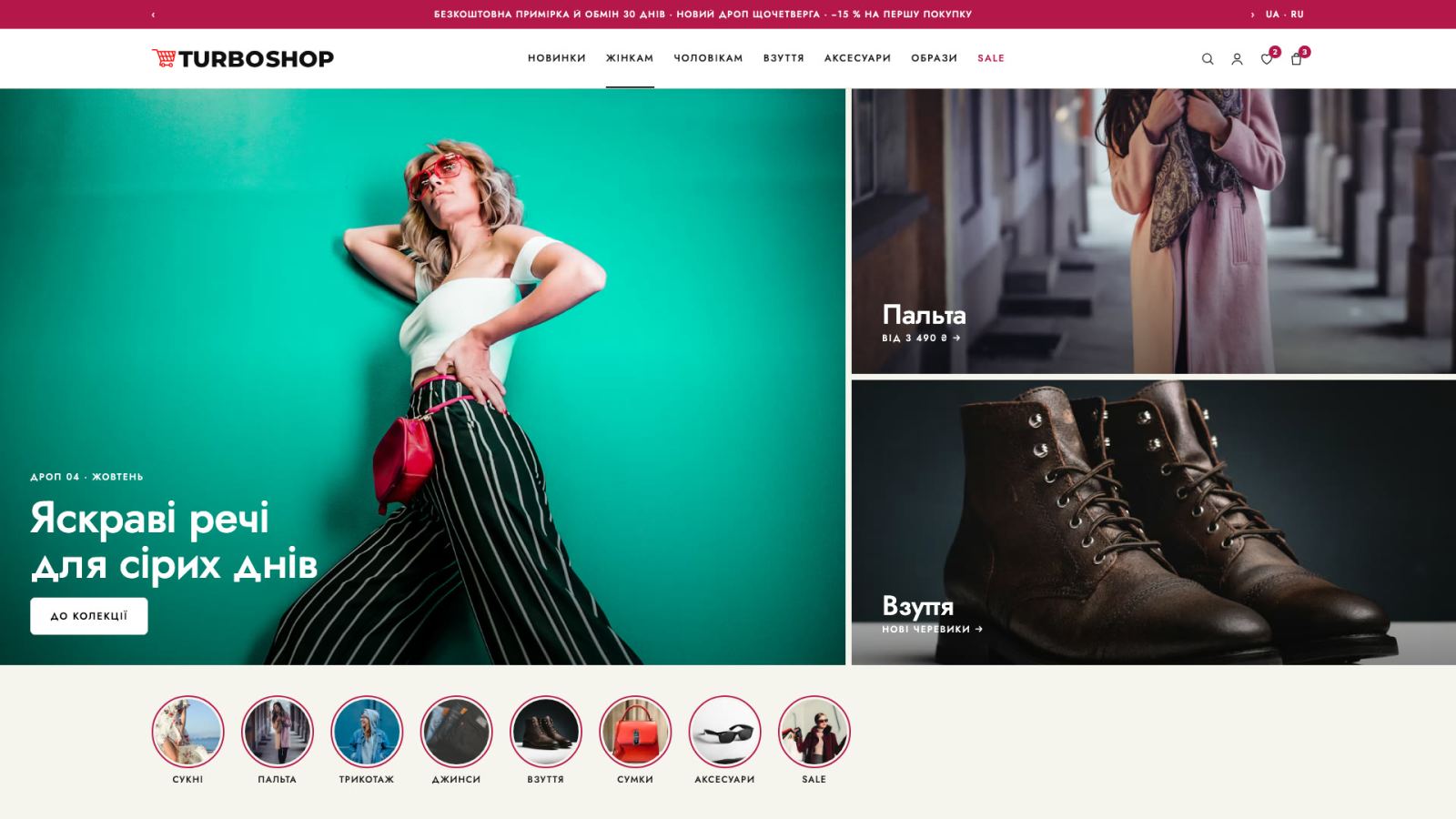
Build the store on a ready-made design

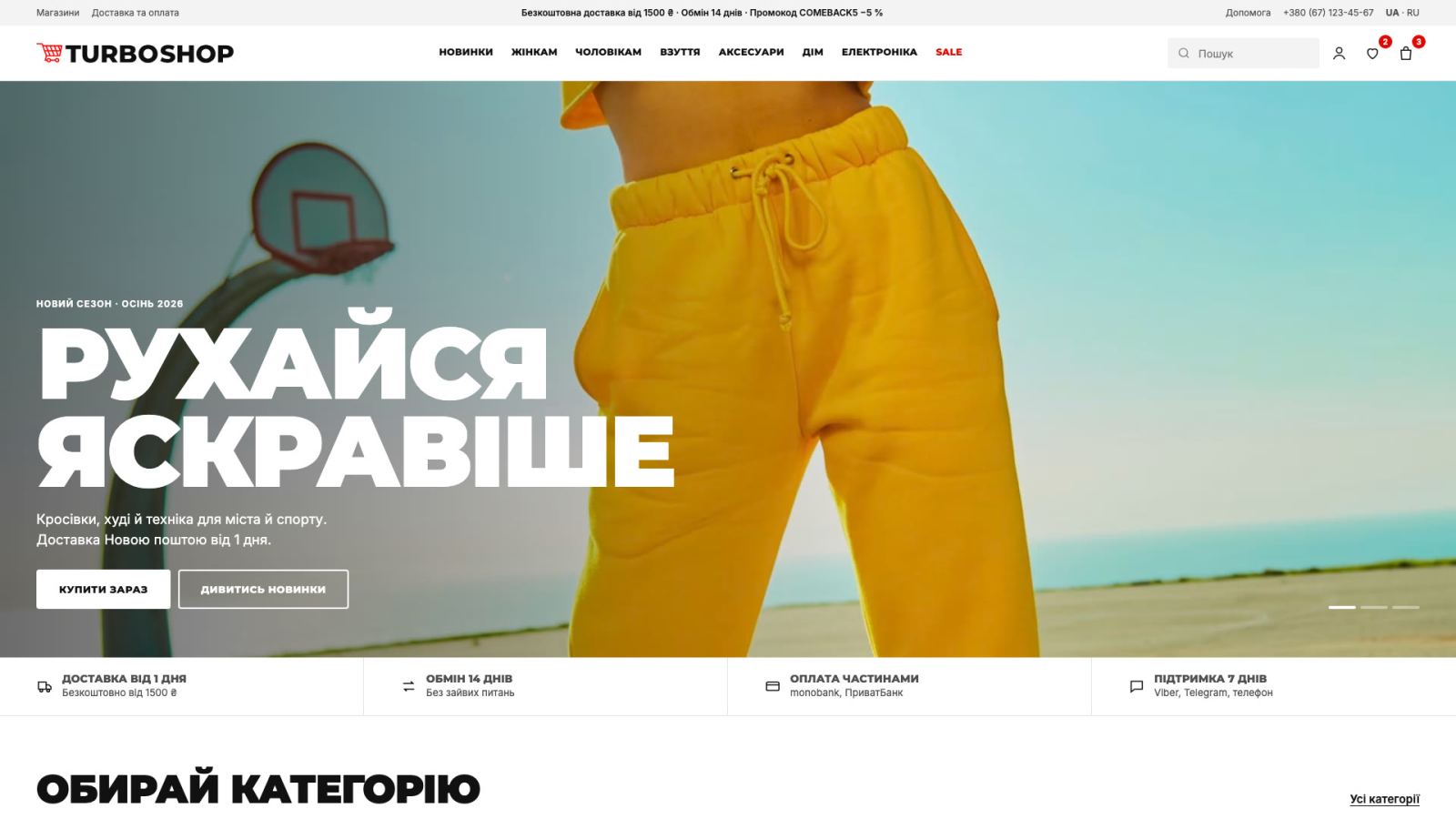
Pick a fashion template, add your logo and brand colors — a storefront with large seasonal collection banners is ready without a designer or a developer.

Fill the catalog by the niche rules

For every item — model photos from different angles, fabric composition, a size chart and real measurements. Add size and color filters and lookbook collections: buyers take an outfit, not a single item.

Connect payments, delivery and ads

Online payments, delivery services and 14-day return terms are configured from the dashboard. Then come the first ads: Instagram and TikTok show items in real life, while Google shopping campaigns bring people already searching for a specific model.

Test the niche on real buyers: if it doesn’t work out, you’ve lost nothing

Try for Free

How Much an Online Clothing Store Costs

The

Basic

Everything you need to launch your first online store: a ready design, payments and delivery — start selling today.

250 UAH / mo
billed annually (3 000 UAH)
  • Products count: up to 500 products
  • Sales commission: 0%
  • Orders count: unlimited
  • Disk space: 2 GB
  • Ready-made store designs
  • Mobile version
  • Online payments
  • Delivery services
  • SEO tools
  • Custom domain
  • Support: Email + chat

Plus

For stores that outgrew the start: more products, filters and variants, a catalog on Facebook and Instagram.

416 UAH / mo
billed annually (4 992 UAH)

Everything in Basic, plus:

  • Products count: up to 1,500 products
  • Disk space: 5 GB
  • Filters and attributes
  • Product variants
  • Facebook and Instagram

Pro

Maximum power with no limits: API, TurboSklad inventory, advanced SEO and 24/7 site monitoring.

1728 UAH / mo
or 1469 UAH/mo billed annually — 17 628 UAH per year, saving 15%
3 mo — 1642 UAH (−5%) 6 mo — 1555 UAH (−10%)

Everything in Standart, plus:

  • Products count: unlimited
  • Disk space: 50 GB
  • API and Webhooks
  • TurboSklad inventory
  • Loyalty program
  • Filter landing pages
  • 24/7 site monitoring
  • Price types (retail / wholesale / dealer)
  • User types

Turbo

Everything in Pro plus wholesale and scale tools: a B2B portal with personal prices, AI sales agents, 1C integration, multi-warehouse and turnkey migration.

3456 UAH / mo
or 2938 UAH/mo billed annually — 35 256 UAH per year, saving 15%
3 mo — 3283 UAH (−5%) 6 mo — 3110 UAH (−10%)

Everything in Pro, plus:

  • Disk space: 100 GB
  • B2B portal with personal prices
  • AI agents for sales and chats
  • 1C / BAS integration
  • Multi-warehouse in TurboSklad
  • Turnkey migration from another platform

Questions About an Online Clothing Store

Your main starting costs are stock and the advertising budget. From the second year you pay a package based on catalog size — live prices are on the pricing page.

Yes. For the first year you get the site, a catalog with size charts, payments, delivery and advertising tools with no development spend. That lets you test the niche risk-free.

A document of dozens of pages is not needed, but basic numbers are: purchase price, markup, advertising and delivery costs, break-even point. Such a mini-plan fits on one page and protects you from careless purchasing.

With an accurate size grid: add a size chart and real garment measurements, not just S/M/L labels, plus model photos stating the model’s height and size. Make 14-day return terms visible — that builds trust rather than more returns.

Yes, on the clothing dropshipping model: you take orders on your site and the supplier ships straight to the buyer. The catalog is filled by importing a supplier price list.

A store on a builder launches in a day: pick a design, add products, connect payments and delivery. Preparing content — model photos and descriptions with sizes — usually takes longer.

Open Your Clothing Store Today

A day to launch, the

Start for Free