

A shopper who wants to write to you is the warmest contact an online store can get. They have already chosen you and have a specific question: is there a wholesale price, can I try it on, when will you call back. And this is exactly the contact that is easiest to lose. A single generic "Name, phone, message" form makes the person explain everything from scratch and makes the manager call back just to ask again. A wholesale buyer cannot find where to enter the company code, a bridal salon client cannot pick a fitting date, and both leave for a place that understood them on the first click. So we at Turboshop built 11 ready-made forms for specific situations, gave them five layouts, a popup behind any button, and gathered all requests in one list.
Why we did not stop at a single "contact form"
We looked at what store owners on Turboshop receive in the "Message" field. Half of the requests answer the same questions: which product, what quantity, when is it convenient to talk, which order number to return. The manager pulls this data out by phone anyway. We decided the form should ask these questions itself, so a request arrives ready to work with, not ready for follow-up questions.

The second decision was not to build a visual "field builder". It looks flexible, but in practice the owner spends an hour assembling a form and still forgets the data processing consent or spam protection. We went the other way: we designed the forms ourselves, with the right fields, required marks and consent, and left you the choice of which form to show, where and how.
11 ready-made forms for real scenarios
Here is what every store already has:
- Contact us — name, phone, email and message: the classic for the "Contacts" page.
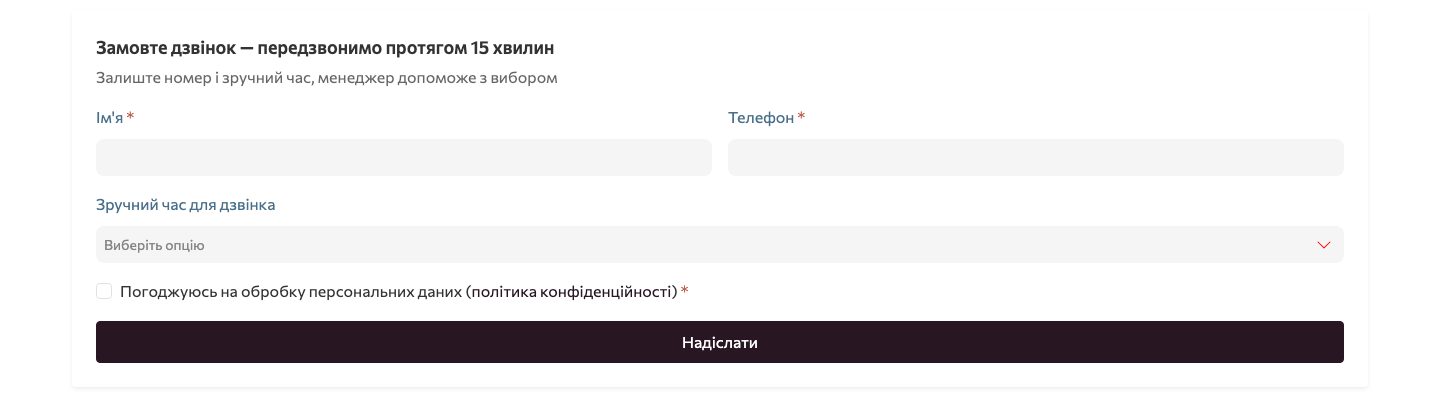
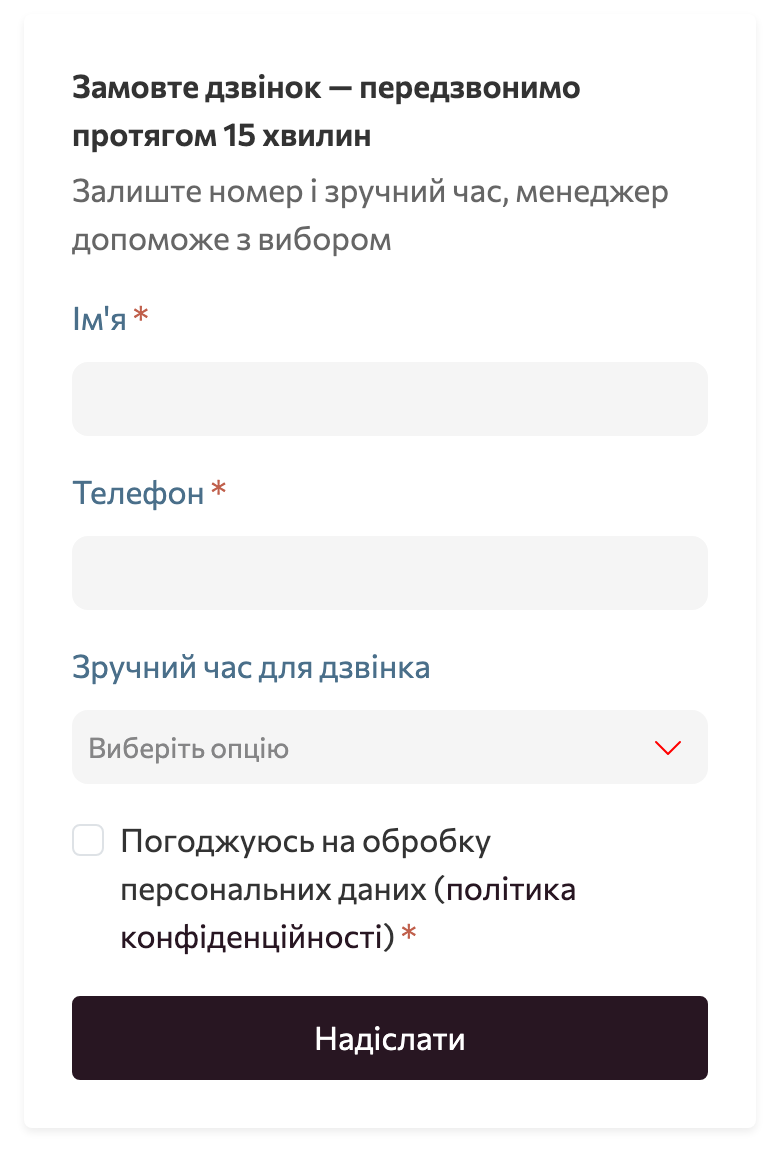
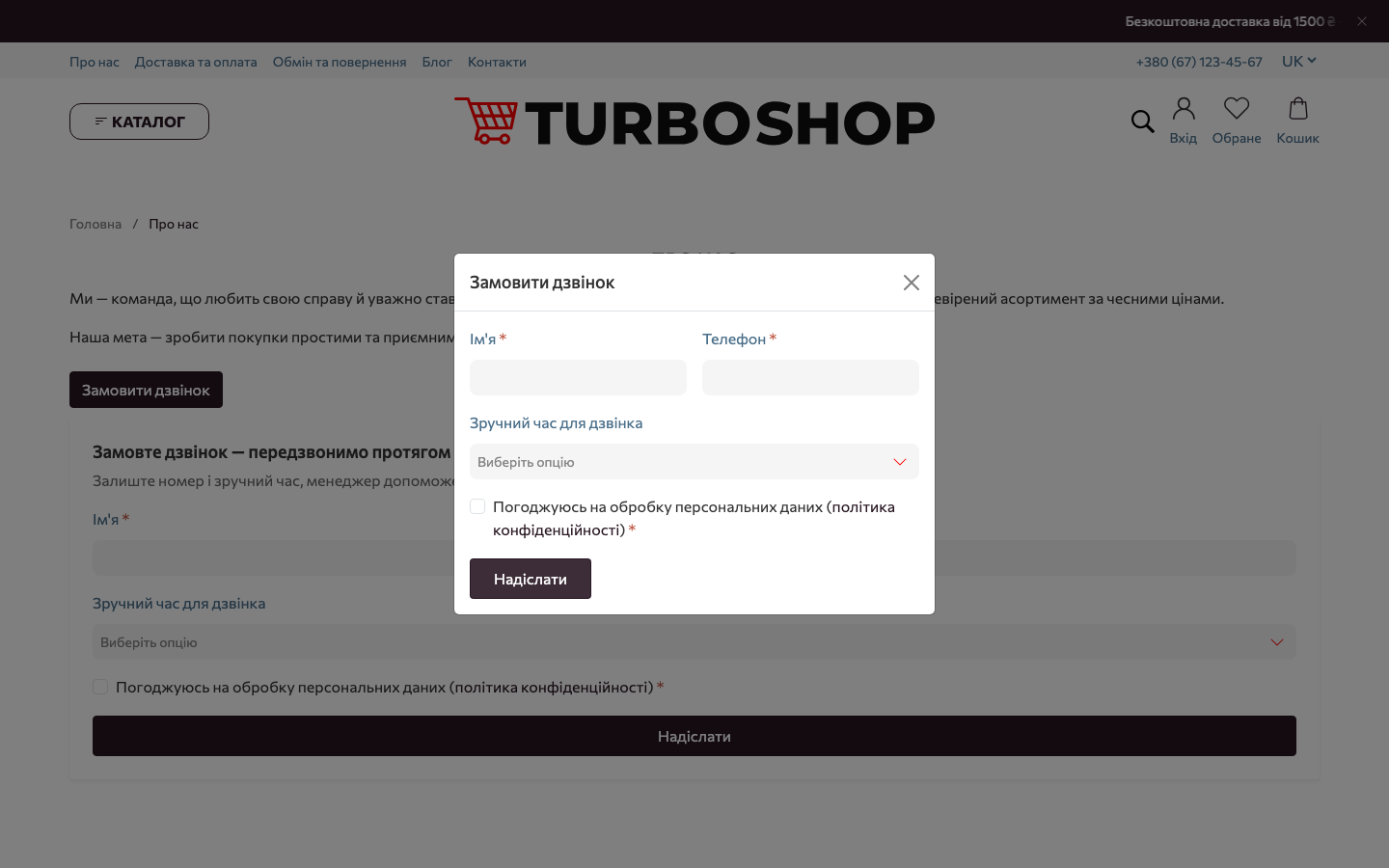
- Request a call — name, phone and a convenient time (morning, afternoon or evening).
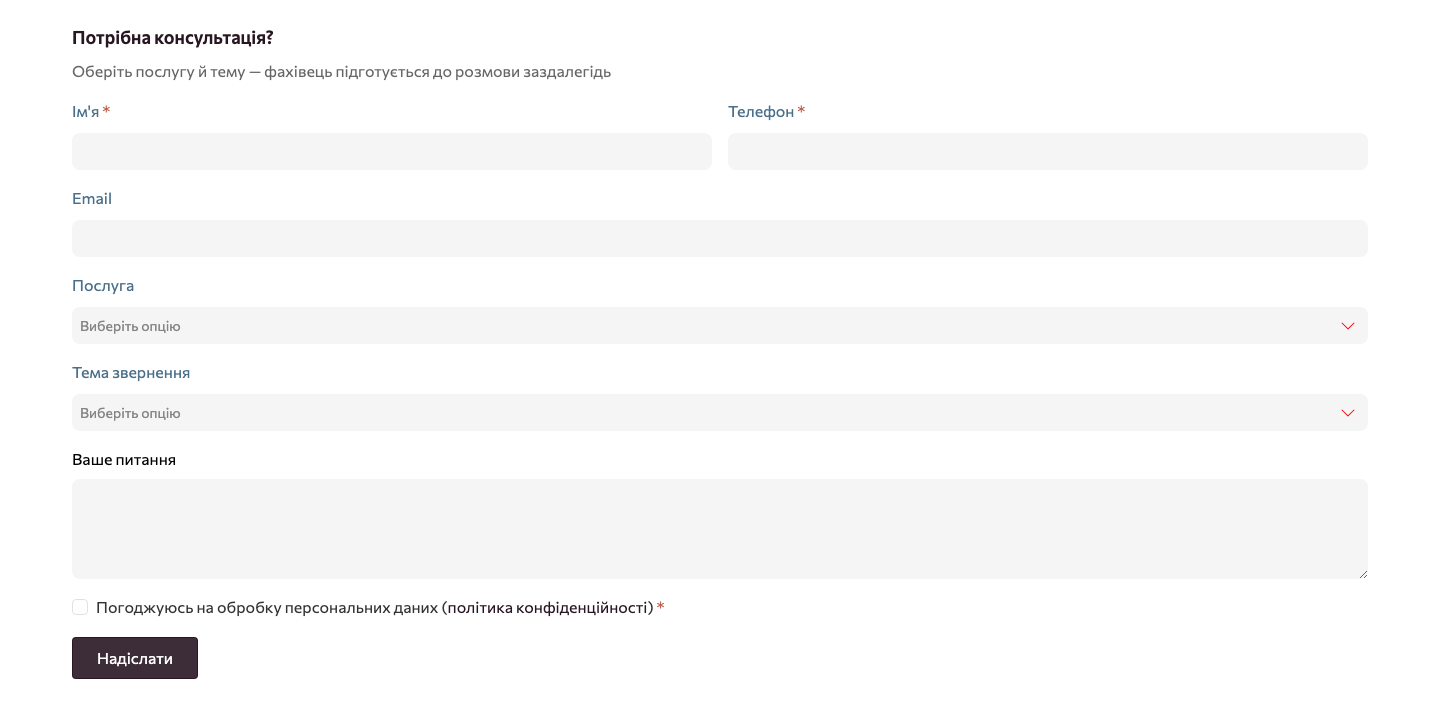
- Get a consultation — choice of service and topic, plus the question.
- Complaint / suggestion — a complaint, a suggestion or a thank-you with the order number.
- Ask for a price — a price and quantity request for a specific product.
- Notify when in stock — the shopper leaves an email when the product is out of stock.
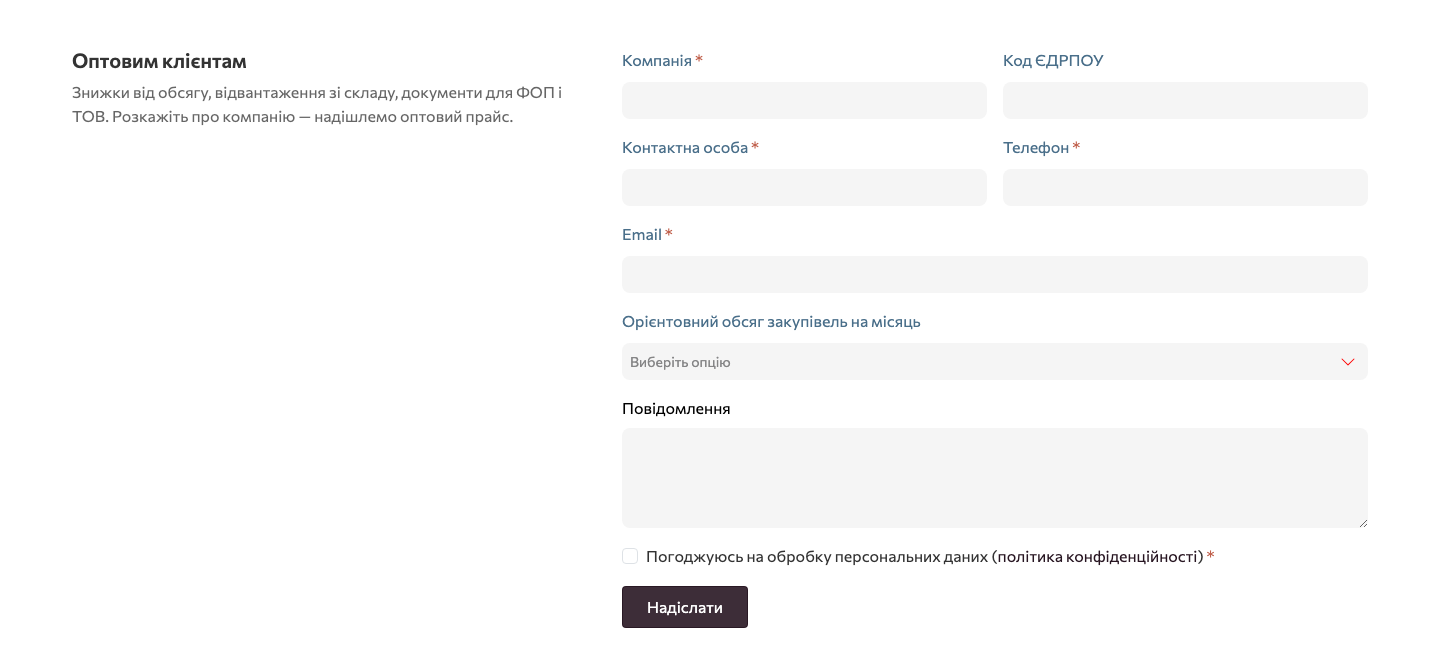
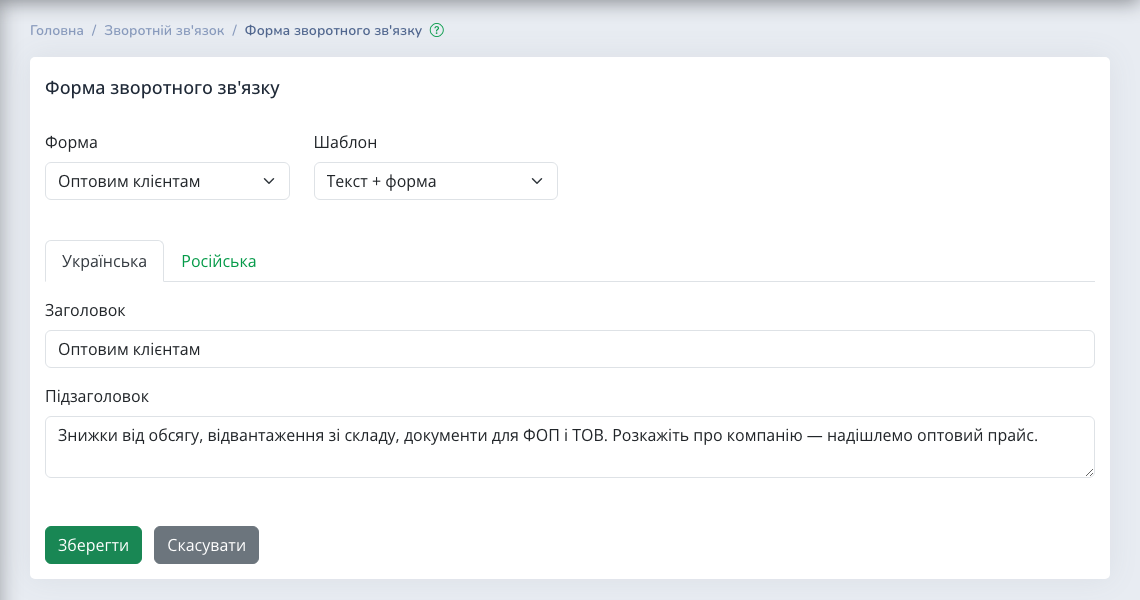
- For wholesale customers — company, company code, contact person and estimated purchase volume.
- Return / exchange — order number, return or exchange, and the reason.
- Request a quote — several services, budget and a task description.
- Become a partner — company, website and type of cooperation.
- Book an appointment — date, time and format: in the office or online.
Every form has a consent checkbox for personal data processing. If you provide a link to your privacy policy, it appears next to the checkbox in all forms at once.
Five layouts: a form that fits the page
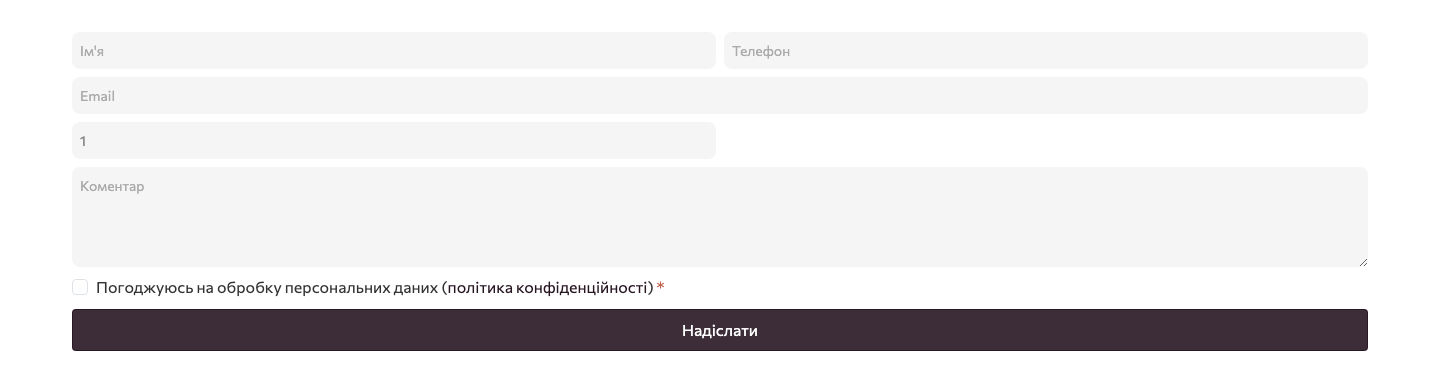
The same form looks different on the home page, in the blog or on a wholesale page. So we provided five templates: "Column" — fields one below another; "Card" — a framed form with a shadow that stands out from the content; "Text + form" — heading and explanation on the left, fields on the right; "Inline" — a compact strip for two or three fields; "Minimal" — no labels, only hints inside the fields.

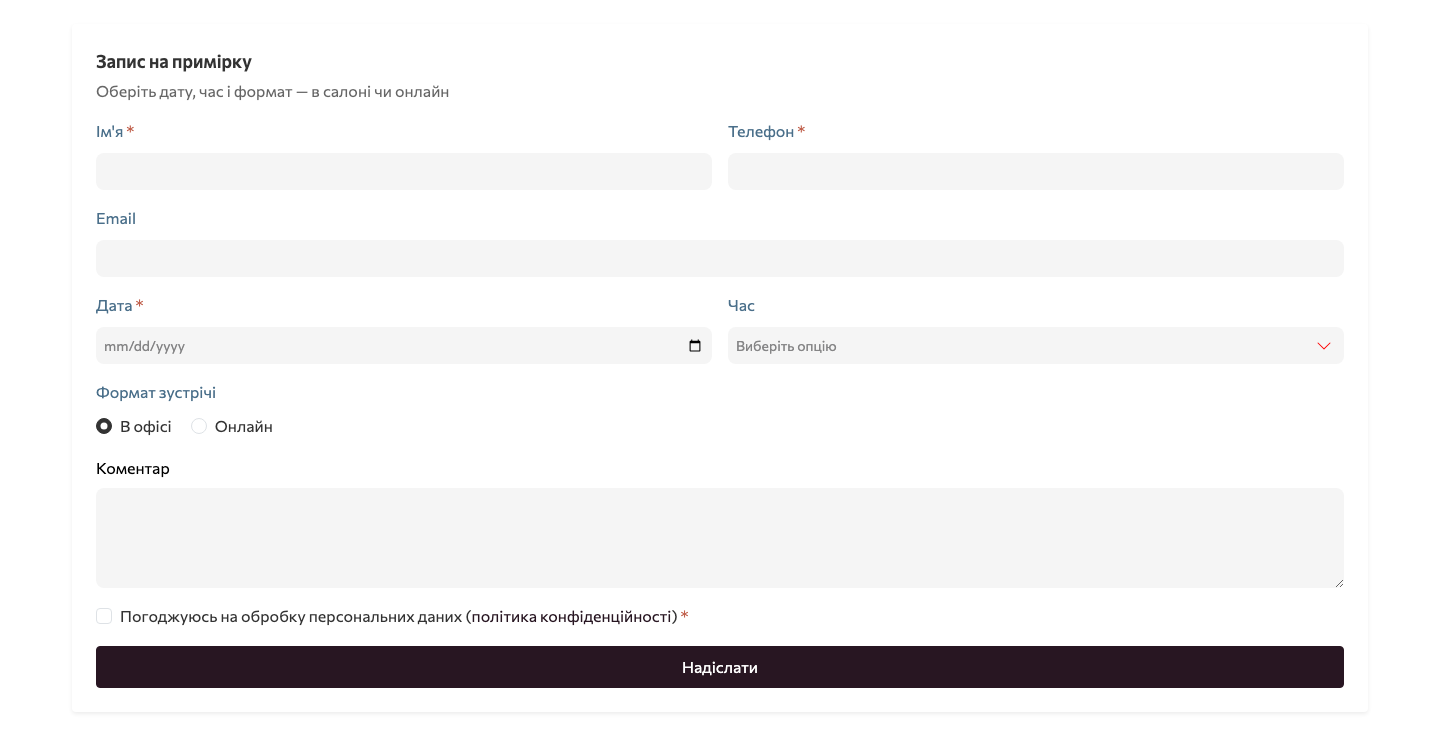
On a phone, every template rearranges into a single column: wide fields, a full-width button, nothing to pinch and zoom.
Builder block: a form on any page
To place a form, you add a "Contact form" block to the page. It holds three decisions: which form to show, which template, and which heading and subheading in Ukrainian and Russian. This way each page gets its own form: "Request a call" on the home page, "For wholesale customers" on the partners page, "Book an appointment" on the services page.
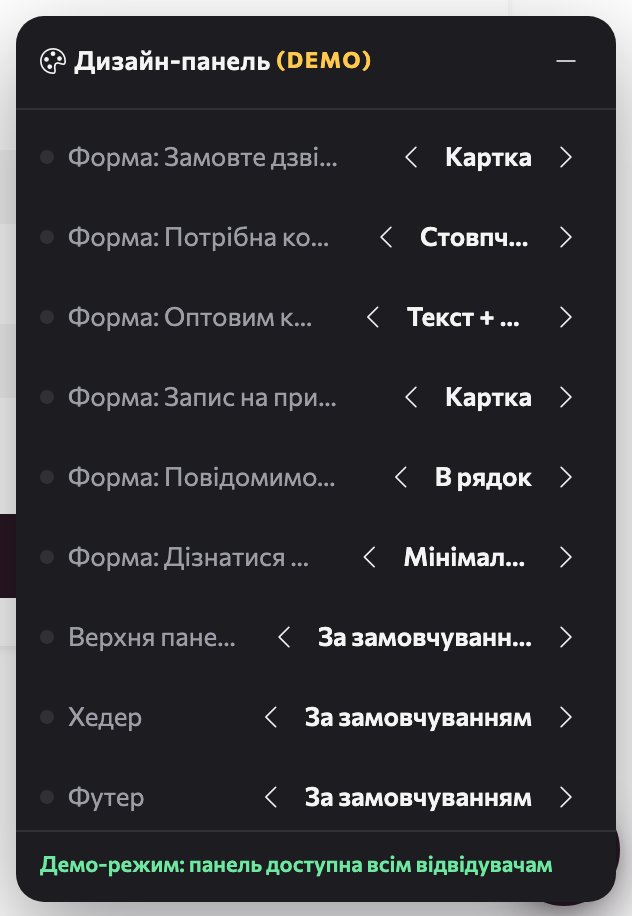
The template can also be changed without the admin panel — right on the storefront, in the design panel. Every form on the page gets its own row there: flip through the options with the arrows and see immediately how the form will look to a shopper.
A popup behind any button
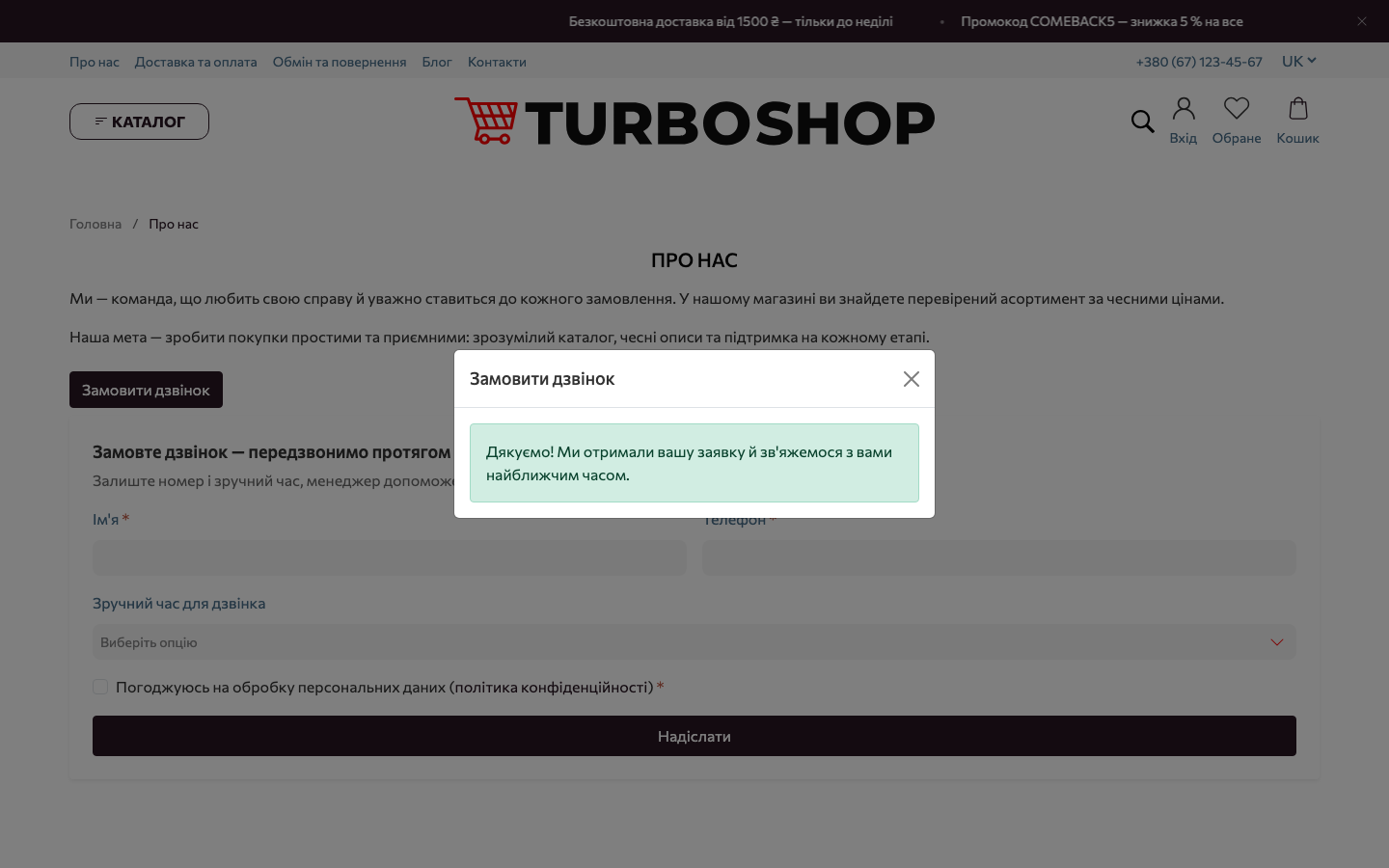
Not every page needs a form in its body; sometimes a "Request a call" button in a banner or description is enough. Any button or link with the data-feedback-form="callback" attribute opens the form in a window on top of the page. Replace callback with the key of the form you need, and the same button opens a consultation, a price request or a booking. You can add such a button in the builder's "HTML" block, without a developer.
Service and topic lists live in "Dictionaries"
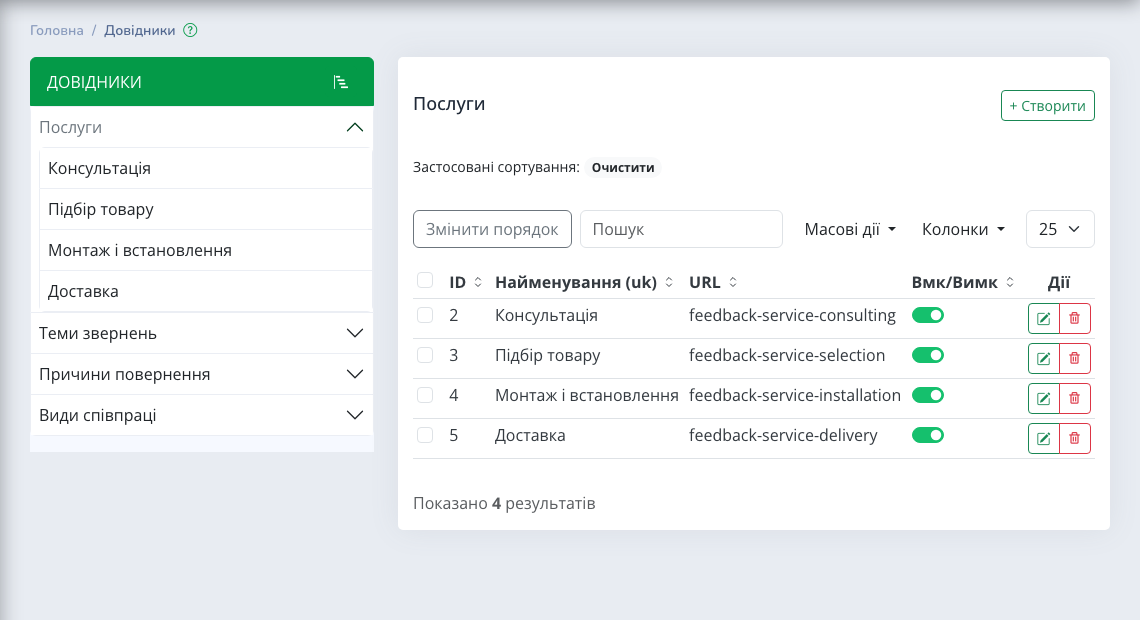
Services, request topics, return reasons and types of cooperation differ in every business. We did not hard-code them into the form: the lists are kept in the "Dictionaries" section, and starter values appear on their own. Rename, add or switch off an item and the forms show the updated list immediately. Old requests do not change: each keeps the answers exactly as they were sent.
"Settings → Contacts": privacy policy and the contacts section form
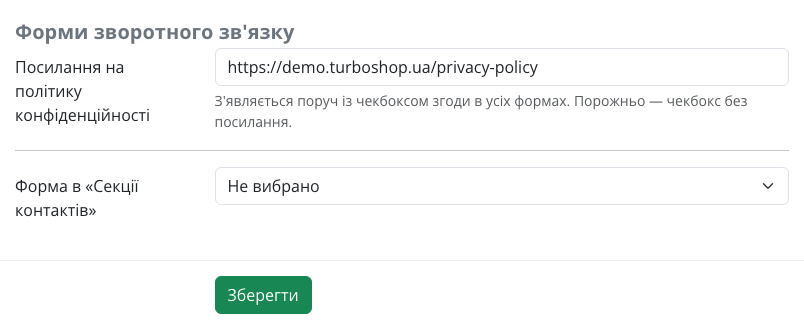
The "Contact forms" part of the contacts settings has two fields. "Privacy policy link" adds the link to the consent checkbox in all forms. "Form in the Contacts section" chooses which of the 11 forms the standard contacts section shows; by default it is "Contact us".
All requests in one list, and none gets lost
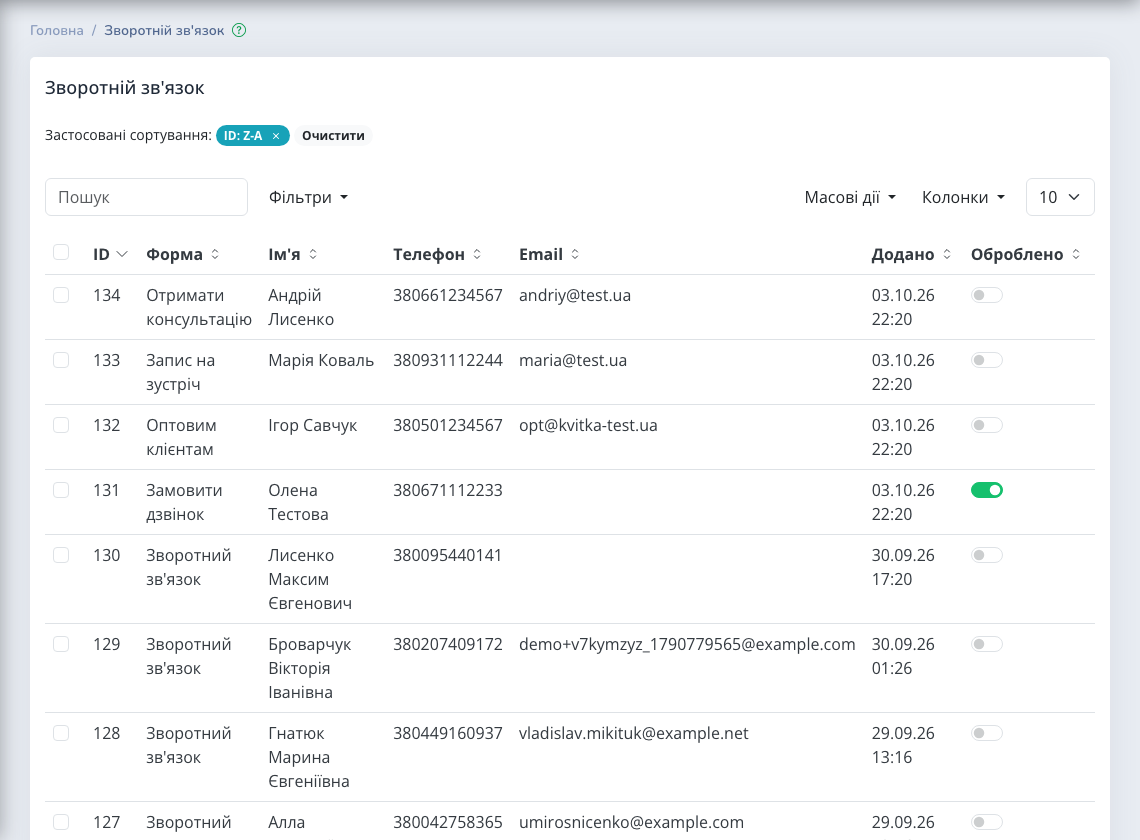
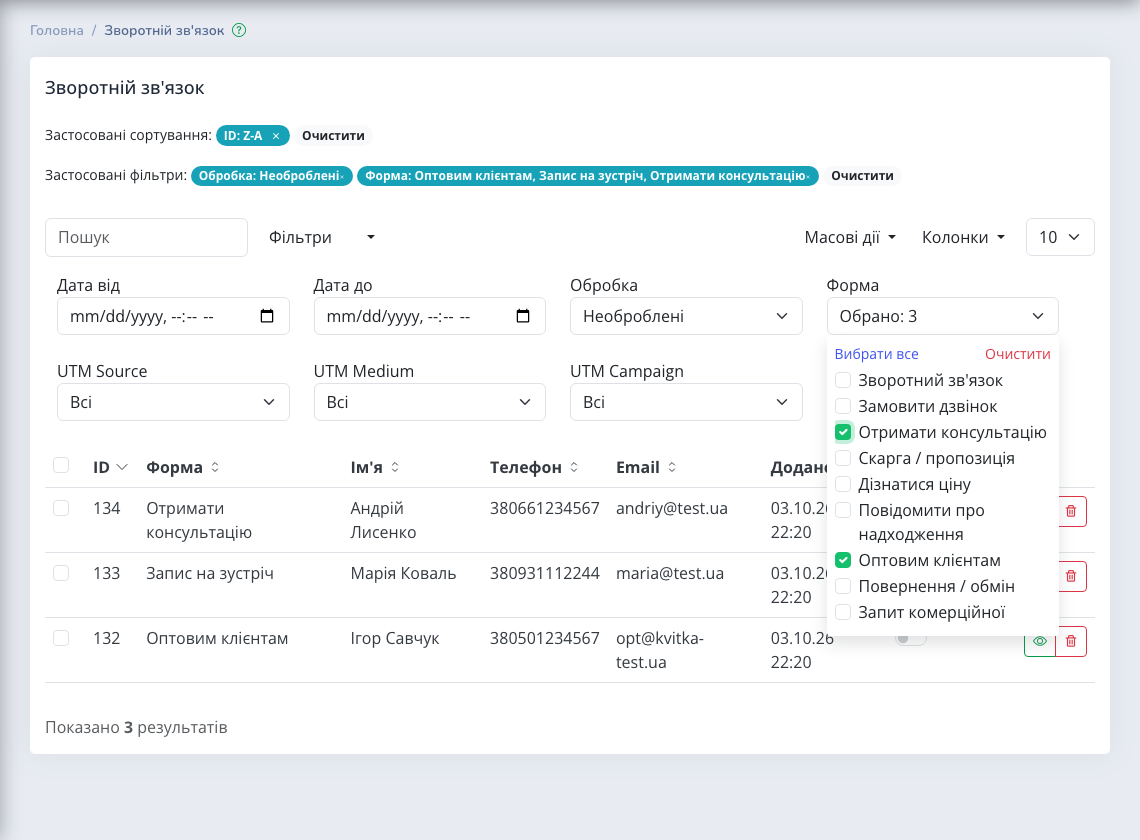
Wherever a request comes from — a block, a popup or the contacts section — it lands in the "Feedback" section. The "Form" column shows which form the shopper used, and the "Form" filter picks out, for example, only wholesale requests and bookings. The "Processed" switch in a row tells colleagues the request is already being handled, and the "Processing → Unprocessed" filter leaves only what nobody has answered yet.
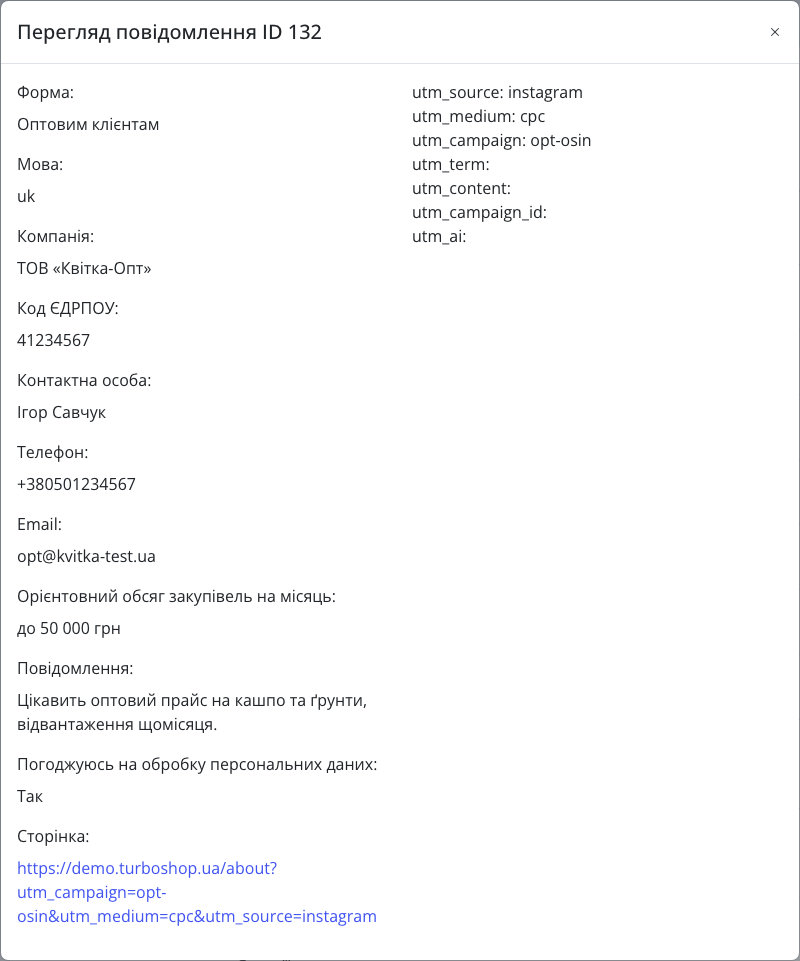
The request view shows all the shopper's answers, the language, the page they wrote from, the product (if the form was opened from a product card) and the ad UTM tags, so you see right away which campaign brings real customers.
You learn about every request immediately: a message with the form name and all answers arrives in Telegram (if store notifications are set up) and by email to the "Administrator email". For analytics the form sends a generate_lead event without personal data, which is handy for setting up a conversion in Google Analytics or your ads.
Spam protection without a captcha
A captcha scares off real people, so we protected the forms invisibly: a hidden trap field for bots, a minimum fill-in time and no more than five submissions of one form in ten minutes from one address. The shopper sees none of it, and the request list stays clean.
How to set it up in 10 minutes
- In "Settings → Contacts", enter the privacy policy link and choose the form for the contacts section.
- In "Dictionaries", review the lists of services, topics, return reasons and types of cooperation and adapt them to your business.
- Add the "Contact form" block to the pages you need: choose the form and template, write a heading.
- For a popup, add a button with the
data-feedback-formattribute to an "HTML" block. - Make sure the "Administrator email" is filled in and Telegram notifications are set up.
- Open "Feedback" with the "Unprocessed" filter every day and mark handled requests.
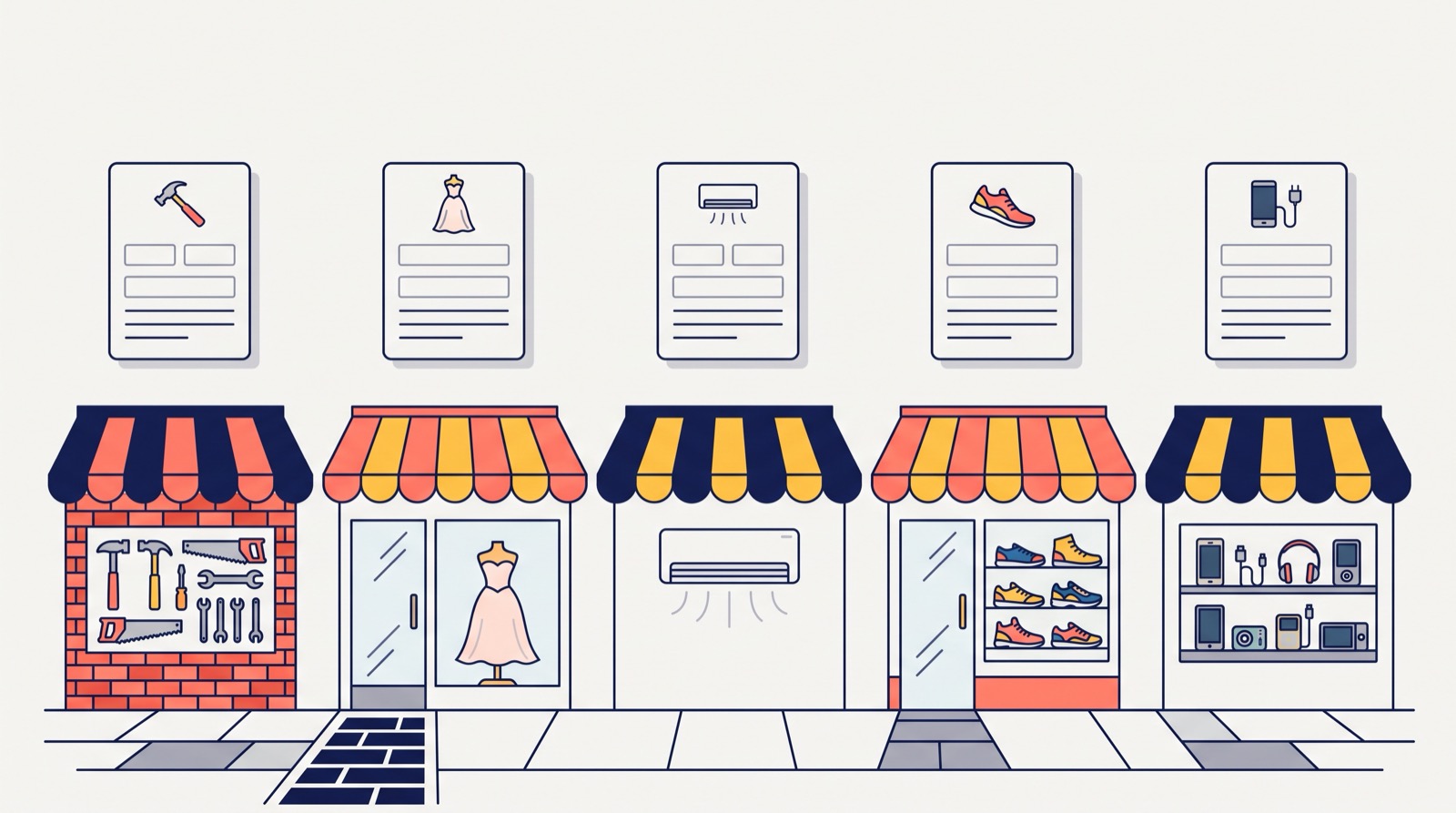
Examples for different niches
- Building materials and wholesale. "For wholesale customers" in the "Text + form" template on a dedicated page: the manager sees the company, its code and volume at once.
- Bridal salon or optician. "Book an appointment" with date and format — a fitting without messenger back-and-forth.
- Air conditioners, made-to-order furniture. "Get a consultation" with the "Installation" service, or "Request a quote" with a budget.
- Clothing and footwear. "Notify when in stock" for a missing size and "Return / exchange" with a reason — less chaos in the inbox.
- Made-to-order equipment. "Ask for a price" — the shopper states the quantity, you reply with an exact offer.
If you already keep visitors with a window when they try to leave the page (details in the article about the exit-intent popup), a "Request a call" form in a popup complements it for those who would rather talk than buy on their own. More ways to strengthen the storefront are in the overview of storefront widgets.
FAQ
Can I create my own form with arbitrary fields? There is no visual field builder in the admin panel; we deliberately provide 11 well-thought-out forms. You edit the option lists in "Dictionaries", and a developer can add a form with special fields to your store's customisation package.
Can I put several different forms on one page? Yes. Each "Contact form" block is configured separately, and in the design panel each form has its own template switch.
What happens to my old contact form? It keeps working. If your store theme has its own modified copy of the contact form template, it stays as it was; an unmodified standard copy is replaced by the new form automatically.
Where do requests go if Telegram is not set up? They are always saved in the "Feedback" section, and an email goes to the "Administrator email" if that field is filled in.
Is shopper data passed to analytics? No. The generate_lead event contains only the form name, without name, phone or email.
All of this already works in every store on the platform. If you are only planning to open an online store, pick an online store template for your niche — forms and blocks adapt to its design.
Summary: what you get
We built contact forms that ask the right questions themselves: 11 ready-made scenarios, five templates, a builder block, a popup behind any button, lists in "Dictionaries", one request list with "Form" and "Unprocessed" filters, Telegram and email notifications, and quiet spam protection. A warm contact no longer gets lost between "write to us" and "so what exactly did you want?". All new platform features are in the "Features" section.