
We at Turboshop see it in our customers' store statistics every day: a person puts an item in the cart, browses a few more pages — and closes the tab. They have already chosen, they are almost a customer, but the store has no contact, and the cart dissolves with the tab. It is the warmest moment of the whole visit, and it was the one most often lost without a trace. So we built the "Email on add to cart" widget: it catches that moment, asks only for an address, ties the cart to it and sends a personal promo code for the first order. Here is how we designed it, why we made it this way — and what you get.
When we show the window, and why not immediately
We set the widget to fire after the first add to cart in a session. Not instantly — a few seconds after the mini-cart, so the two windows do not overlap (the "Delay after adding, seconds" field, 2 by default). We deliberately did not want someone who has just clicked "Buy" to see a cart popup before the confirmation that the item was added: first the feeling that it worked, then the offer. The window is shown to guests only and only if the cart has no email yet. We do not show it to a signed-in customer: their cart is already saved in the account, and an extra question only irritates.
Two steps — and we built each one with a purpose
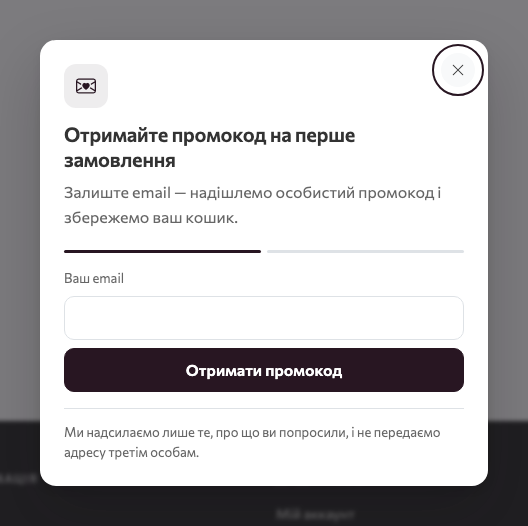
We split the form into two steps because one long questionnaire at the moment of purchase scares people off. First, a single field a person fills in within three seconds; then, what can be skipped.
- Step 1 — email. The address is attached to the cart immediately. Even if the person closes the window at this step, the email is pre-filled at checkout and the items are not lost. You have already won: the abandoned cart has an address you can use to bring the shopper back.
- Step 2 — "Let's get acquainted". The fields "How should we address you?" and "Phone (optional)". For a new address the store creates an account, signs in silently and emails the promo code. For a known address it does not sign in — we built that as protection against someone else gaining access to the account — and issues a code only to someone with no orders yet.
We always open step 2, whether the address is known or not. That way an outsider cannot use the form's response to find out whether an address exists in your base. And the result is the same for every branch: "Thank you! The promo code has been sent to your address", with a hint to sign in if the account already existed.
The promo code comes by email only: why we decided so
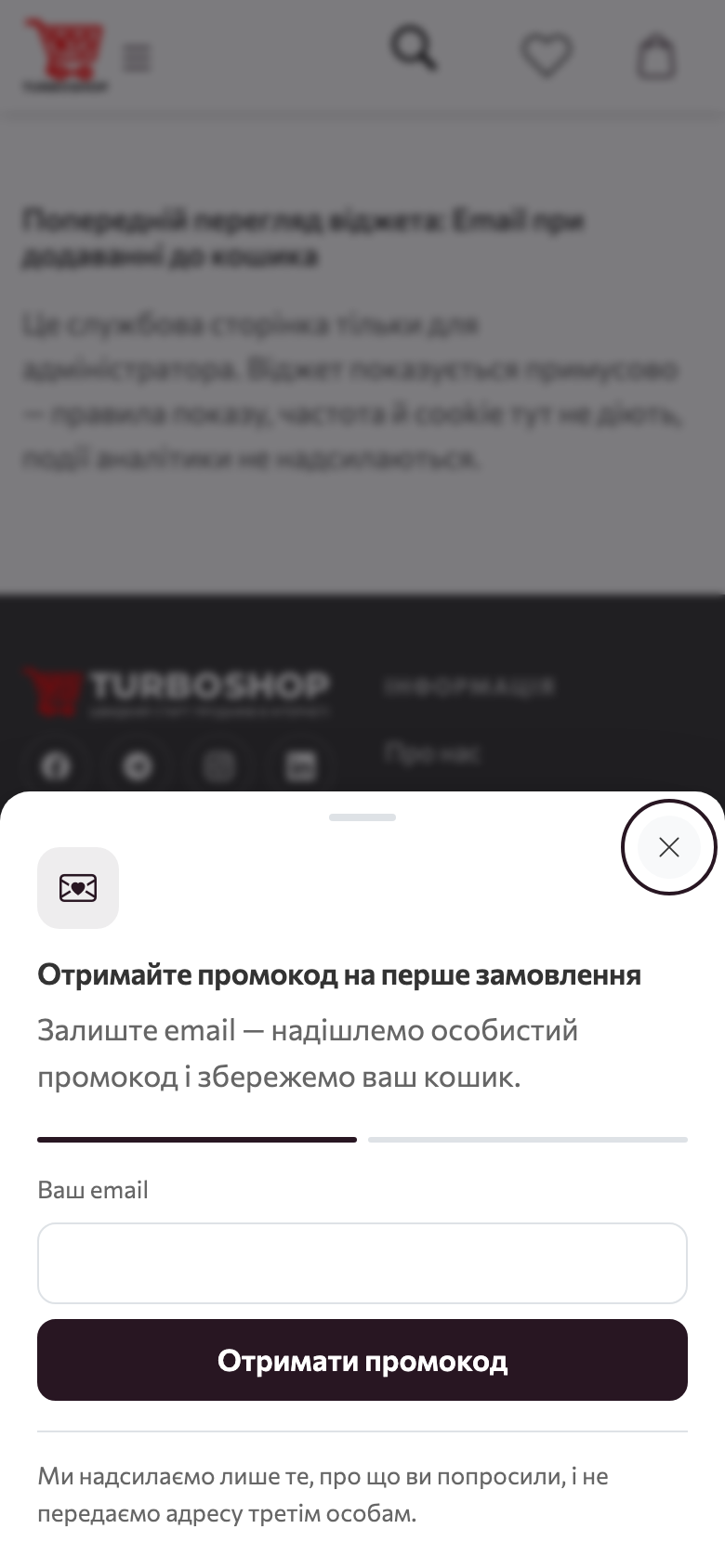
We never show the code in the window, and that is one of the most important decisions in the widget. If the code appeared on screen, any made-up address would be enough to get the discount, and the collected base would consist of empty mailboxes. Instead, the address that received the email is guaranteed real: email capture on your website gives you living people, not junk. The customer gets the code in their inbox together with a "Set password" link for the freshly created account and a reminder that the cart is waiting in the account. We kept the email itself short: "Your promo code", validity, a hint to enter the code in the "Promo code" field at checkout.
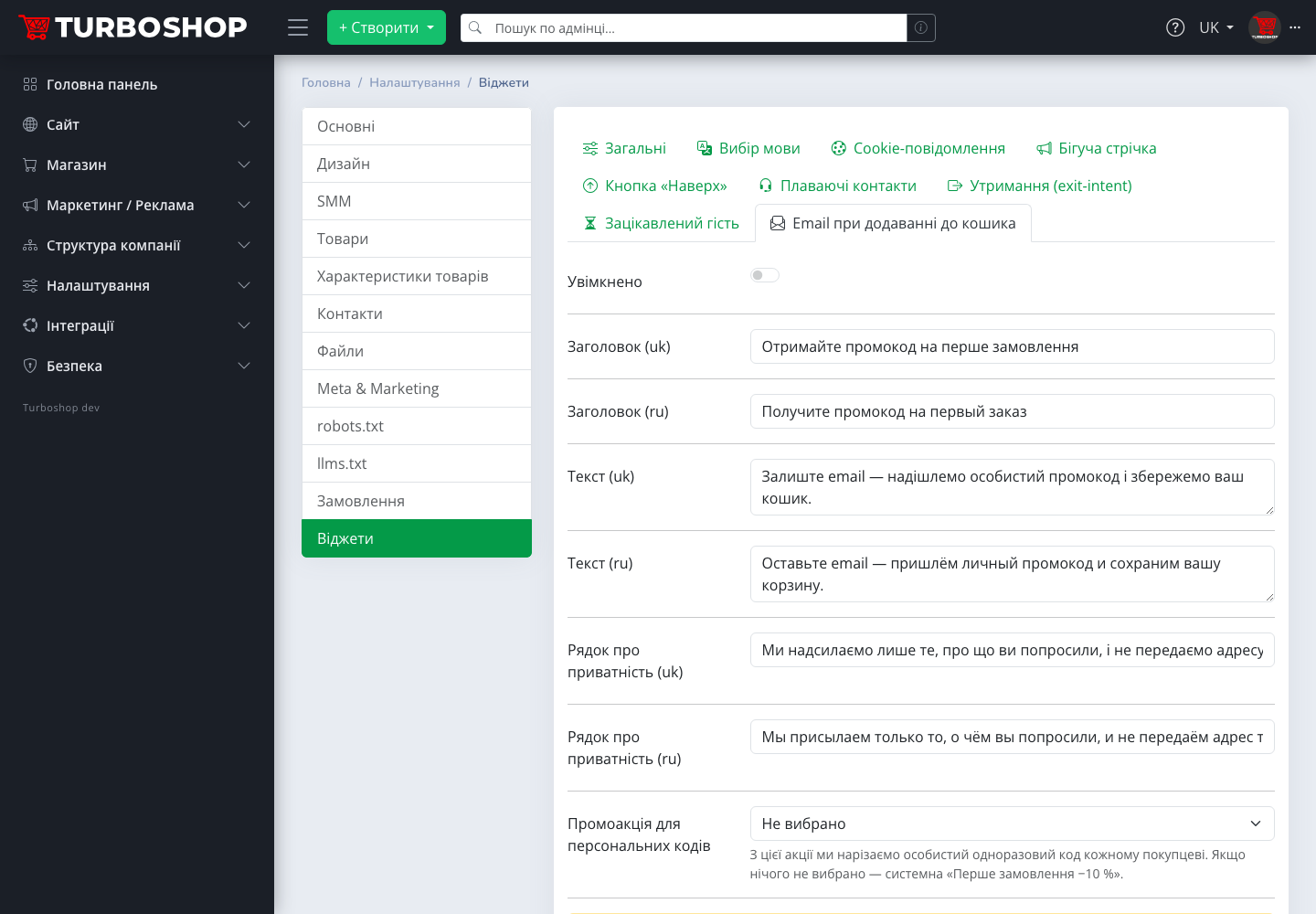
Personal codes are cut from the promotion chosen in the "Promotion for personal codes" field. If nothing is chosen, the system "First order: −10 %" promotion is used — we placed it in every store in advance (created disabled, so nothing changes without your decision). Activate it with the "Activate system promotion" button right in the widget tab — and the first order promo code starts working without a single extra step. How promotions and codes work in general is covered in "Promo codes in Turboshop".
One code per customer, one email — so the discount does not multiply
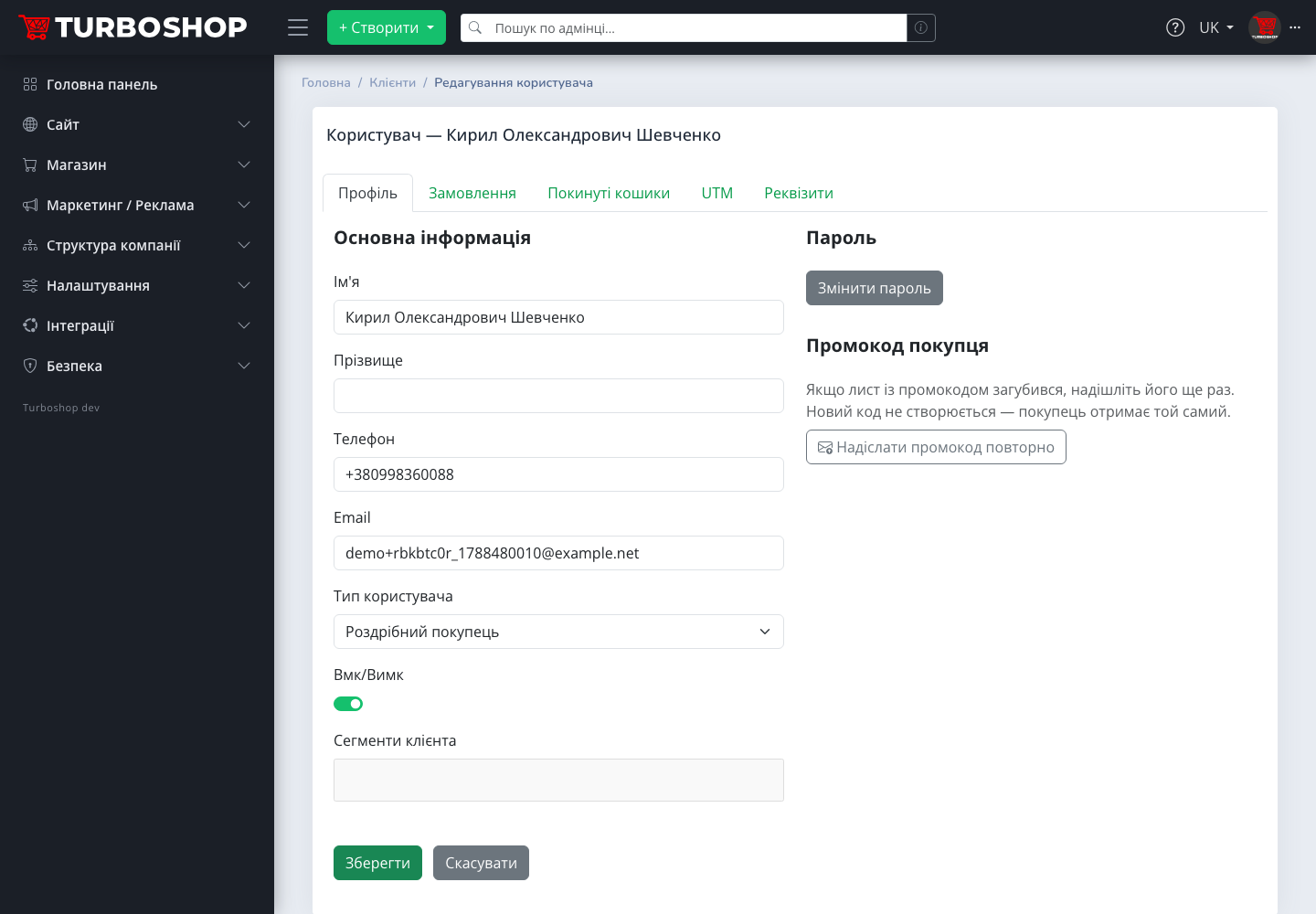
We have seen a "newcomers only" promo code turn into a permanent discount for everyone: people requested it again, registered a second address, forwarded it to friends. That is why we issue a personal code only to a customer with no orders — checked both by account and by email, so a guest's quick order counts too. Per customer and promotion — exactly one code: a repeated request returns the same one and sends no duplicate. If the email got lost, the customer card in the admin panel has a "Customer promo code" block with a "Resend promo code" button — no new code is created, the customer gets the same one. You stay in control of what every new customer costs you.
Abuse protection you will not notice
We know an email capture form is a favourite bot target, so we built limits into it: a few attempts per hour from one IP address and separately a few per day from one email address, with separate counters per step. We spend an attempt only after successful validation, so a regular shopper who mistyped the address will not even notice the limit. The widget stores no personal data in cookies — and you will not have to explain that in your privacy policy.
What we recommend considering before enabling
- Activate the promotion. Without a live promotion for personal codes the widget is not shown — the admin panel warns in the tab, so you do not wait for emails that will never arrive.
- Texts are already there. We pre-filled the title "Get a promo code for your first order", the text and the privacy line with samples in Ukrainian and Russian — enable today, refine later.
- One popup on screen. The queue and the pause between popups from the "General" tab apply here too — the email window will not overlap the exit-intent one.
- A discount for every newcomer. While the widget is active, any customer with no orders who signs up or signs in receives the first-order code. Plan the discount size accordingly.
Examples by niche: where we see the biggest effect
- Clothing and shoes. People pick sizes for a long time and get distracted — a saved cart and an email with a code bring them back the next day, instead of to a competitor.
- Kids' products, pet supplies, cosmetics. Repeat-purchase niches: every collected email is a future mailing about new arrivals — ecommerce email marketing that starts with the very first cart.
- Electronics. An expensive purchase rarely made on the first visit. A −10 % first-order code is the argument to "buy here" that tips the balance when prices are compared.
- Groceries and food delivery. Orders are often assembled "for later" — and forgotten. The promo code email reminds about the cart right when it is time to decide what is for dinner.
The promo code email and analytics: we tagged the links with UTM parameters
Both links in the promo code email, "To the catalog" and "Set a password", carry UTM parameters: source widget, medium email, campaign widget-cart-email. In Google Analytics a visit from the email shows up as the Email channel with the campaign named after the widget, and an order placed after it lands in the admin UTM orders report. So you see not just "the widget is on" but how many orders it actually brought. Widget links on the storefront itself carry no UTM parameters; otherwise an internal tag would override the real source of the visit.
FAQ
Will the customer see the code in the window? No, by email only. That is how we guarantee the address is real.
What if the address is already in the base? The store does not sign in to the account (protection) and issues a code only to someone with no orders. The email is still attached to the cart.
Is a phone required? No, the field is optional. But if the customer fills it in, it goes straight to the customer card.
Can I show the window on some pages only? Yes, the "Where to show" block with a pages list, URL mask, audience and devices works for this widget too.
Can I see how many people left an email? The widget sends show, close and click events to the dataLayer — visible in GA4 via GTM. And every new customer appears in the "Customers" section.
If you are only planning to create an online store, see which tools for online store promotion are already built into the platform.
Summary: what you get
We built "Email on add to cart" so that the first item in the cart turns into a contact and a saved order, and the system "First order −10 %" promotion gives the person a reason to come back to you. We recommend enabling it first among the retention widgets: it works with the warmest visitors, and every day without it means carts that went nowhere. The overview of the whole section is in "Storefront widgets in Turboshop", and the bar above the header is covered in "Announcement bar on the storefront". All new platform capabilities are in the "Features" rubric.