
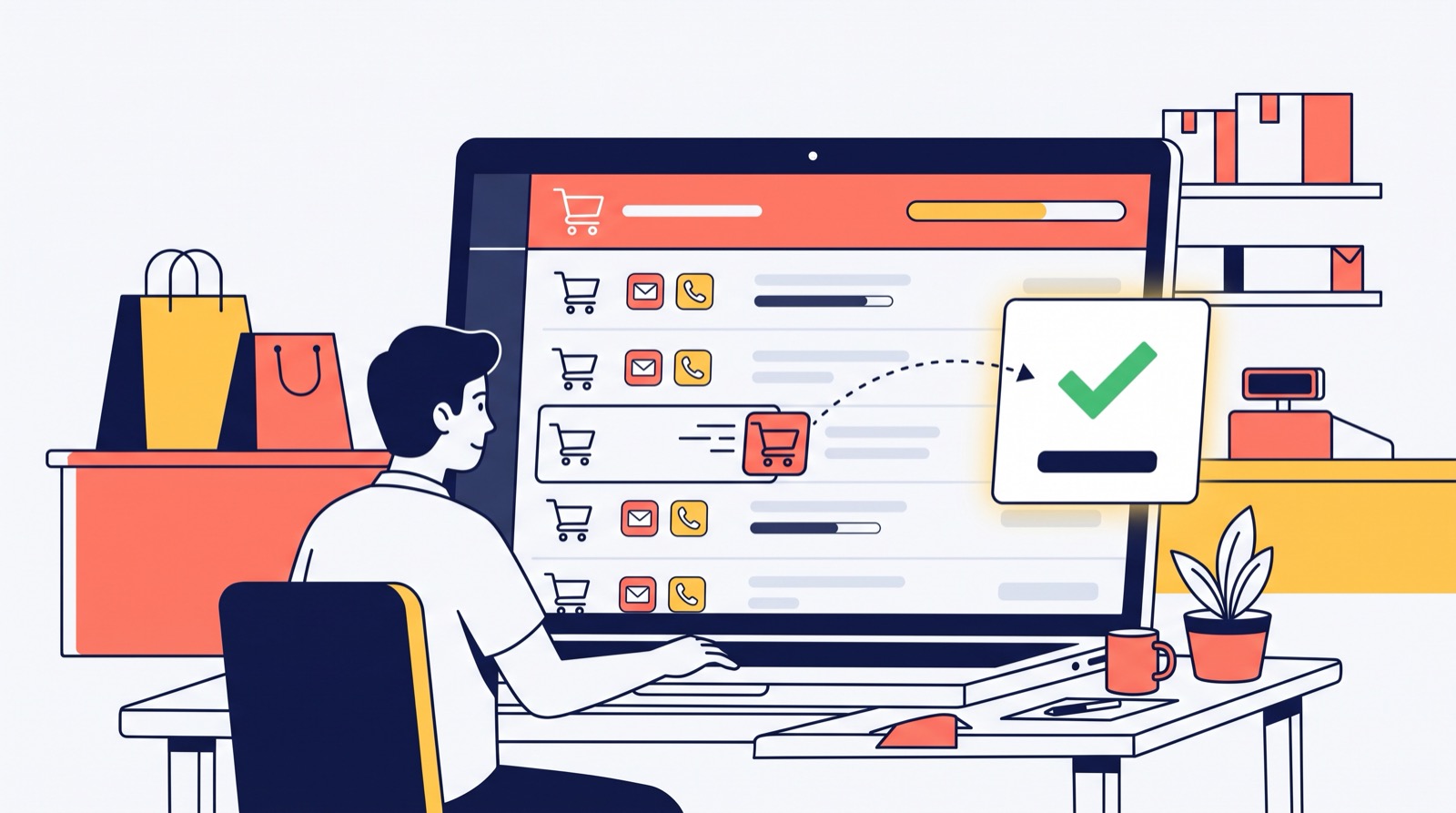
A shopper found a product, compared it, added it to the cart and closed the tab. For a store owner this is the most expensive loss of all: advertising already brought this person in, they already chose, they almost paid. If you cannot see these carts, the money simply disappears, quietly, without a single notification. We at Turboshop turned abandoned carts from a "how many" statistic into a list of real people: who, what, for how much and how to reach them. So you can win back at least part of those sales with one call or one email.
Why we built it
The "Abandoned carts (pcs)" chart has been on the Turboshop dashboard for a long time. It honestly showed that there were many carts, but it did not answer the owner's main question: "So what do I do about it?". A number without names is anxiety without action. A typical situation: a manager would like to call the shopper who left a garden swing sofa worth twenty thousand in the cart, but has no idea who it is. So we made three decisions:
- Show people, not numbers. A separate section with a list of carts where every row shows the shopper.
- Separate those you can contact. A guest cart with no contact at all is just a signal; a cart with an email or phone is a concrete task for a manager. Hence the "With contacts" filter.
- Do not lose data. Previously, deleting a price or a product silently wiped other people's carts containing it. We removed that behaviour: the record stays in the report even if the product is gone.
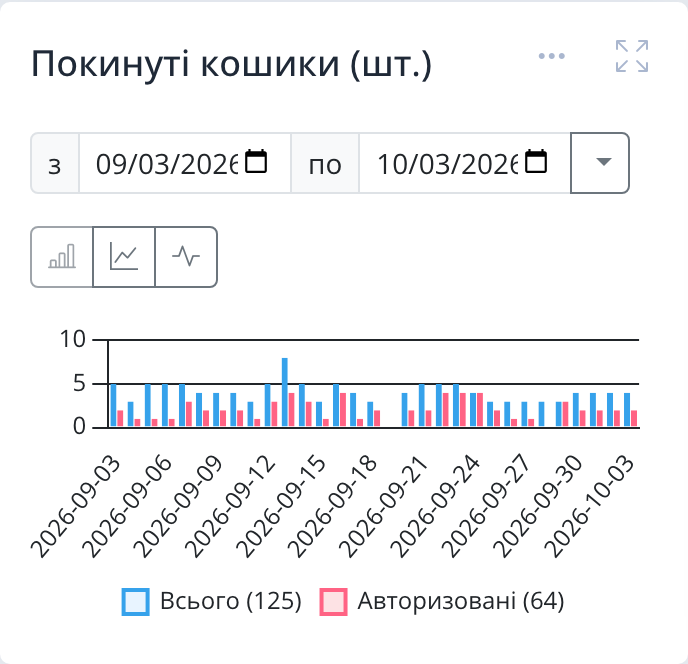
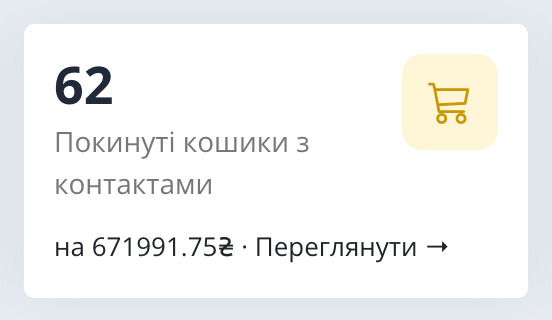
The dashboard card: how much money sits in carts
The first thing you see after logging in to the admin panel is the "Needs attention" row. One of its cards is "Abandoned carts with contacts": the number of carts active in the last 30 days whose owner you can contact, and the total of the items in them at current prices in the store currency. We deliberately show the amount next to the count: "62 carts" sounds abstract, while "62 carts worth 670 thousand" makes you pick up the phone. Clicking the card opens the section with the right filter already applied.
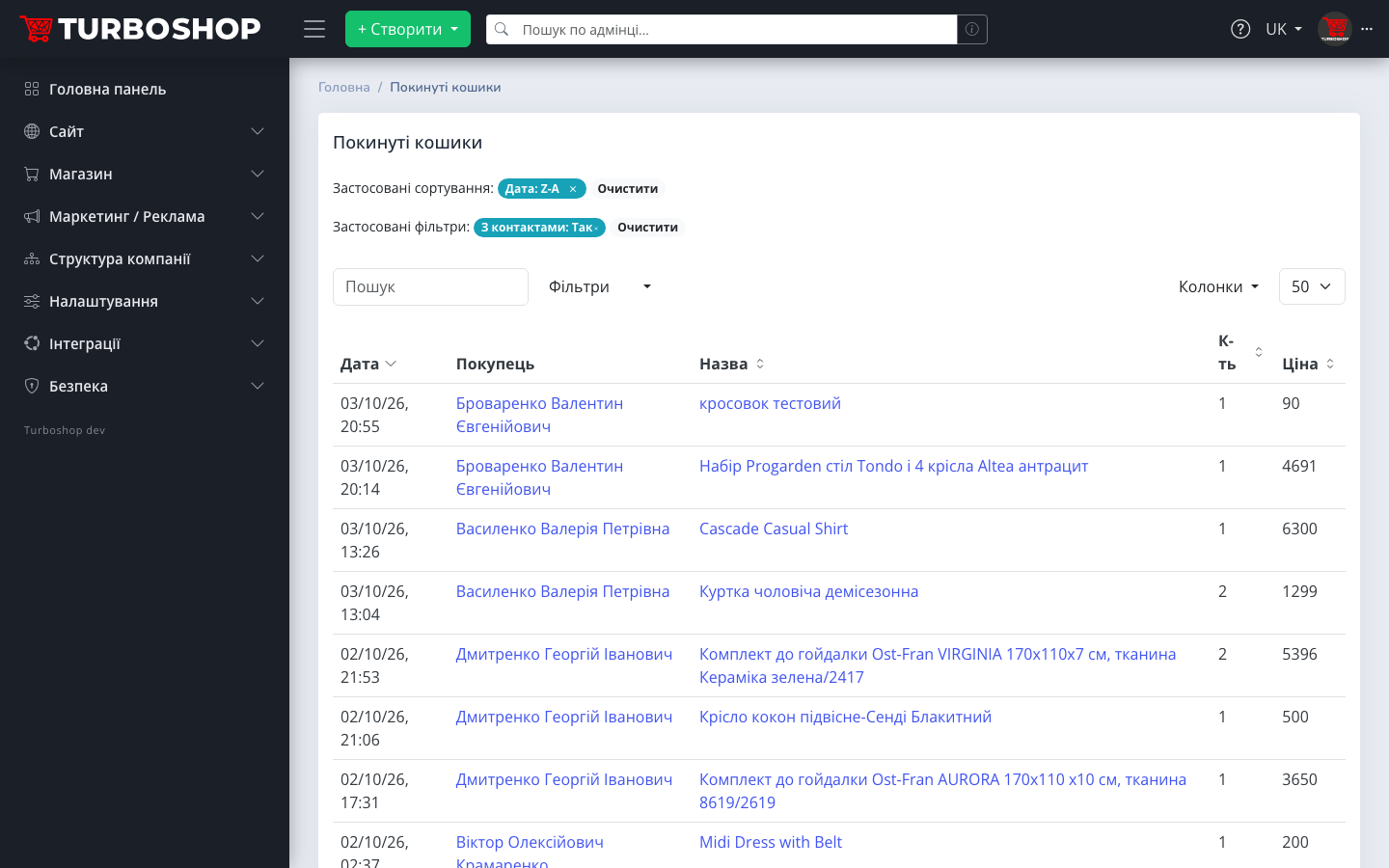
The "Abandoned carts" section: who, what and for how much
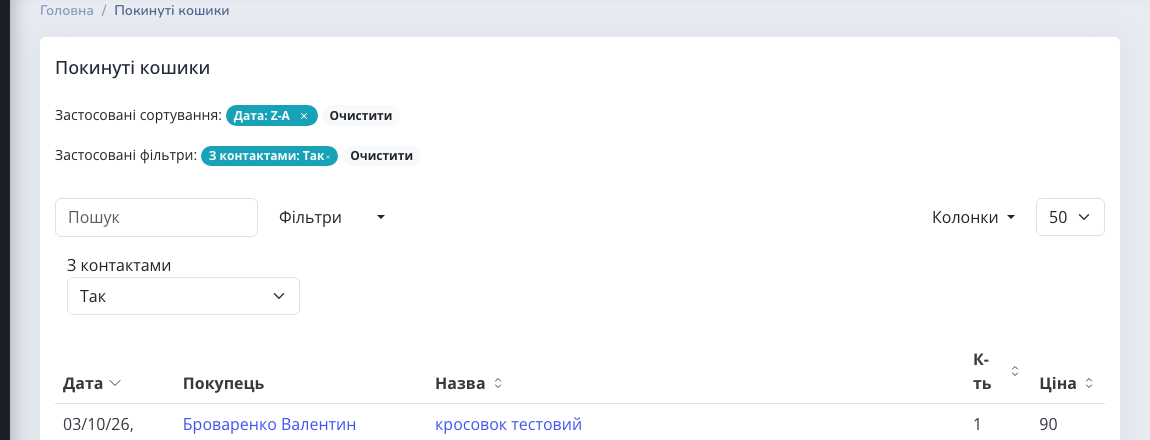
Each row in the list is an item in a cart: the date of the last action, the shopper, the product name, quantity and price. Newest first, so you start with those who left just now and still remember what they meant to buy. The product name links to the product card in the admin panel, so you can check stock or price before calling. Search works by product name, and in the "Columns" menu you can turn on the "Options" column: size, configuration and other parameters the shopper chose.
The "Shopper" column answers the question "whose cart is this". If the person was signed in, you see their name with a link to the customer profile. If it is a guest who left an email, you see the email marked "guest", and clicking it opens a new email right away. Several rows of the same shopper next to each other are one cart with several items.
The "With contacts" filter: only those you can reach
The "With contacts" filter keeps carts active in the last 30 days that have an email in the cart itself, or whose shopper is signed in with an email or phone. These are exactly the same conditions as on the dashboard card, so the number on the card and the list behind the link always match. Older carts are left out: after a month a reminder is more annoying than helpful. Remove the filter with "Clear" and you will see all carts, including guest carts without contacts.
Where does a guest's email come from? Most often from the widget that offers to leave an email when the first item is added. We covered it in detail in "Email on add to cart": every such email now does more than grow your list; it appears here next to the products the person chose.
The "Abandoned carts" tab in the customer profile
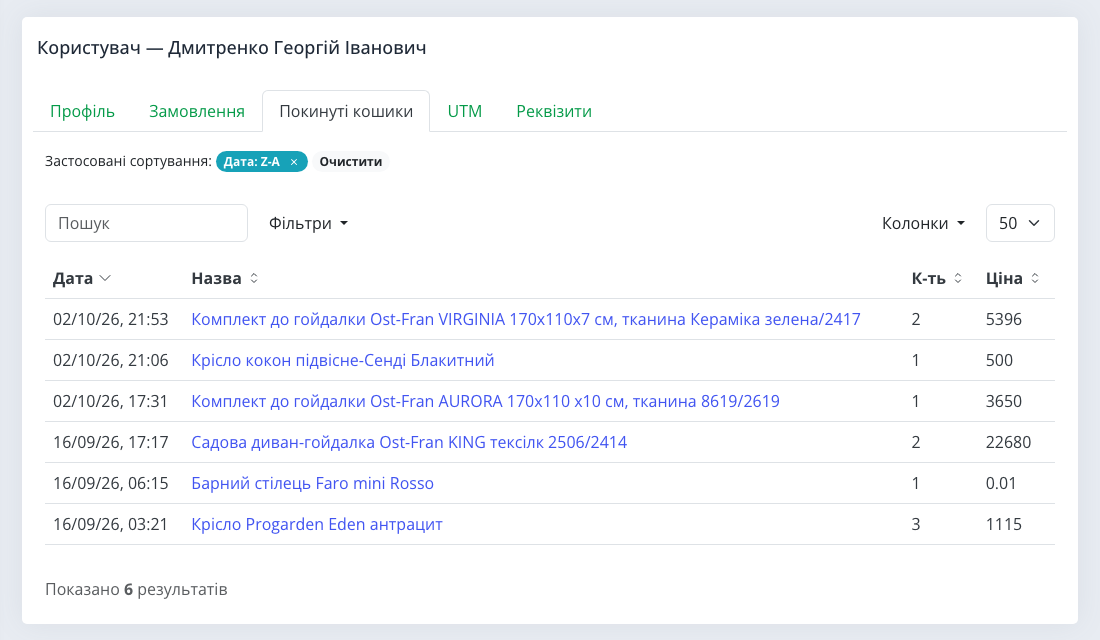
Every customer profile has an "Abandoned carts" tab. Here we did something important: besides the carts the person left after signing in, the tab also shows the ones they built as a guest with the same email, before registering or logging in. A typical case: in the evening a shopper picks items on their phone as a guest and leaves an email, and the next day they register from a computer. Before, these would have been "two different people". Now the profile shows their whole history of hesitation, and the manager who calls knows what to talk about.
Carts no longer disappear with the product
Previously, if you deleted a price row or a product (in the admin panel or via the API), the shoppers' carts containing it silently vanished with it. The report lost records, and you lost information about demand. Now the carts stay. The shopper does not see a product that no longer exists in their cart, and the "Abandoned carts" report keeps the record. That is a more honest picture of demand: you see there was interest in a product you took off sale, and you can offer the shopper something similar.
How to work with abandoned carts, step by step
- In the morning, open the dashboard and look at the "Abandoned carts with contacts" card.
- Click the card and the list opens with the "With contacts" filter.
- Start with the freshest and most expensive: a person who left an hour ago with an item worth several thousand is the priority.
- Open the shopper's profile (click the name) and check the "Orders" and "Abandoned carts" tabs: maybe they already bought something else, or have been hesitating for a while.
- Get in touch: a call for expensive items, an email for the rest. For a shopper marked "guest", click the email.
- Give them a reason to come back: an answer to their question, help with the choice, delivery details, and if you use promo codes, a personal discount.
Roles that work with orders get access to the section automatically, so you do not need to grant rights to a sales manager separately.
What to offer: examples by niche
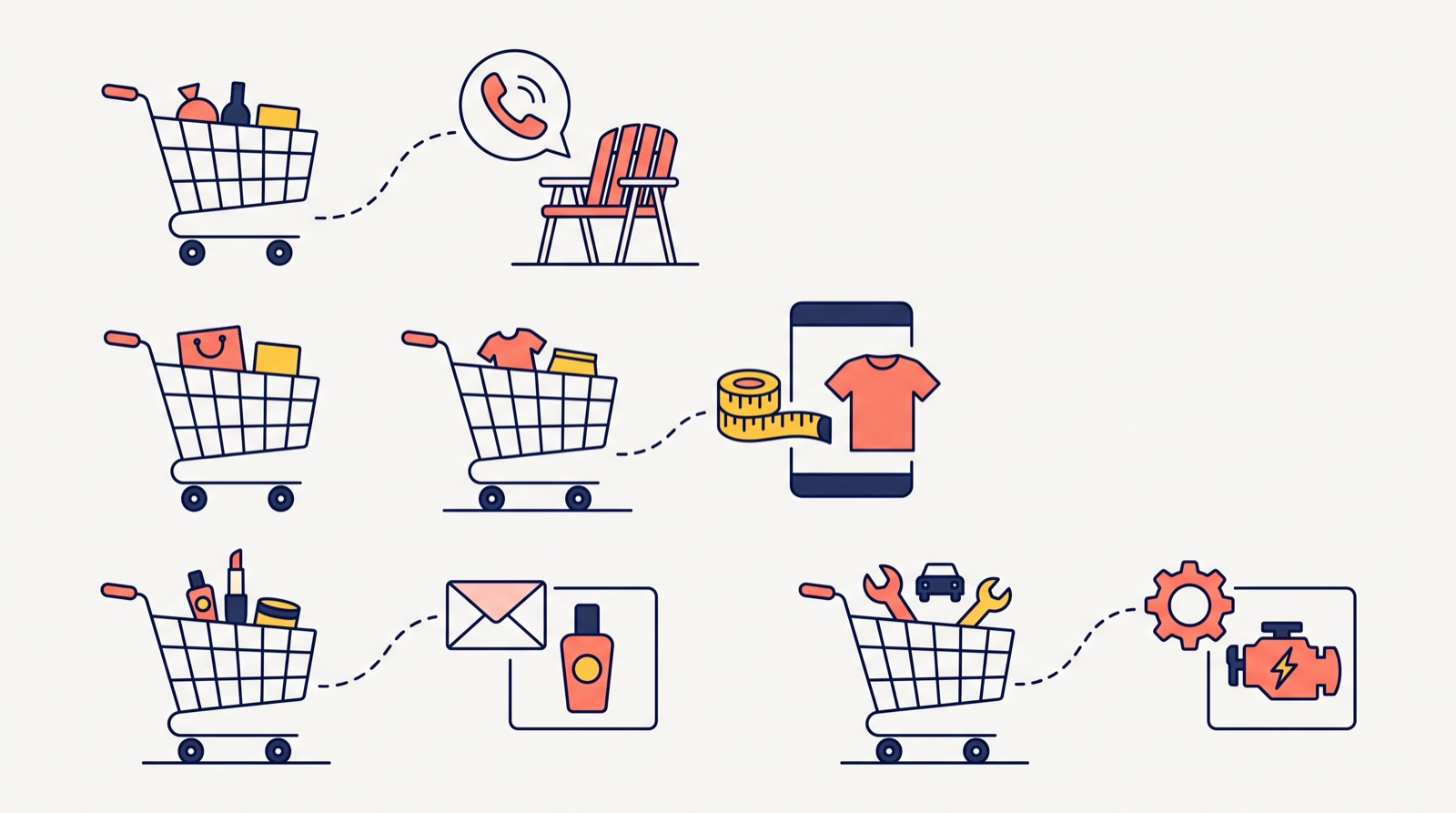
- Garden furniture and big-ticket items. A cart worth tens of thousands is rarely abandoned because of the price; more often it is doubts about delivery, colour or size. A call that answers these works better than a discount.
- Clothing and footwear. The shopper is unsure about the size. Check the options in the cart and write: "We will help with the size, exchanges are free".
- Cosmetics and home goods. Small baskets: a short reminder email and, if you like, a free delivery promo code.
- Spare parts and electronics. The person may not have been sure about compatibility. Confirm the model and the sale comes back.
An abandoned cart is only one place where a store loses money. How to see the others, such as unpaid orders and refused parcels, we explained in "Money at risk". And to make shoppers leave less often in the first place, an exit-intent popup helps: it appears at the moment a person is about to close the page.
Frequently asked questions
Who can see the "Abandoned carts" section? Roles with access to orders get it automatically. The dashboard card is shown to those who have access to the section itself.
Why are some carts missing from the "With contacts" filter? The filter shows only carts active in the last 30 days that have a contact: an email in the cart, or a shopper with an email or phone in their account. A guest cart without an email is not included; you can see it in the full list.
How is the amount on the card calculated? As item quantities multiplied by current prices, in the store currency. If a price changes, the amount on the card changes too.
Will the shopper see a product I deleted? No. The deleted product will not be in the shopper's cart, while your report keeps the record.
How quickly does the card update? The cart counter refreshes within a minute: a cart changes with every click of the shopper, so we do not recount it instantly.
All of this already works in every store on the platform. If you are only planning to create an online store, see which tools for online store promotion are already built into the platform.
Summary: what you get
We turned abandoned carts from an alarming number into a working list. On the dashboard you see how much money sits in carts, with one click you open the shoppers you can contact, you know each shopper's name or email, you see their whole history of hesitation in the customer profile, and you keep the records when you remove a product from the catalog. All new platform features are in the "Features" section.