
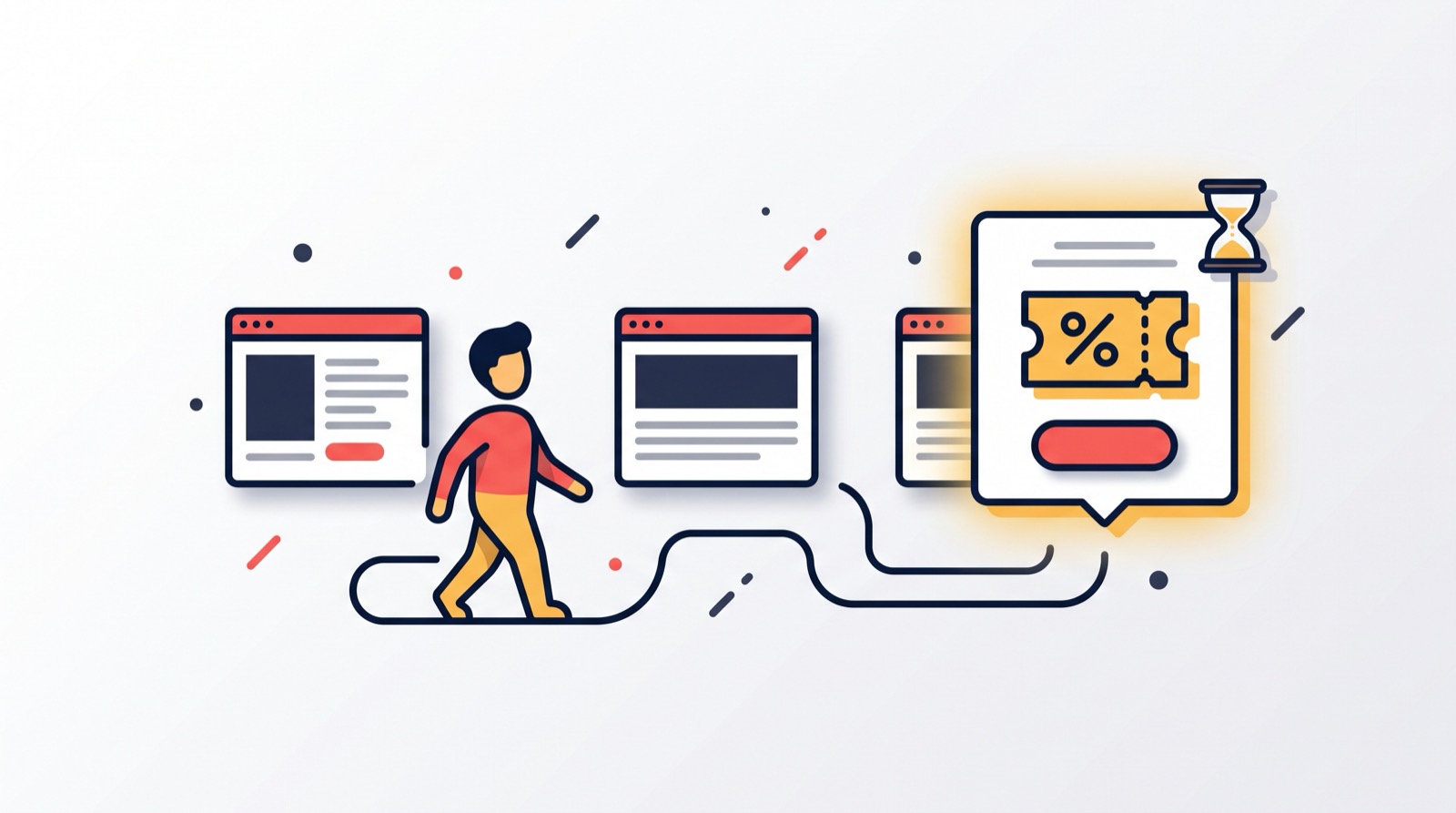
We see the same scenario in our clients' stores again and again: a visitor opens a fourth, fifth, sixth page, compares, reads specifications — and leaves without buying. Not because they disliked what they saw, but because the last argument was missing. This is the warmest audience your store has, and without a well-timed offer you hand it over to a marketplace or to the competitor who simply happened to be next in the tabs. That is why we built the "Engaged guest" widget: after a set number of viewed pages it offers to sign up and get a personal promo code for the first order. Here is how we built it, why we made it this way and how it differs from exit-intent.
When we show the popup
We deliberately did not tie this widget to an attempt to leave — retention already covers that. Instead it counts pages viewed in the session and, after the threshold from the "Pages per session before showing" field (4 by default), shows the window. Not immediately: we added a pause from the "Delay after page load, seconds" field (5 by default) so it never interrupts someone who has just opened a product page and is reading the description. Someone who visited a single page and left will not see it at all — this is a popup for new visitors who are genuinely interested, not for everyone who wanders in. You get an offer that appears exactly when a person has almost decided, and never annoys those who only glanced.
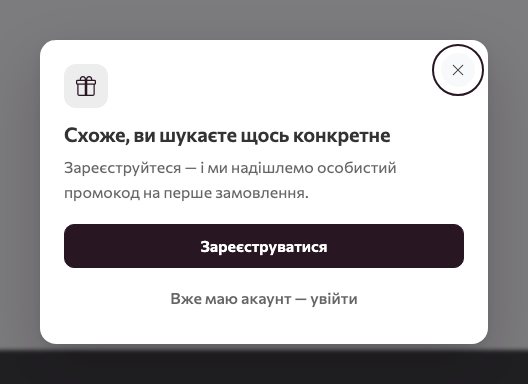
Two texts: without a cart and with a cart
We noticed that a person with items in the cart and a person without them are in different states, and one text does not work for both. So, just like in retention, we built in two sets of texts, and the widget picks the right one itself:
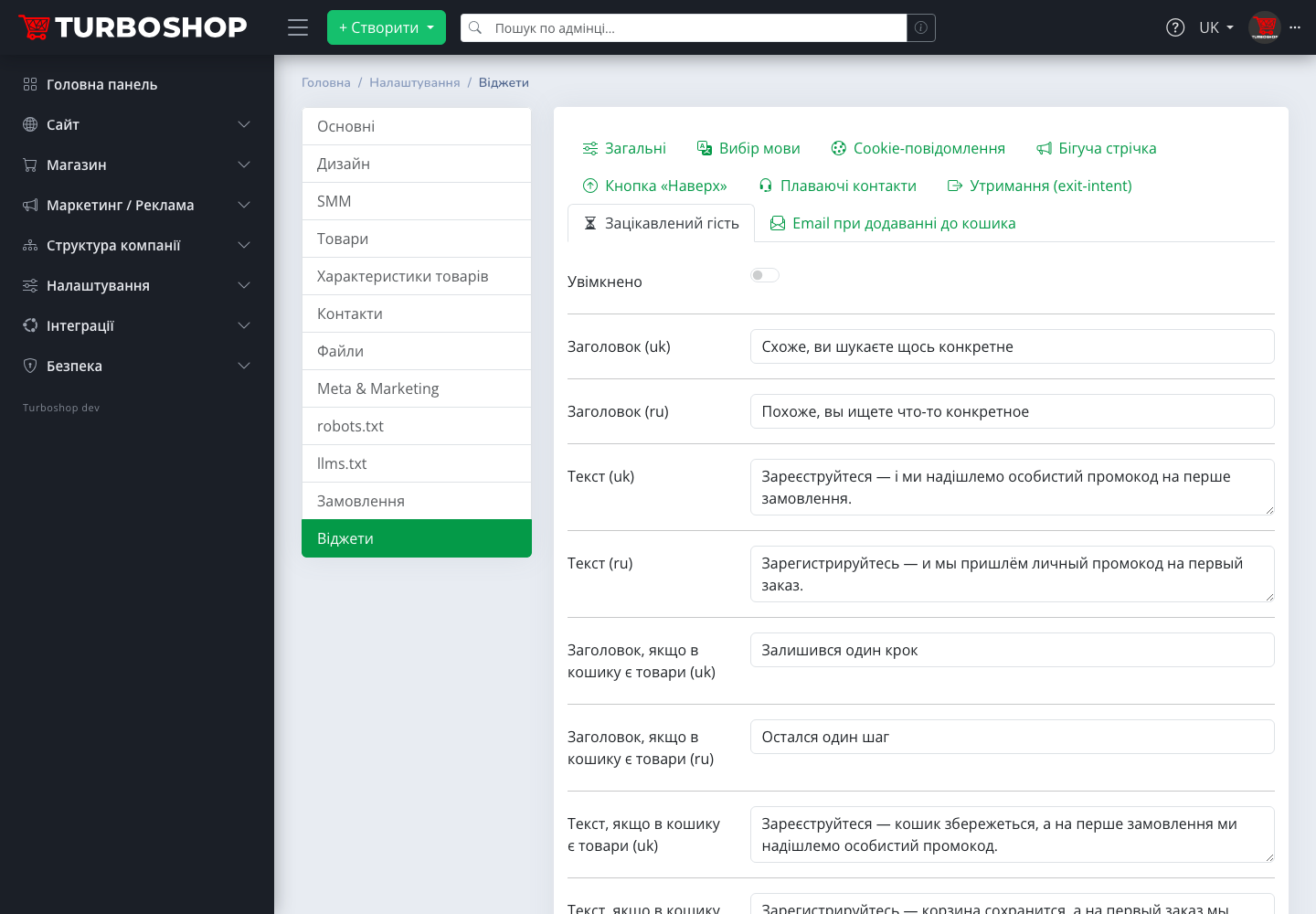
- default — "Looks like you are searching for something specific" and an offer to sign up for a personal first order promo code;
- non-empty cart — "One step left": a reminder that the cart will be saved after sign-up and a personal promo code will arrive for the first order. Below the text we show the number of items already in the cart.
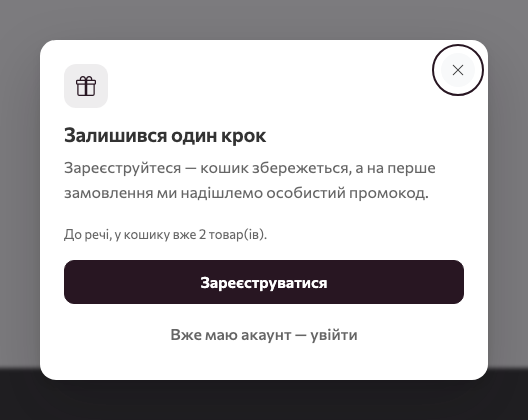
Imagine a visitor who put a jacket and a pair of boots in the cart and left "to think it over": the window reminds them that the selection is not going anywhere and a discount is waiting for the first order. For you this means fewer abandoned carts without any extra configuration.
A personal single-use code
The main decision we made for this widget: the code here is always personal and single-use. We consciously chose not to hand out a shared code, as retention does: a personal promo code issued to one specific person does not spread across chats and coupon sites, and the first-order discount really goes to a new customer rather than to everyone who wants it. The code is cut from the promotion chosen in the "Promotion for personal codes" field and tied to a specific customer. If nothing is chosen, we use the system "First order: −10 %" promotion, which we have already created in every store — disabled, so nothing changes without your knowledge; it is activated with the "Activate system promotion" button right in the widget tab. We described the general rules of promotions and codes in "Promo codes in Turboshop".
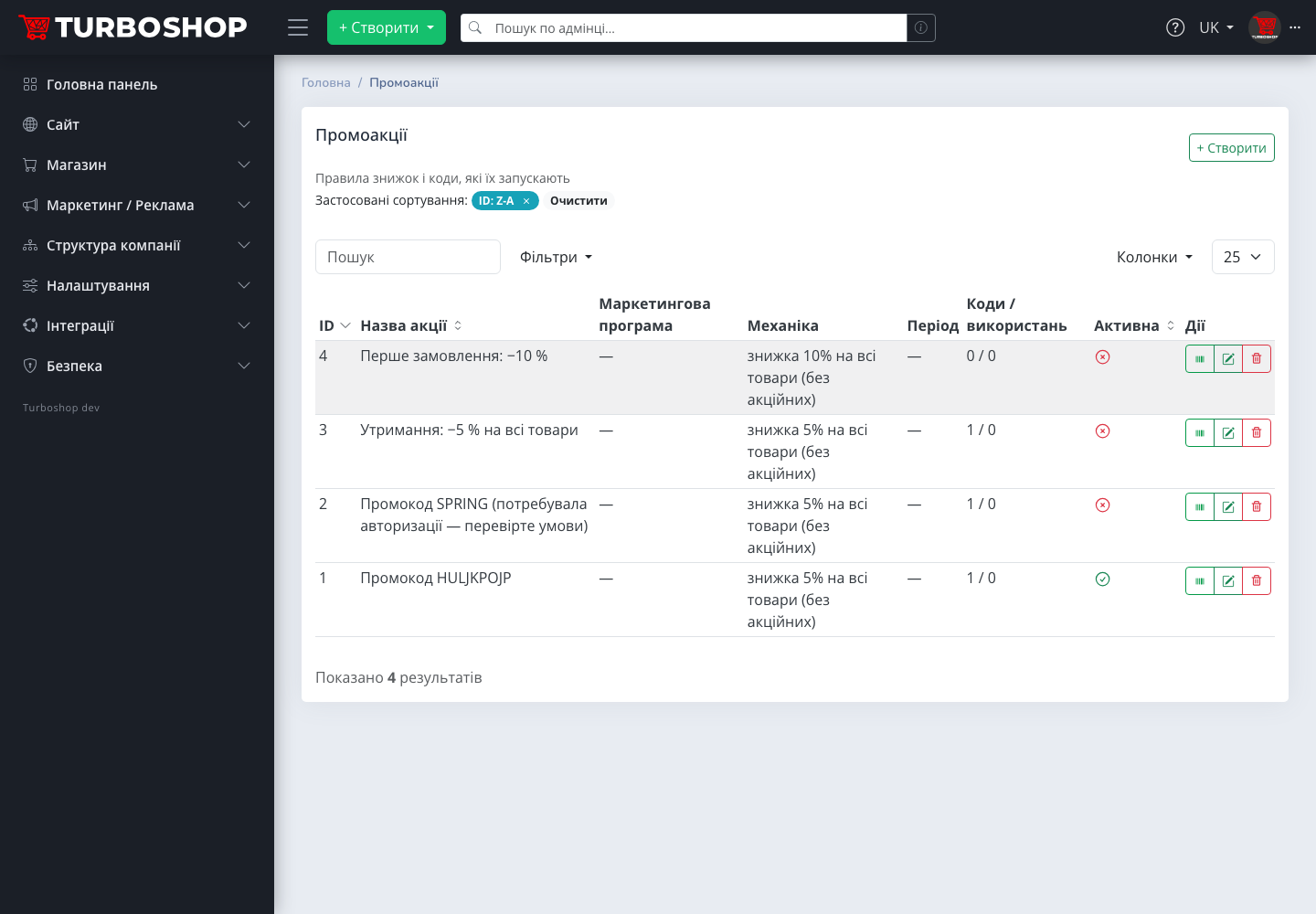
The code arrives by email after sign-up or sign-in. We issue it only to a customer with no orders — we check both the account and the email, so a regular client cannot claim a "newcomer discount" through a fresh registration. Per customer and promotion — exactly one code: a repeated sign-up or sign-in returns the same one, and no duplicate email goes out. And if you have enabled both retention with a shared code and the engaged guest, we gave priority to the personal code — the customer gets one email, not two. Your discount stays under control, and your customer's inbox stays free of clutter.
What we put in the tab
We gathered everything in the "Engaged guest" tab: the title and text for both variants in Ukrainian and Russian (we have pre-filled them with samples so you can switch the widget on and see the result within a minute), the "Promotion for personal codes" field, the system promotion activation block and two threshold fields: pages per session and delay. Then comes the standard "Where to show" block, identical for every widget: pages, audience, devices, schedule, frequency and queue priority.
For the audience we recommend "Guests only" or "New visitors only": a signed-in customer with orders will not get a personal code anyway, so there is no point showing them the popup. This way you do not bother loyal clients and spend attention only on those who still need convincing.
Resending the code
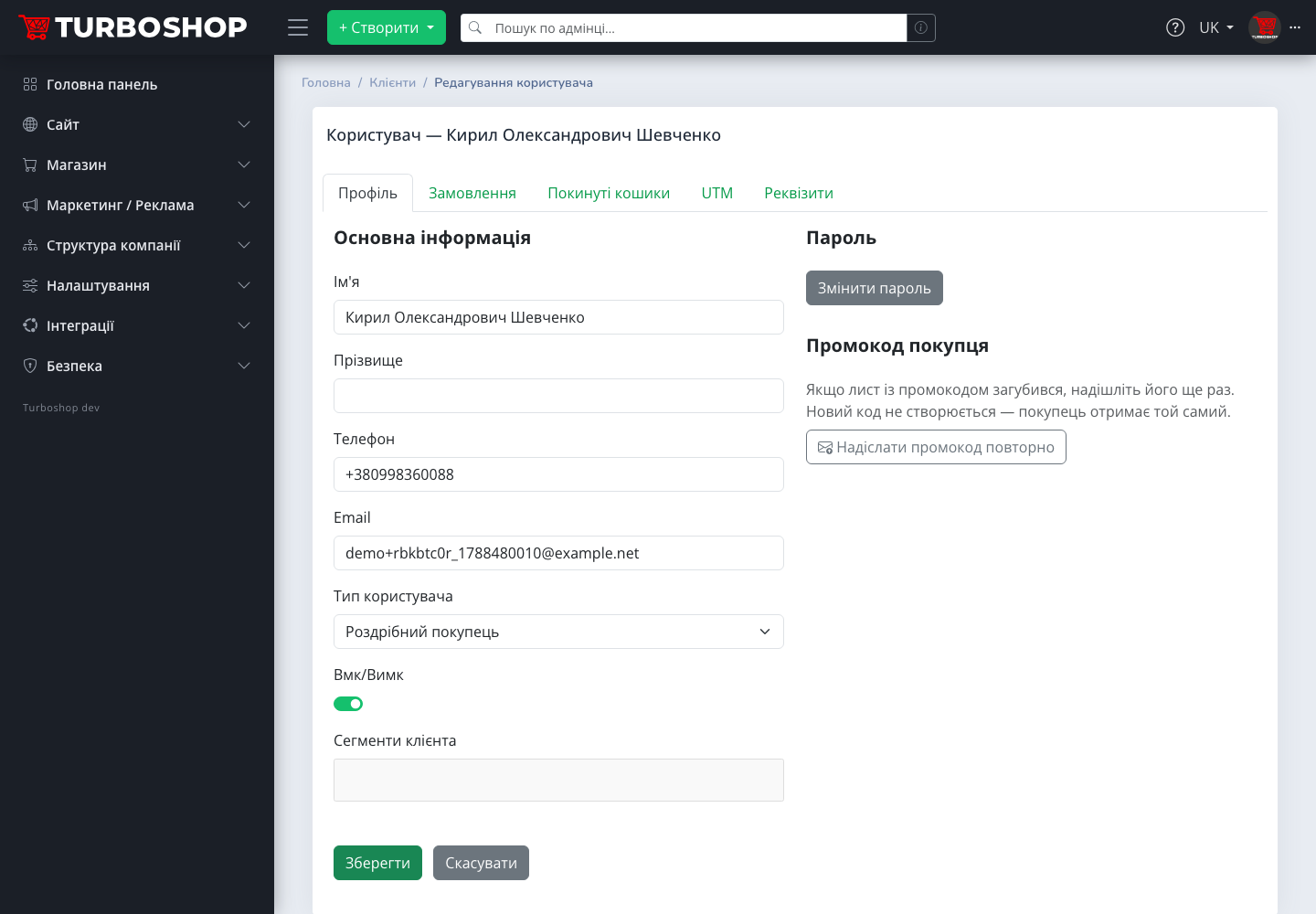
Emails get lost: they land in spam or get deleted by accident. We did not want you to lose a customer who has already signed up because of that, so the customer card in the admin panel has a "Customer promo code" block with a "Resend promo code" button. We do not create a new code — the customer gets the same one. We limited resending to the same customer to one email per day, so the button never turns into a pressure tool.
On phones
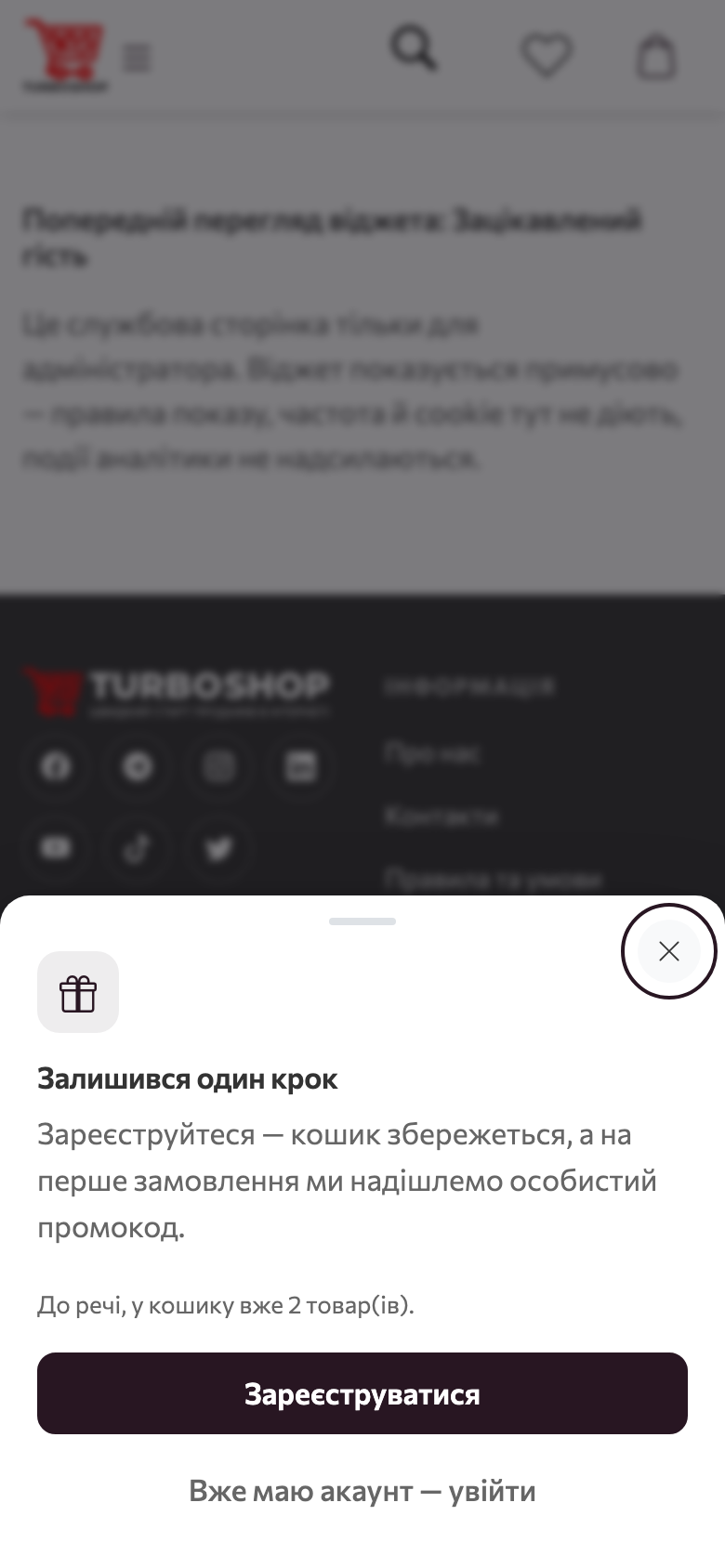
A large share of shoppers in our clients' stores browse products from a phone, so we made the mobile version a bottom sheet rather than a shrunken copy: the text, the number of items in the cart and the button all fit completely, nothing is cut off and nothing needs pinching to zoom.
Examples by niche
We kept the page threshold and the delay configurable precisely because browsing depth differs from niche to niche. A few scenarios we see in our clients' stores:
- Electronics. Comparing 4–5 models is the norm. A personal −10 % code after the fifth page becomes the argument to "buy here, not on the marketplace".
- Furniture, home goods. A long choice of colour and size — a threshold of 6 pages and a 10-second delay so as not to interfere with looking at photos.
- Cosmetics, perfume. A threshold of 3 pages: someone who opened three fragrances has almost chosen.
- Clothing and footwear. The cart variant works best: the size is picked, the item is in the cart — all that is left is to sign up and get the first-order discount.
- Wholesale stores. The "Guests only" audience and a text about terms for new clients instead of a discount — the texts are entirely yours.
How to enable it in a minute
- Open "Settings → Widgets", the "Engaged guest" tab.
- Click "Activate system promotion" — or pick your own promotion with personal codes.
- Set the page threshold and delay for your niche: more pages for electronics, fewer for cosmetics.
- In the "Where to show" block pick the "Guests only" or "New visitors only" audience.
- Switch on "Enabled", save and look at both variants in the preview.
To measure the effect, compare after a few weeks the number of sign-ups in the "Customers" section and the share of first orders with a FIRST10-style promo code in the "Orders" section. Online store conversion grows not from the number of popups but from how well-timed they are, and here you will see not an abstract percentage but real people who became your customers.
The promo code email and analytics: we tagged the links with UTM parameters
Both links in the promo code email, "To the catalog" and "Set a password", carry UTM parameters: source widget, medium email, campaign widget-engaged. In Google Analytics a visit from the email shows up as the Email channel with the campaign named after the widget, and an order placed after it lands in the admin UTM orders report. So you see not just "the widget is on" but how many orders it actually brought. When a manager resends the code from the customer card, the email goes out with the widget-resend campaign, so resends are visible separately. Widget links on the storefront itself carry no UTM parameters; otherwise an internal tag would override the real source of the visit.
FAQ
How is this different from retention (exit-intent)? Retention reacts to an intent to leave and gives a shared code. The engaged guest reacts to browsing depth and gives a personal single-use first-order code.
Will the customer see the code in the window? No, we send it by email only, after sign-up or sign-in.
What if the customer has already ordered? The personal first-order code is not issued to them.
Can I change the discount size? Yes — either edit the system promotion in the "Promo codes" section, or create your own and pick it in the "Promotion for personal codes" field.
Could the popup appear on top of another one? No: there is never more than one popup on screen, the queue is governed by priority and the pause from the "General" tab.
Summary
We built "Engaged guest" for those who have almost chosen: it does not bother early visitors, and after a few pages gives a personal reason to place the first order with you. Together with email on add to cart and retention it covers all three moments of losing a customer — and customer acquisition stops depending on whether a person remembers your store tomorrow. The overview of the whole section is in "Storefront widgets in Turboshop", all new capabilities — in the "Features" rubric.