
“Brands” is a directory of manufacturers with logos and their own pages. Each brand can be shown on the storefront, linked to products and promoted for branded search queries.
What you see
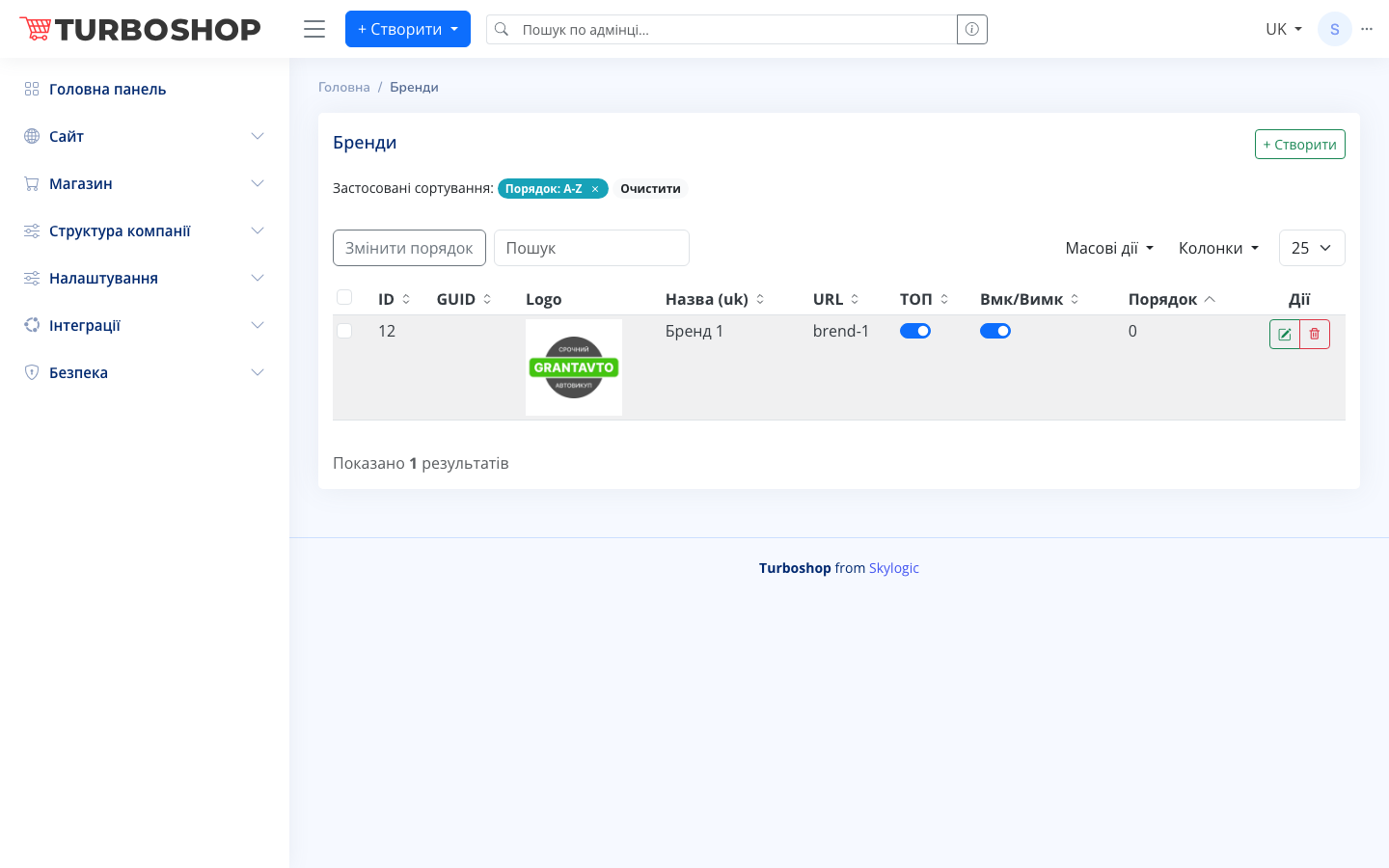
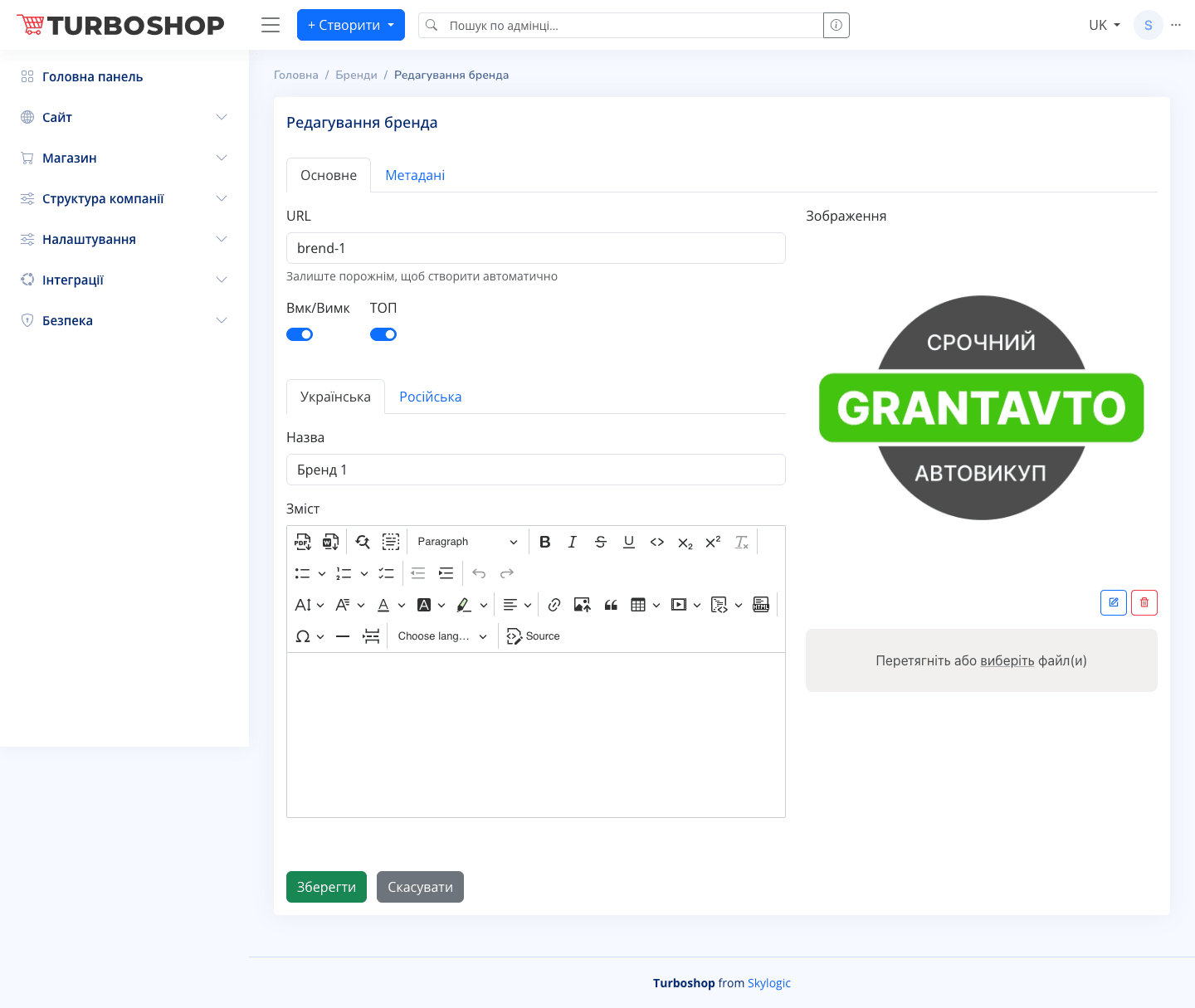
At the top are the “Brands” heading, a “+ Create” button and an active sort “Order: A-Z” with a “Clear” button. Below are “Change order”, a search field, “Bulk actions”, “Columns” and a per-page count. The table has columns: ID, GUID, Logo (a logo thumbnail), Title (uk), URL, a TOP toggle, an Enable/Disable toggle, Order and “Actions” (edit, delete). On the brand edit screen there are tabs “Main” and “Metadata”; a URL field, Enable/Disable and TOP toggles, language tabs (Ukrainian / Russian) with “Title” and “Content” fields (a rich-text editor), and on the right an “Image” block showing the logo with the option to replace or delete the file.
How it works
“+ Create” adds a new brand; “Actions” → edit opens its card. Fill in the name, optionally a description, and upload a logo in the “Image” block. The URL can be left empty — it is generated automatically. The Enable/Disable toggle controls the brand’s visibility on the site, TOP promotes it, and “Order” sets the sequence. The “Metadata” tab stores the brand page’s SEO tags.
Why it matters
Brand pages build buyer trust: a recognizable logo and a manufacturer description remove doubts before a purchase. They also bring extra free traffic for queries like “buy <brand name>”.