
"Components (builder)" is a library of ready-made building blocks used to assemble site pages without programming.
What you see
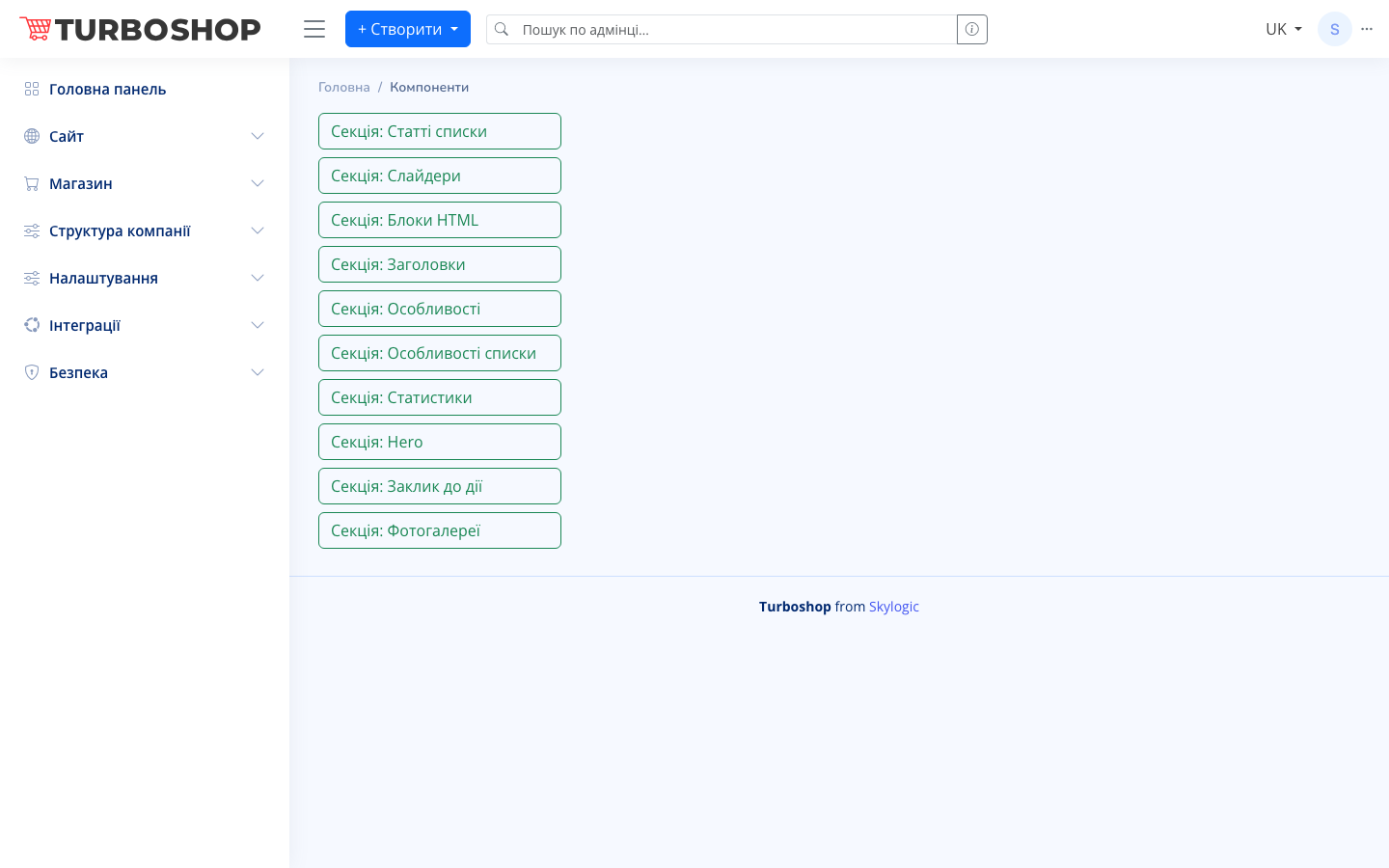
The screen shows a vertical list of available section types, each as a separate button:
- Section: Article lists — a block with blog articles.
- Section: Sliders — a banner carousel.
- Section: HTML blocks — arbitrary HTML content.
- Section: Headings — text headings.
- Section: Features and Feature lists — advantages/features.
- Section: Statistics — numbers and metrics.
- Section: Hero — the main page banner.
- Section: Call to action — a CTA block.
- Section: Photo galleries — an image gallery.
How it works
Click the section type you need to open its settings and fill it with content. Prepared sections are then attached to pages in the "Components" block on the page edit form, where they can be enabled, disabled, and reordered. This way a single section can be reused across different pages.
Why it matters
The builder lets you assemble attractive pages from standard blocks on your own, without a developer. It speeds up launching promotions and landing pages and keeps the site's look consistent and tidy.