
"Redirects" is a list of forwarding rules that automatically send a visitor from an old address to a new one. They are indispensable when you change the site structure or product URLs.
What you see
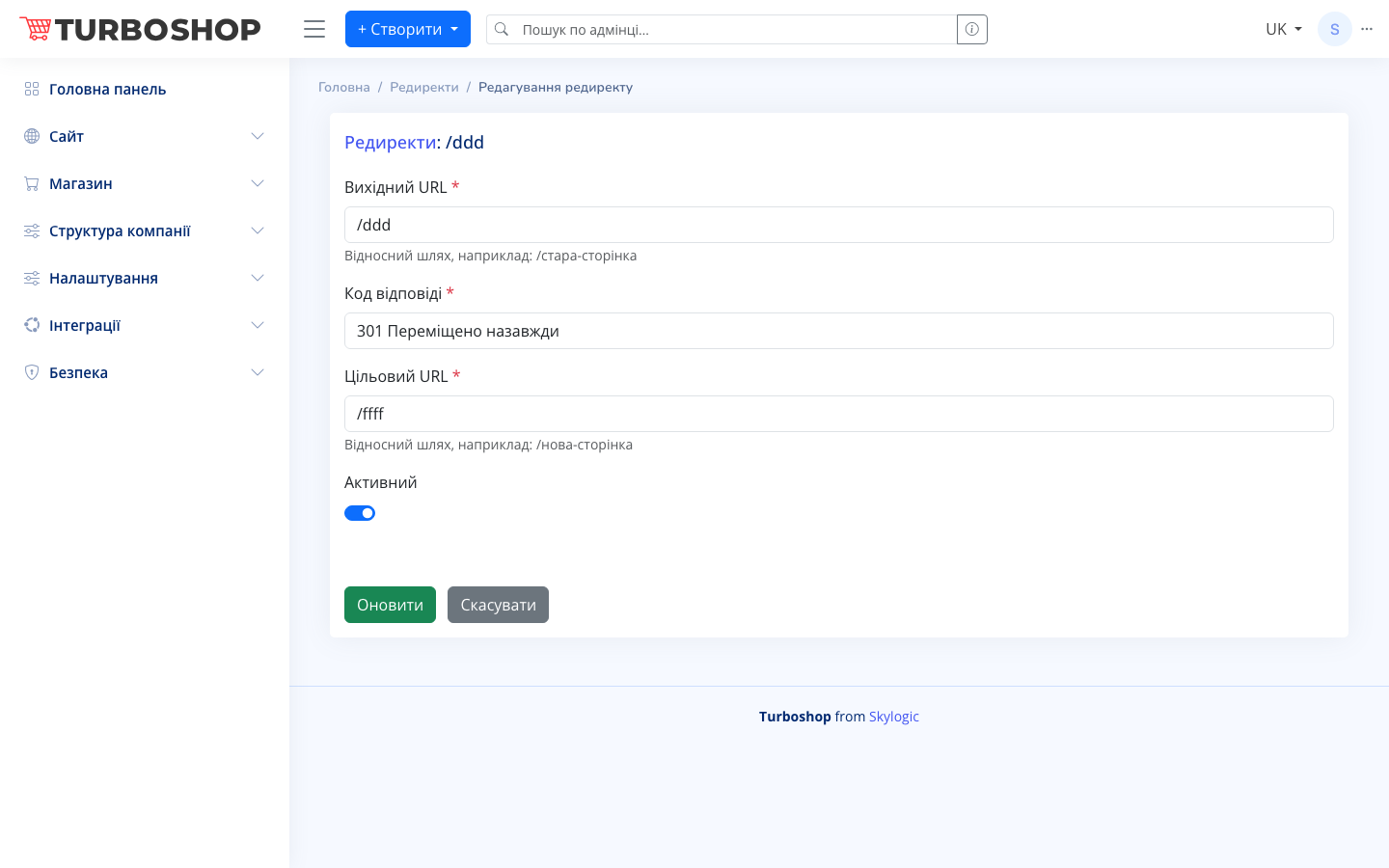
The "Redirects list" table with columns: ID, Source URL (the old address people come from), Target URL (where they go), Response code (for example "301 Moved permanently"), an On/Off toggle, Created date and Updated date, plus row actions (edit/delete). At the top are the "+ Create redirect", "Export" and "Import" buttons, search, bulk actions and a column picker. The edit form has the fields: Source URL, Response code, Target URL (all required) and an Active toggle.

How it works
Click "+ Create redirect", enter the relative path of the old page (for example /old-page), choose the response code (301 is permanent, 302 is temporary) and the relative path of the new page. Save with the "Update" button. The "Active" toggle enables the rule. A large set of redirects is easy to load via "Import".
Why it matters
Redirects preserve the SEO weight of old pages and remove broken links (404 errors). A customer arriving from a bookmark or search lands on a live page instead of a "not found" message.