
“Products” is the catalog of all the store’s goods. If orders are money, products are what the customer pays for. The quality of cards here directly drives conversion and search rankings.
What you see
For each product the list shows a photo, SKU, name, a link to the page, price, an On/Off toggle (show on the site or not) and the order position. At the top there is the + Create button, search and filters. On the right of each row are the edit and delete icons.

How it works
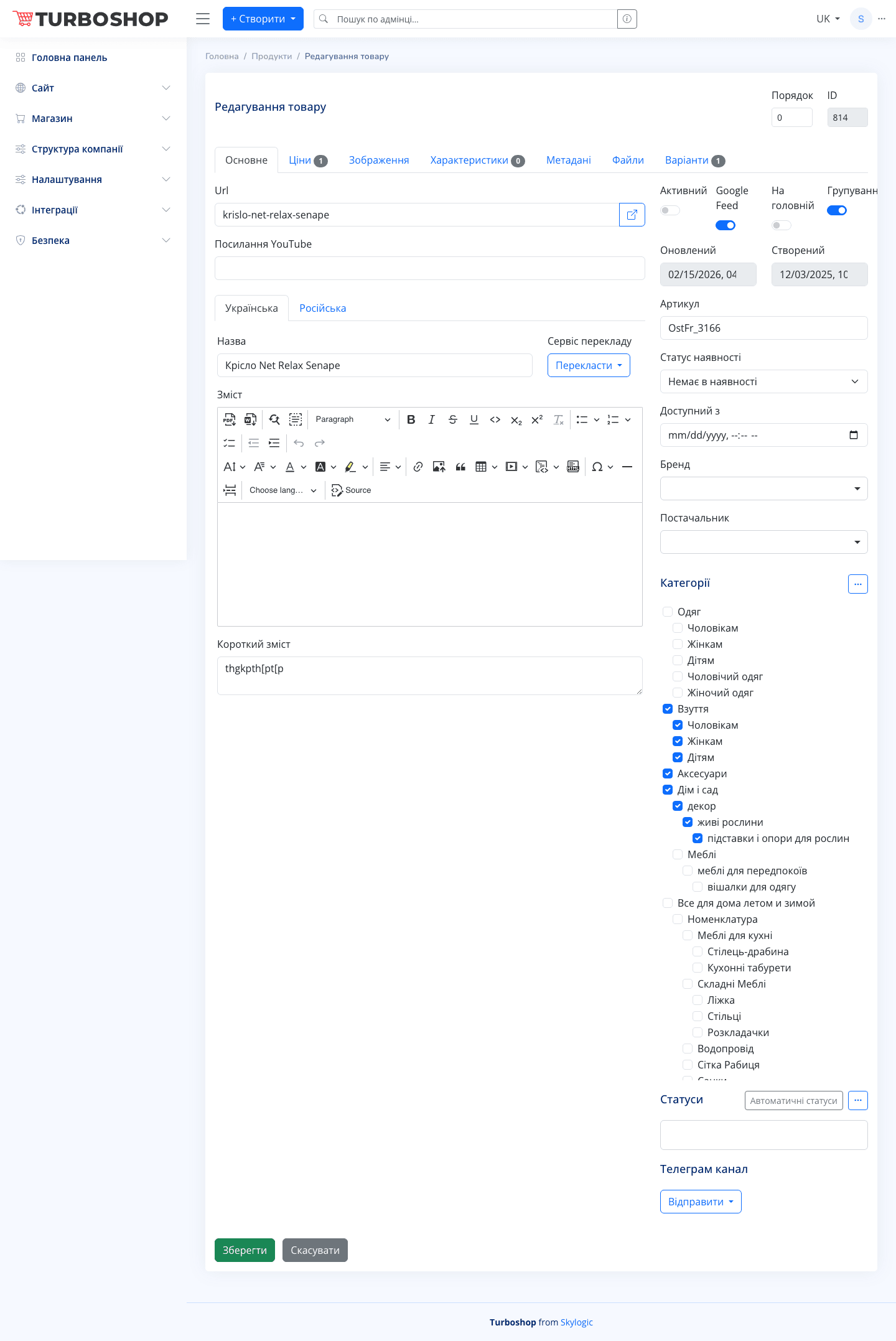
The product card (the create/edit screen) is split into tabs:
- Main — name, description, SKU, availability status, brand, supplier, the category tree and the toggles Active, Google Feed, On home page, Grouping.
- Prices — prices by type and stock.
- Images — the product photo gallery.
- Attributes — characteristics (color, size, etc.).
- Metadata — SEO fields for search engines.
The Url field can be left empty — the address is generated automatically. The Save button at the bottom commits the changes.
Why it matters
A complete, tidy card with photos, price and attributes builds trust, ranks better in Google and converts more often. This is the heart of the store.