
"Files" is a repository of documents for visitors to download: catalogs, price lists, manuals, certificates.
What you see
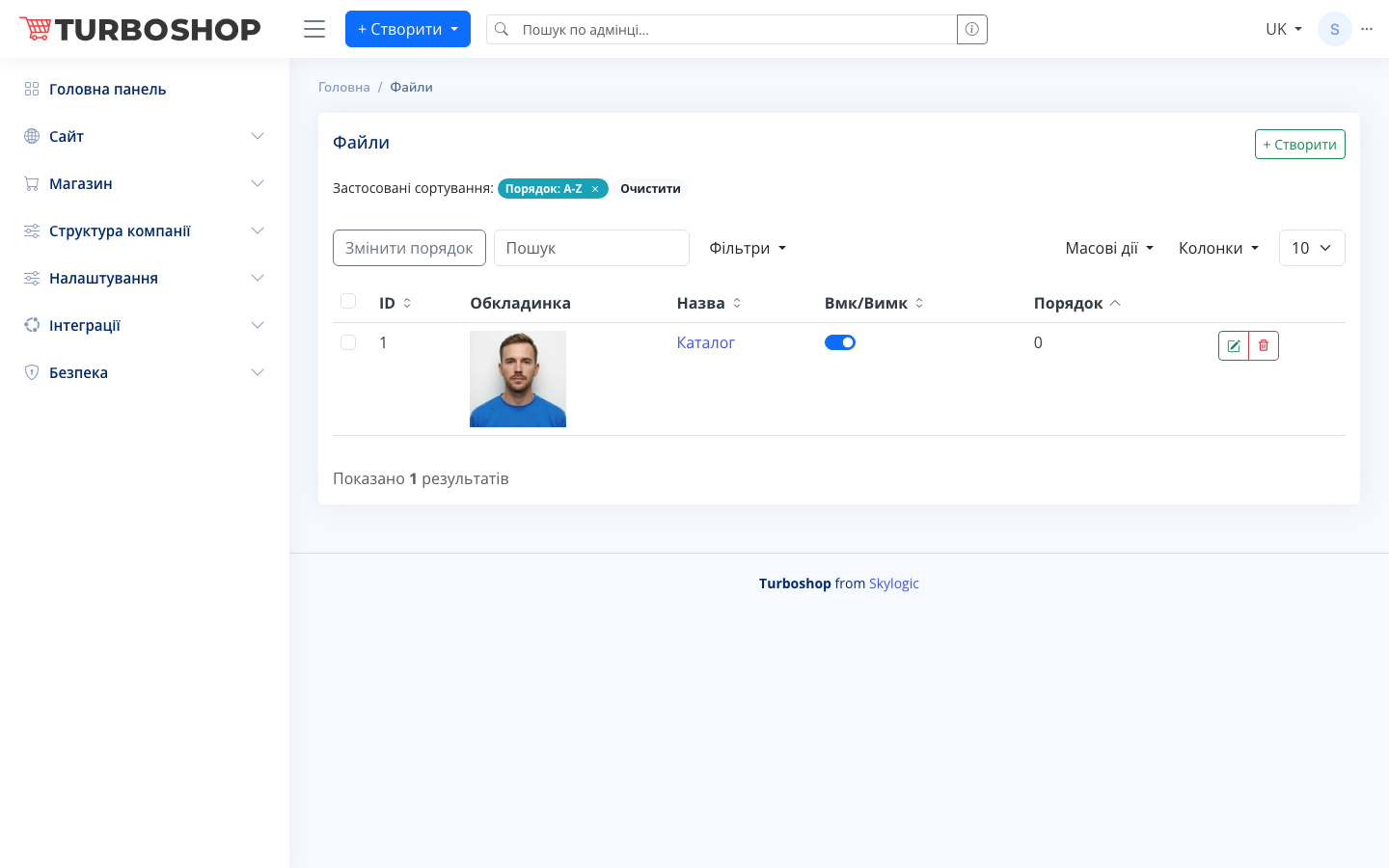
At the top right is the "+ Create" button; on the left is the applied sorting ("Order: A-Z") and "Clear", and below are "Change order", a search field, "Filters", "Bulk actions", and a column picker. The table contains columns:
- ID — the file number.
- Cover — a preview image.
- Name — the file name (e.g. "Catalog").
- On/Off — the display toggle.
- Order — the sort position, and Actions.
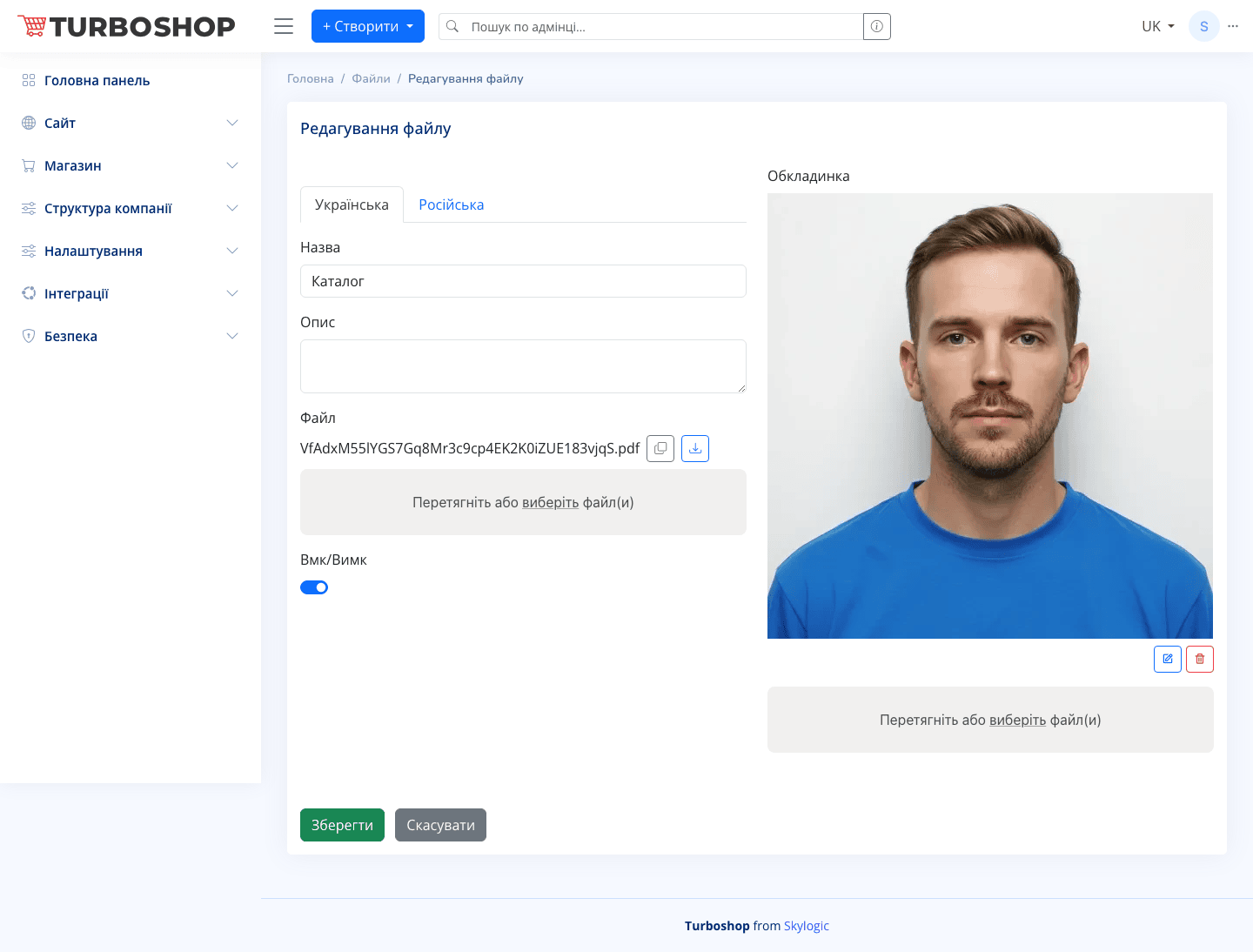
The edit form has the "Ukrainian/Russian" language switcher, "Name" and "Description" fields, the current "File" with copy and download buttons, a "Drag or choose file(s)" drop zone, an On/Off toggle, and a "Cover" block for the preview image.
How it works
Click "+ Create", set a name and description, drag in the file itself and optionally a cover, enable the toggle, and save. The uploaded file becomes available for download on the site.
Why it matters
Files give customers convenient offline access to catalogs and price lists, which is useful for wholesalers and B2B and makes the purchase decision easier.