
The “Vacancies” section is a list of the company’s open positions shown on the site. It turns your store into a hiring channel and lets you manage job ads without third-party services.
What you see
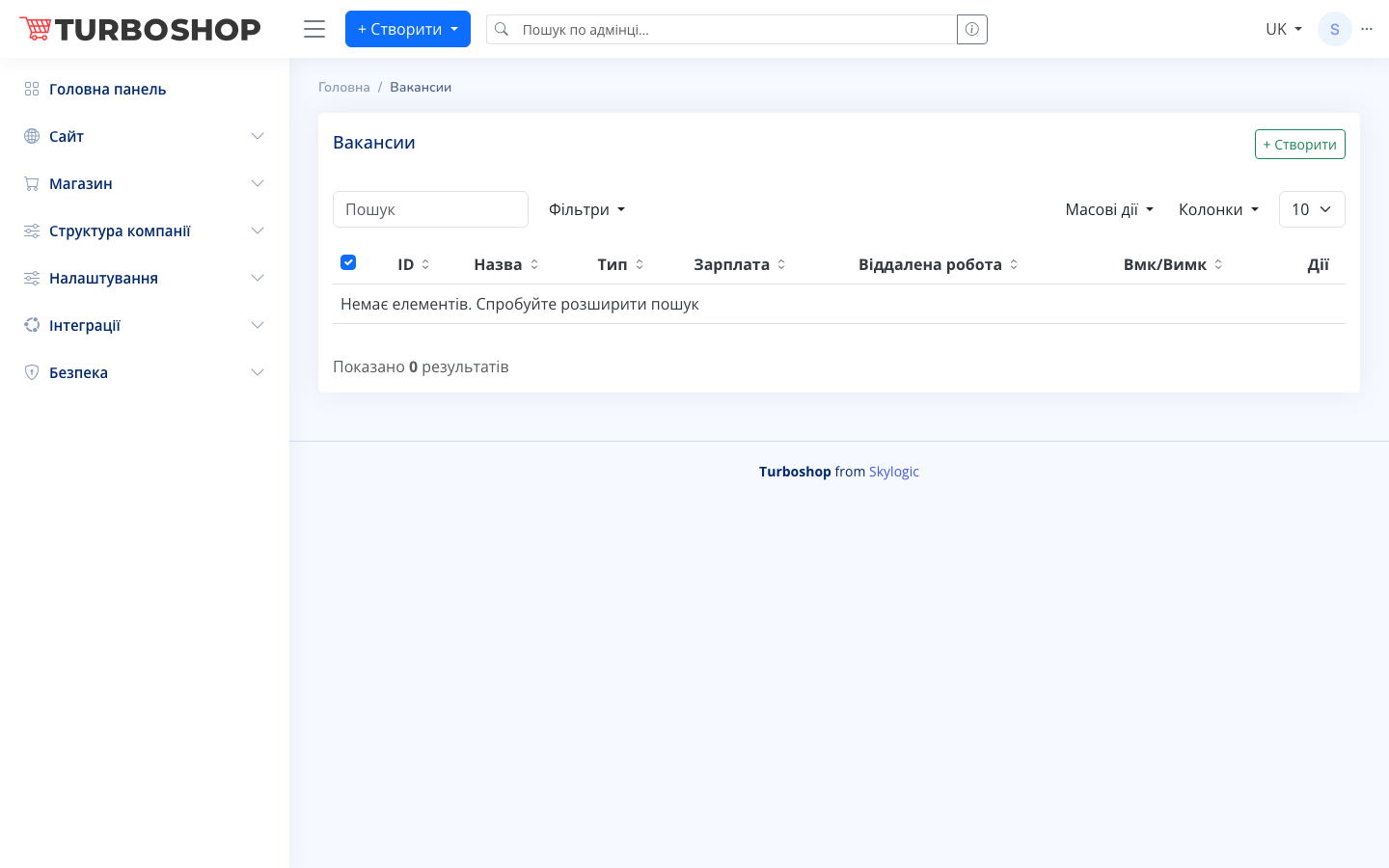
At the top is the “Vacancies” heading and a “+ Create” button to add a new position. Below is a row with a search field, a “Filters” button, a “Bulk actions” menu, a visible-“Columns” selector and a per-page count. The table has columns: ID, Title, Type, Salary, Remote work, a Enable/Disable toggle (published or hidden) and “Actions”. While there are no positions yet, an empty-state hint and a results counter at the bottom are shown.
How it works
Click “+ Create”, fill in the title and vacancy parameters (employment type, salary, remote-work flag) and save. The record appears in the table. The Enable/Disable toggle controls whether the vacancy is visible on the site without deleting it. Use “Actions” to edit or remove a position, search and filters to find one quickly, and “Bulk actions” to change several records at once.
Why it matters
Your own vacancies page saves the budget you would spend on job boards and attracts candidates who already know and like your brand. You control which positions are open and instantly hide the closed ones — with no developer involved.