
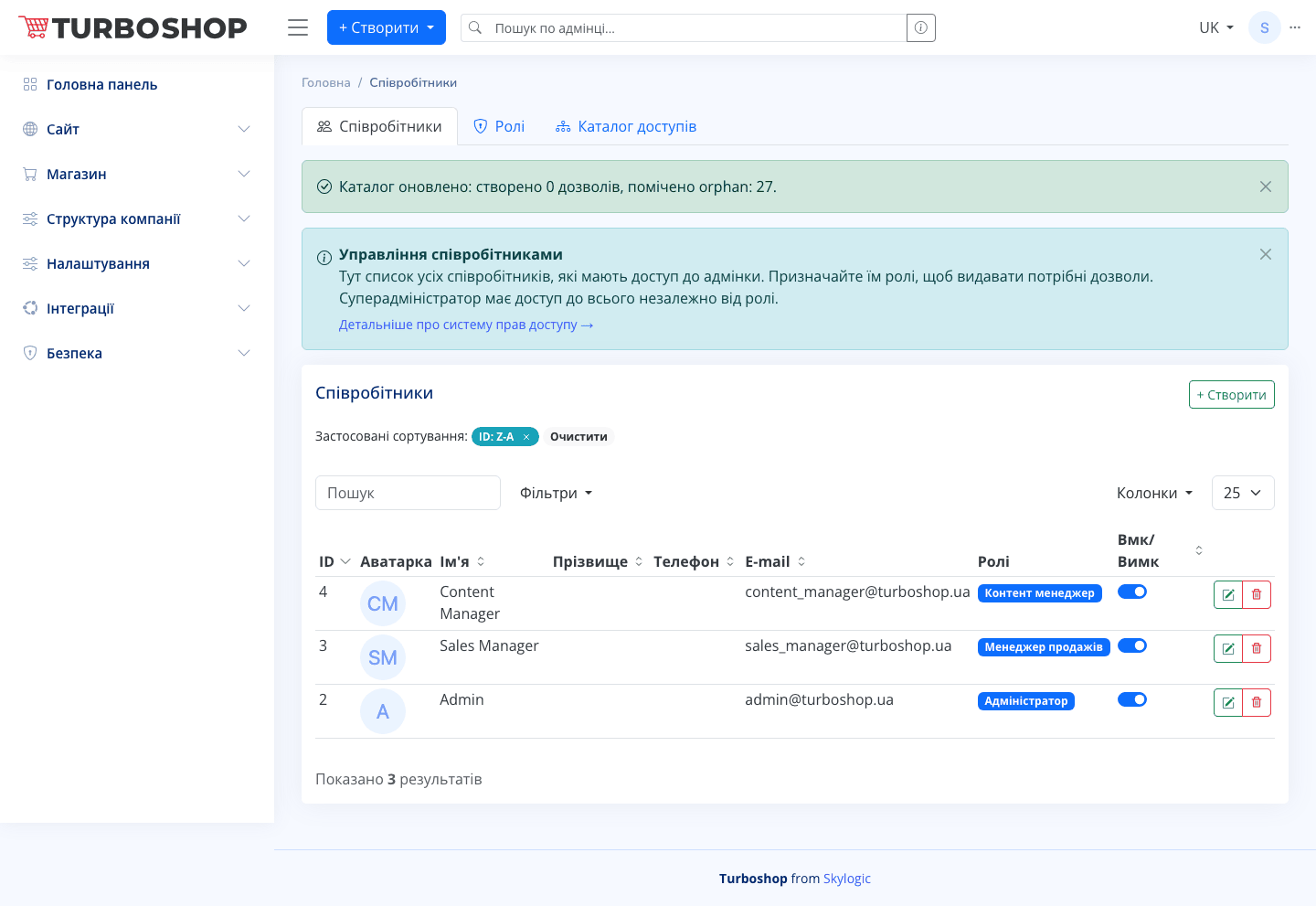
"Staff" is a list of people who have access to the admin panel, along with their roles. From here you grant and limit access rights to different store sections.
What you see
At the top are three tabs: Staff, Roles, Access catalog. Below them is the "Staff management" info block with an explanation and a "More about the access-rights system" link. Lower down is the "Staff" table with columns: ID, Avatar, First name, Last name, Phone, E-mail, Roles (coloured labels such as "Content manager", "Sales manager", "Administrator") and an On/Off toggle. On the right is the "+ Create" button, next to search, "Filters" and a column picker.
How it works
Click "+ Create" to add a staff member, fill in their details and assign a role. The role defines what the person can do in the admin panel. The toggle in a row temporarily disables access without deleting the account. The "Roles" and "Access catalog" tabs let you configure the roles themselves and the list of permissions.
Why it matters
Separating rights means security and order: each person sees only their area of responsibility. A super administrator has access to everything, while ordinary staff only see the sections they need, which lowers the risk of mistakes and leaks.