
«TurboCRM» connects the Turboshop store with the TurboCRM system and lets you automatically pass leads, customers and orders into the sales funnel, as well as sync products and stock.
What you see
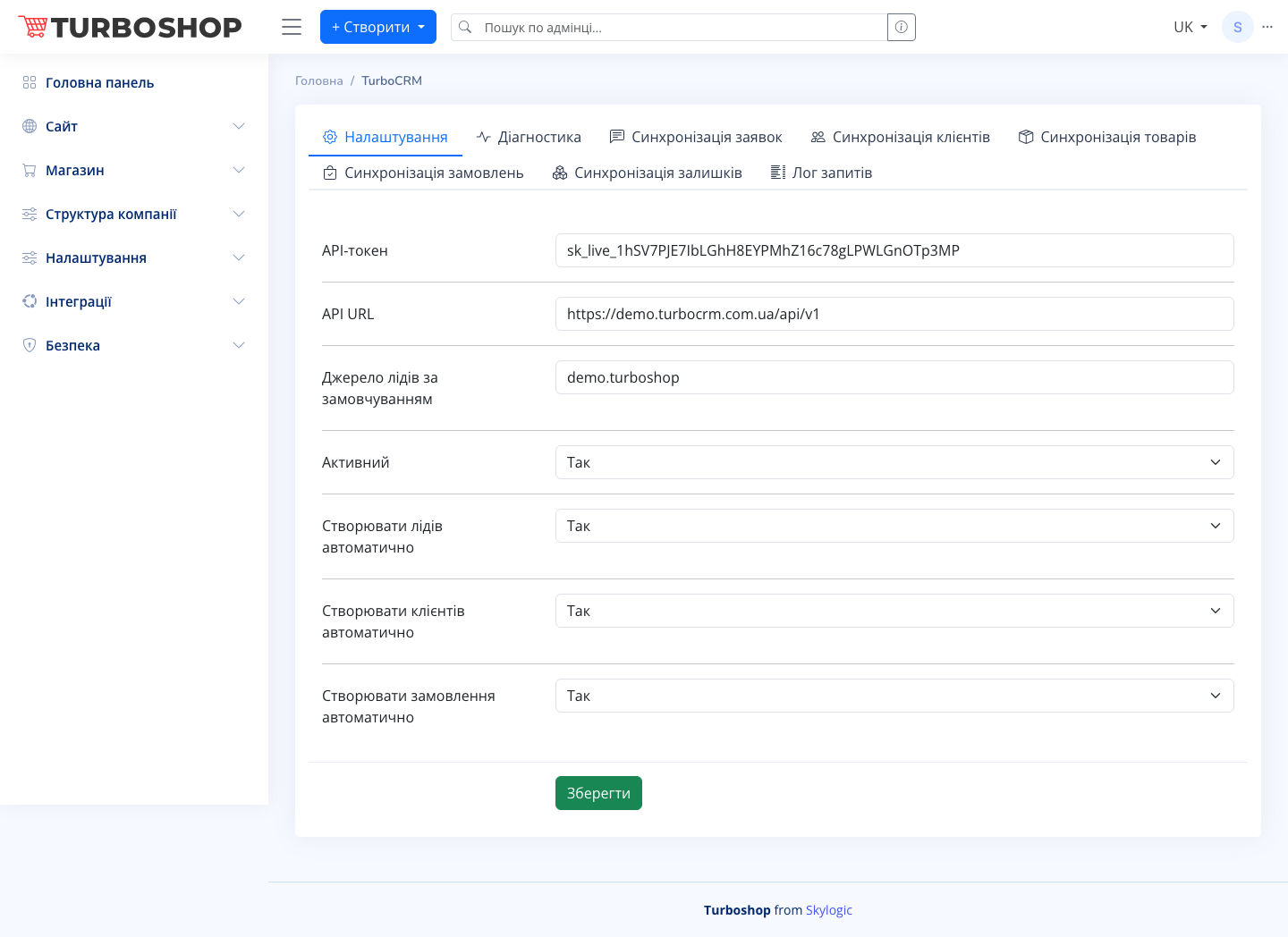
At the top there are tabs: «Settings», «Diagnostics», «Leads sync», «Customers sync», «Products sync», «Orders sync», «Stock sync» and «Request log». On the «Settings» tab you fill in the fields: «API token» (the TurboCRM access key), «API URL» (the CRM server address), «Default lead source» and the toggles «Active», «Create leads automatically», «Create customers automatically», «Create orders automatically». At the bottom there is a «Save» button.
How it works
Enter the API token and API URL from your TurboCRM account, turn on «Active» and the needed automatic actions, then save. After that new leads, customers and orders are passed to the CRM automatically. The sync tabs and the «Request log» help you check that data flows without errors.
Why it matters
All customer work is brought into one system: managers run deals in the funnel, nothing is lost, and the manager sees the full sales picture.