
The «Blocked IPs» screen is a blacklist of addresses that are not allowed to access the site. You add the IPs of bots, spammers and anyone harming the store here.
What you see
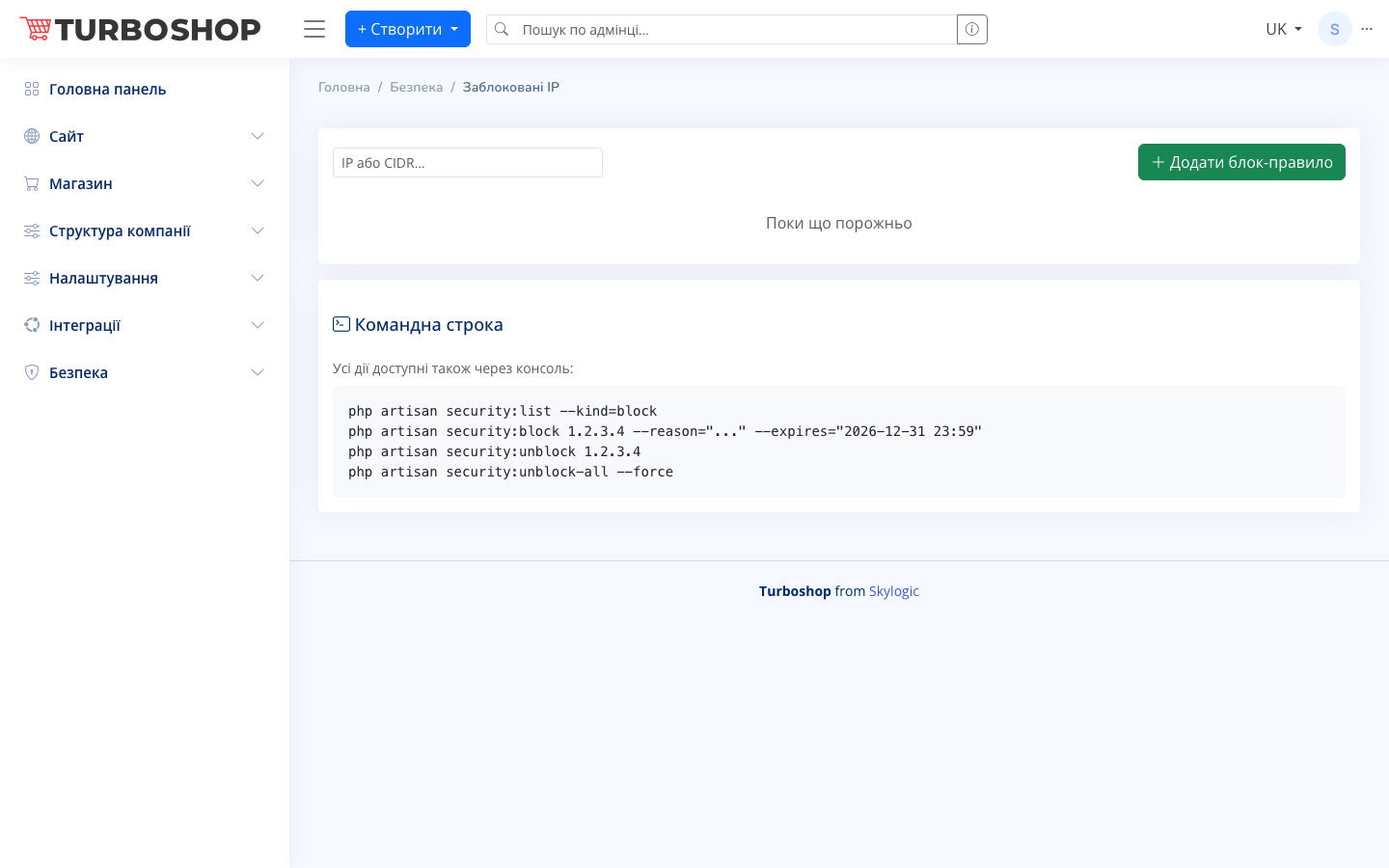
At the top there is an «IP or CIDR…» field for entering an address and a green «+ Add block rule» button. Below is the list of rules already added; while it is empty you see the message «Nothing here yet». A separate card at the bottom holds the «Command line» block with command examples for those who prefer the console.
How it works
Enter a single address (for example, 1.2.3.4) or a whole range in CIDR format (for example, 1.2.3.0/24, to block many addresses at once) and click «+ Add block rule». The address appears in the list and visitors from it lose access. The same can be done with commands: security:block (with a reason and an expiry date), security:unblock to remove the block on one address, and security:unblock-all to clear the whole list.
Why it matters
Blocking protects the store from competitors scraping prices, form spam, password guessing and unnecessary bot load. It is a fast way to remove a specific offender without waiting for a developer.