
«Prom» lets you sync products with the Prom.ua marketplace through product feeds (XML files with a list of products). This is an additional sales channel managed from a single place in the Turboshop store.
What you see
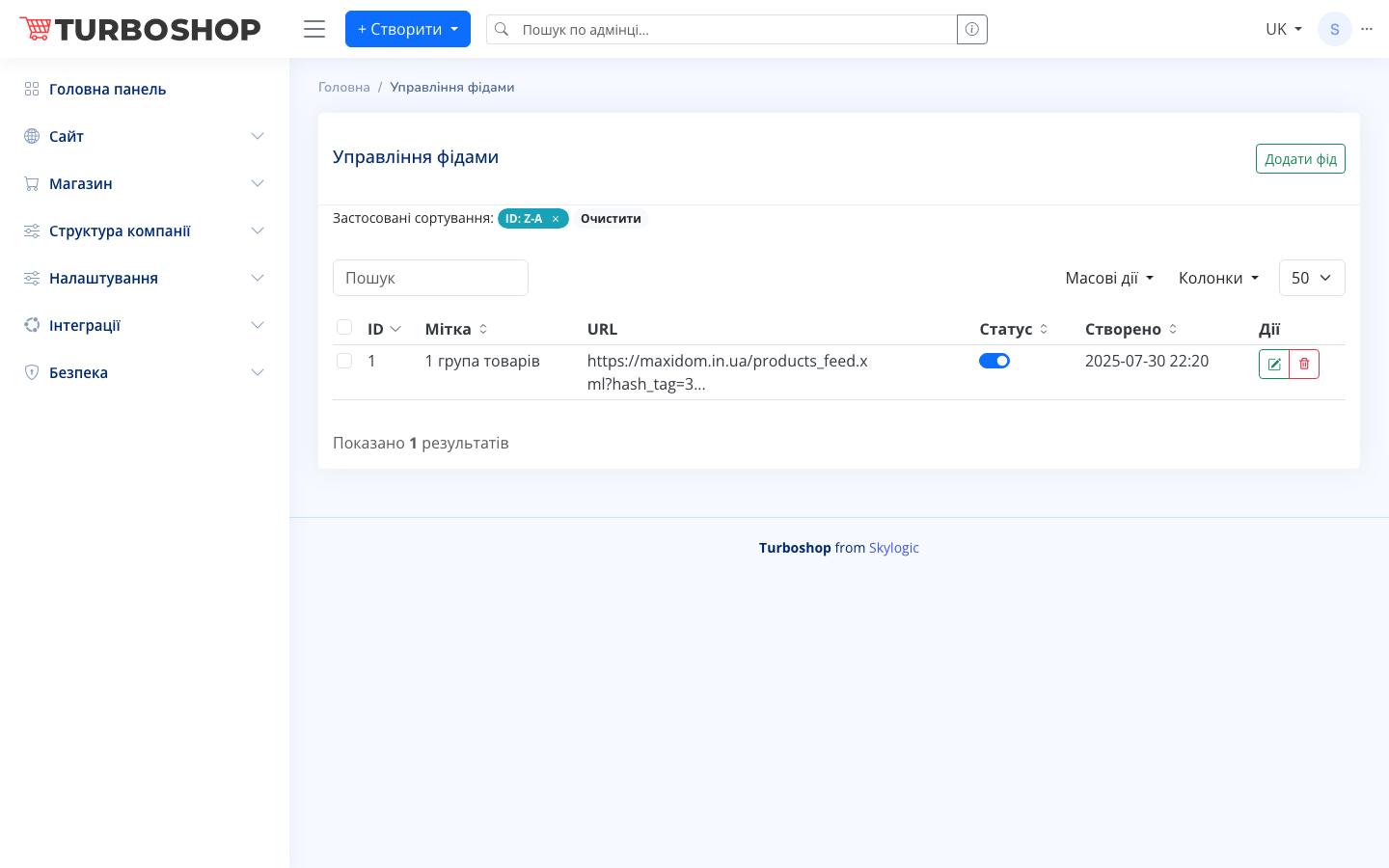
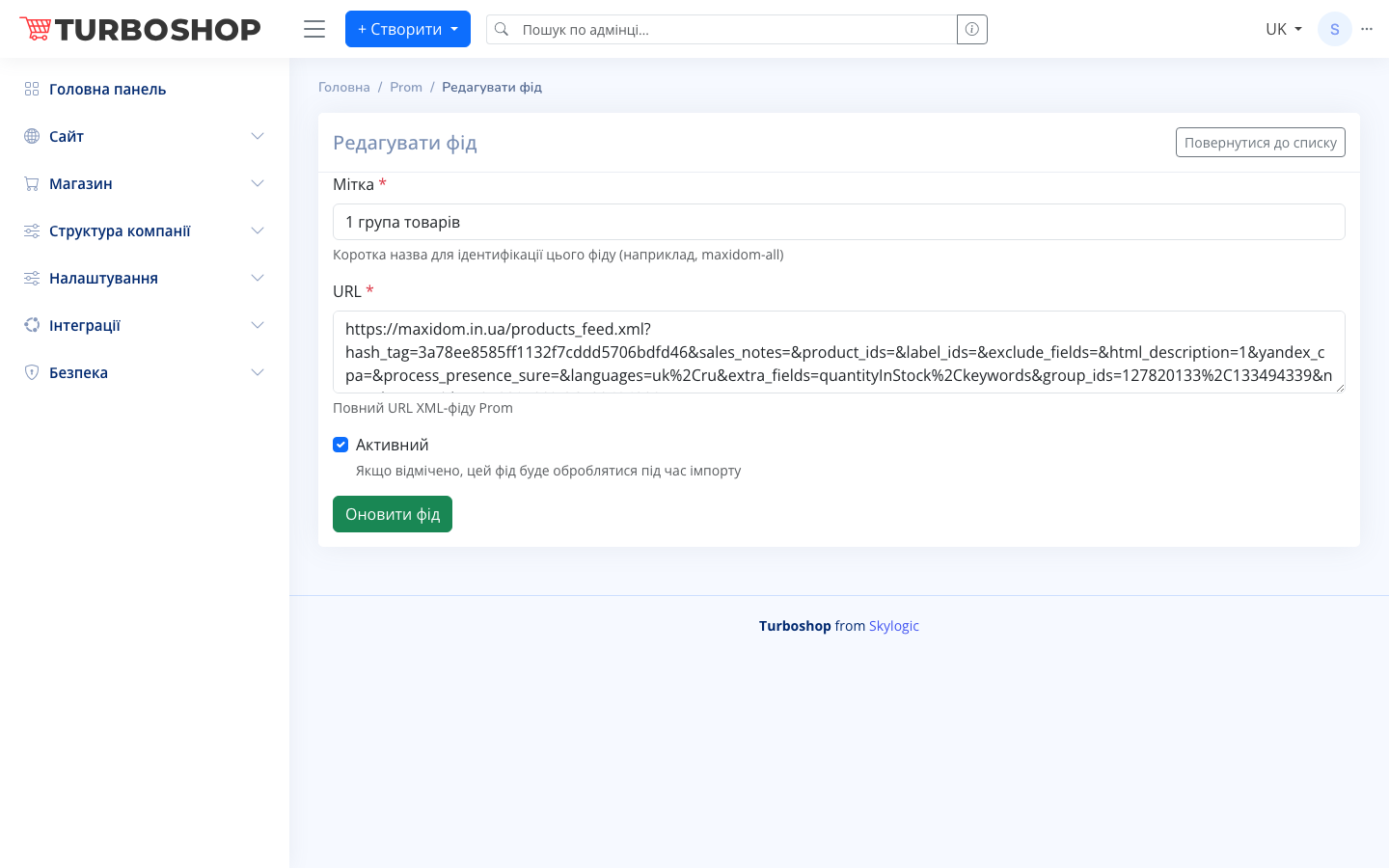
The «Feed management» page shows a table of added feeds with the columns: «Label» (a short feed name), «ID», «URL» (the address of the Prom XML feed), «Status» (an activity toggle) and «Created» (a date). On the right of each row there are edit and delete buttons. At the top there is an «Add feed» button, bulk actions, search and a column settings menu. The add/edit form has the fields «Label» (for example, maxidom-all), «URL» (the full XML feed address) and an «Active» checkbox. The «Update feed» button saves the changes.
How it works
Add a feed by specifying a label for convenience and the full URL of the Prom XML feed. Active feeds are processed during import: products are sent to Prom.ua and updated automatically. An inactive feed is temporarily excluded without being deleted.
Why it matters
The Prom.ua marketplace is a large source of buyers. Managing the assortment in one place through feeds saves time and removes discrepancies between the site and the marketplace.