
“Attributes” are product properties (color, size, material, brand, etc.) that build the filters on catalog pages. They let a buyer quickly narrow down to the product they need.
What you see
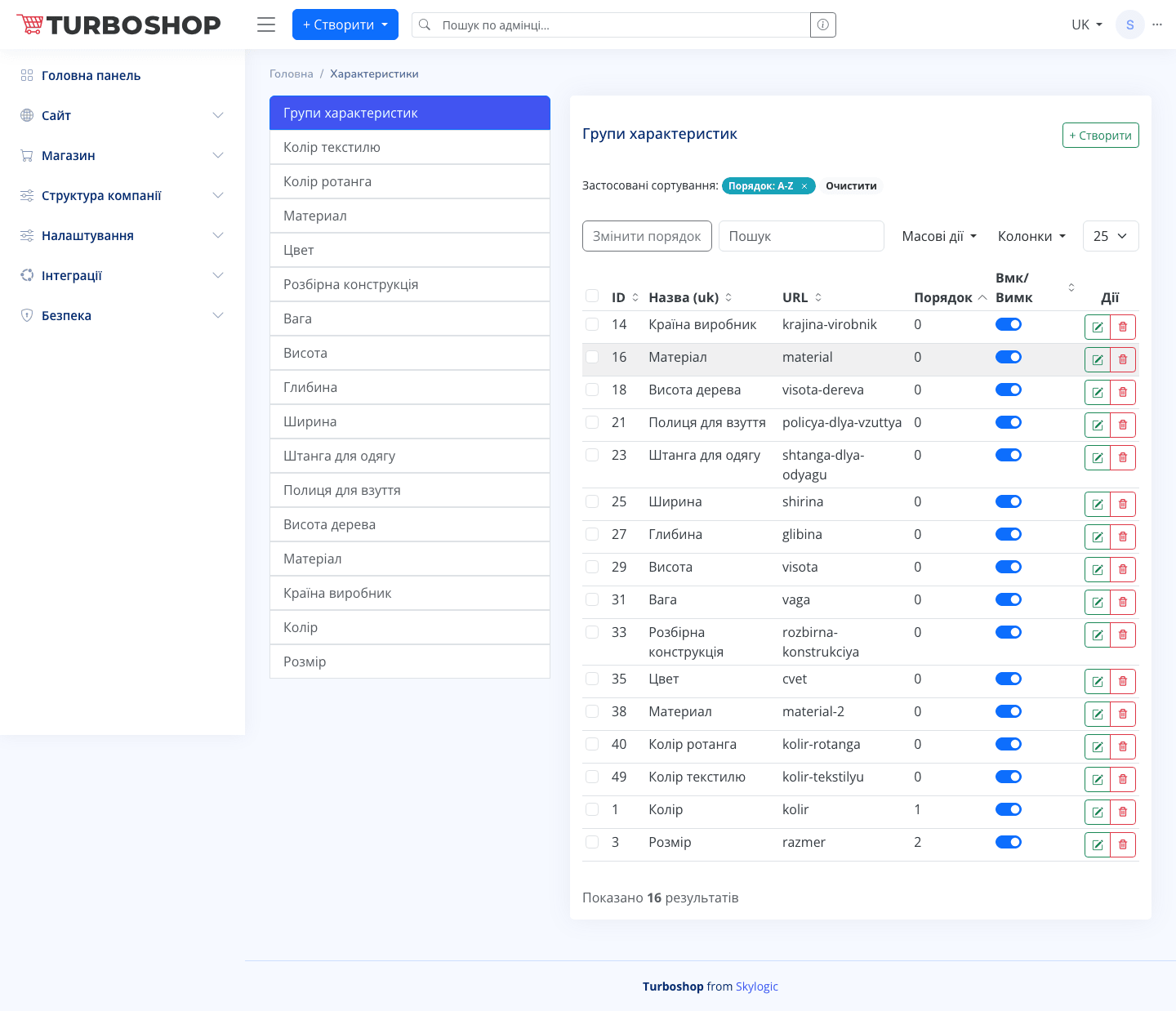
The screen has two columns. On the left is the list of attribute groups (for example “Color”, “Material”, “Weight”). On the right is a table of the selected group’s values with ID, name, URL, order and an On/Off toggle. At the top are the + Create button, “Change order”, search, bulk actions and column selection.
How it works
- First you create a group (e.g. “Color”), then add values to it (“red”, “blue”).
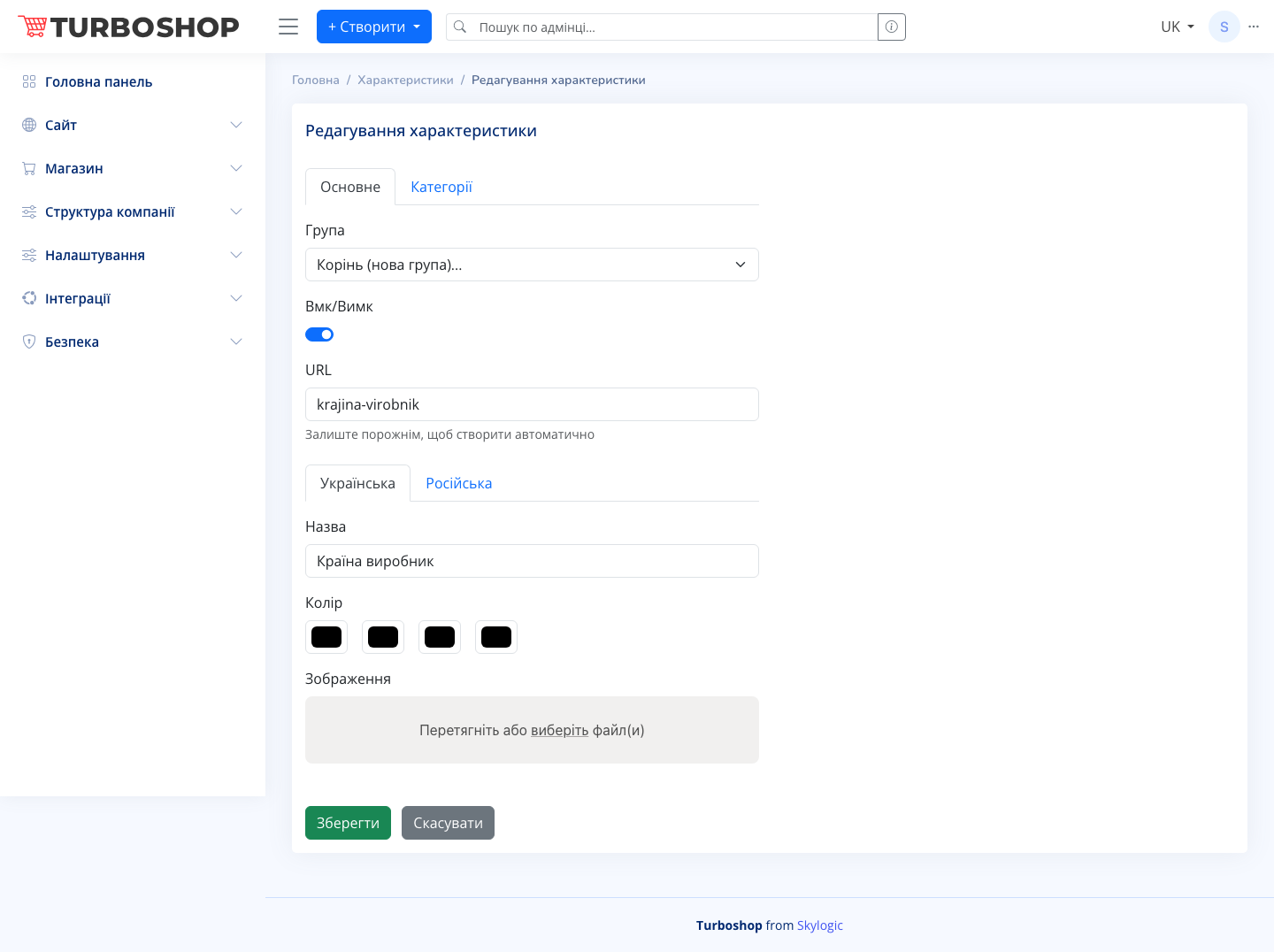
- The edit screen has the Main and Categories tabs: group selection, an enable toggle, URL, a name in two languages, plus a Color field (swatches) and an image upload — handy for color filters.
- The category binding decides in which catalog sections this filter is shown.
Why it matters
Convenient filters shorten the path to purchase: in a few clicks a customer finds “red sneakers size 42” instead of scrolling through hundreds of products. This raises conversion and site satisfaction.