
"Pages" are the standalone content pages of the site: home, "About", "Contacts", "Privacy Policy", "Exchange and returns", and so on.
What you see
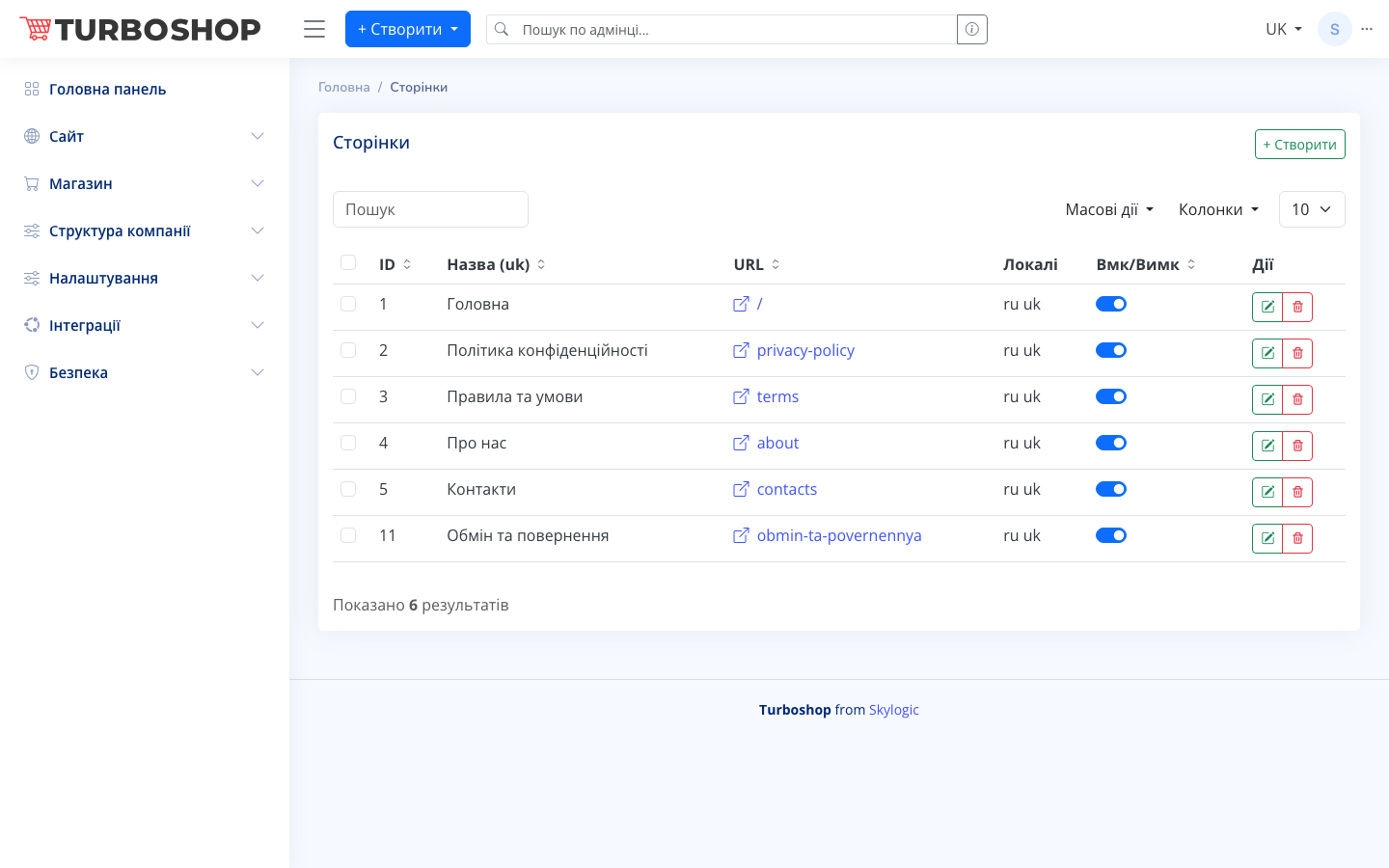
At the top right is the "+ Create" button. Below is a table of pages with columns:
- ID — the page number.
- Name (uk) — the page title.
- URL — the address (e.g. /, privacy-policy, contacts) with an icon to open the page.
- Locales — the languages the page is filled in for (ru uk).
- On/Off — the publish toggle.
- Actions — edit and delete.
There is a search field, "Bulk actions", a column picker, and a rows-per-page selector.
How it works
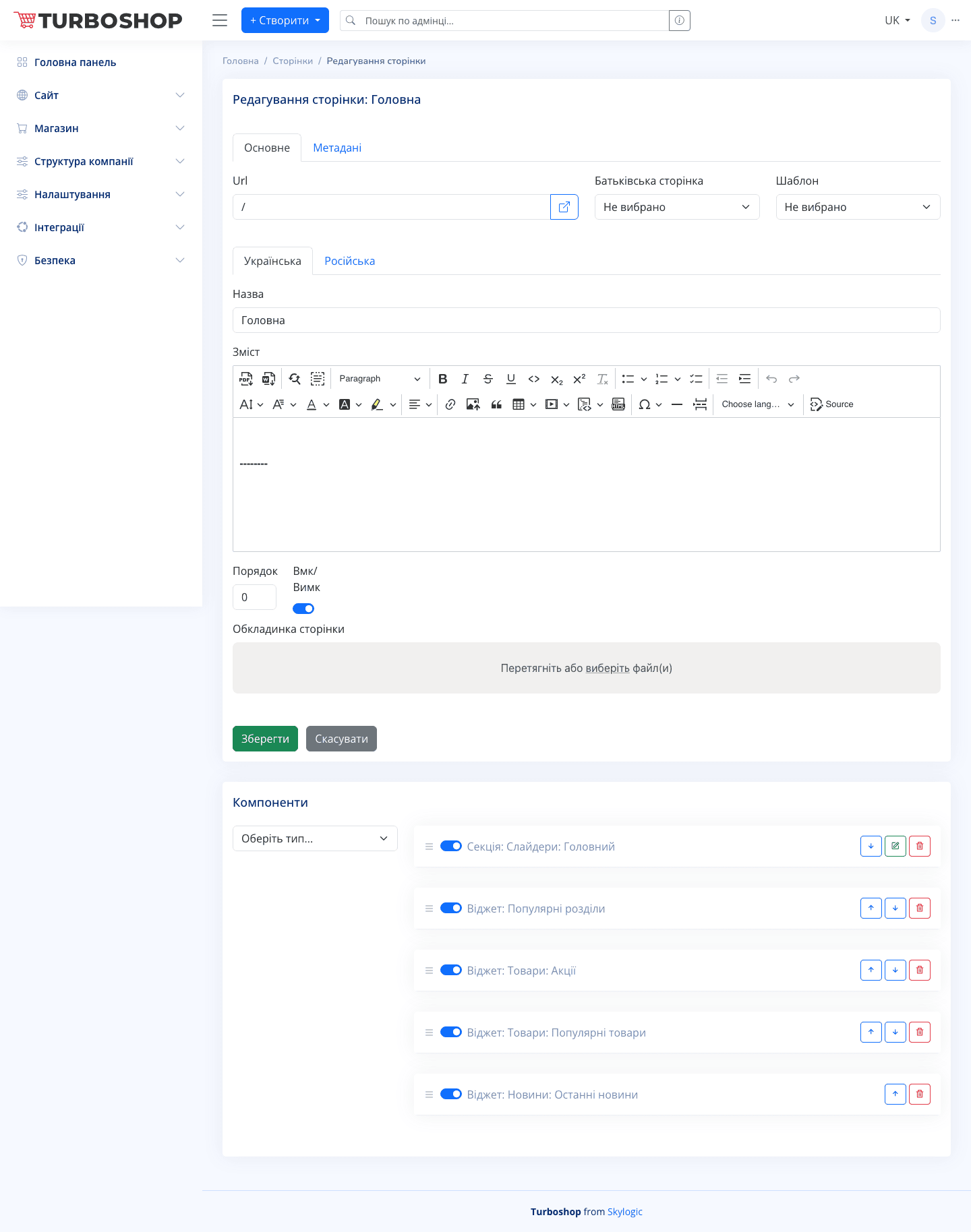
The edit form has two tabs — "General" and "Metadata". On "General" you set the Url, parent page, template, the "Ukrainian/Russian" language switcher, the "Name" field, the "Content" rich-text editor, the order, the On/Off toggle, and the page cover. The "Components" block at the bottom lets you add ready-made sections and widgets (sliders, popular sections, promotions, news) and toggle each one. The "Metadata" tab configures SEO tags.
Why it matters
Pages build trust in the store and answer customers' common questions (delivery, returns, contacts), and they are also required to meet legal obligations.